
Offline AI voice generator with local control and no subscription pressure
Generate AI voices locally on your PC: TTS, voice cloning, voice design and creator export without relying fully on cloud subscriptions.
For users searching for an offline AI voice generator no subscription and a more controllable creator workflow.
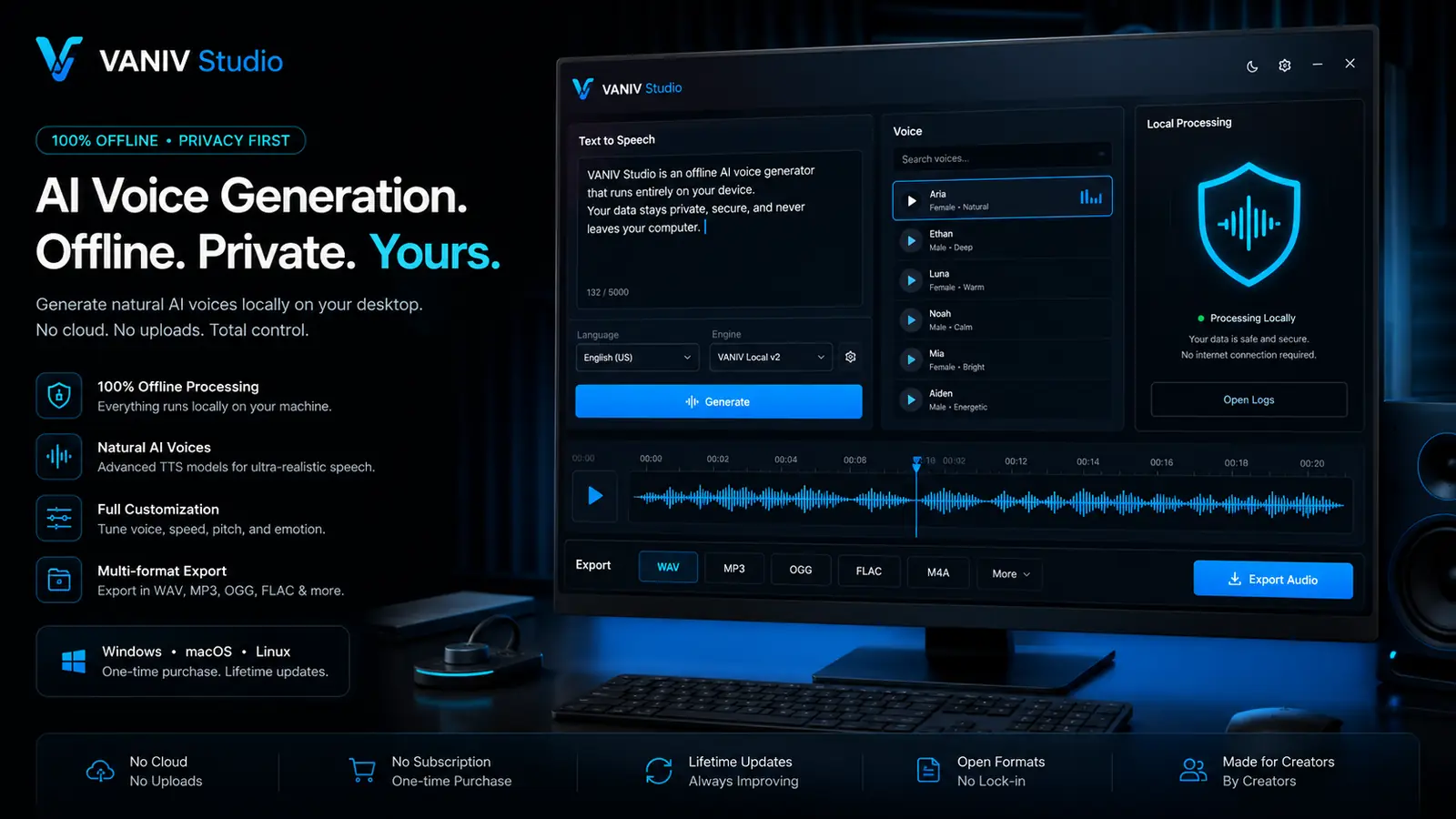
Show AI voices without cloud pressure.
The Voice Library keeps authorized voices and repeatable voiceover workflows organized in VANIV.
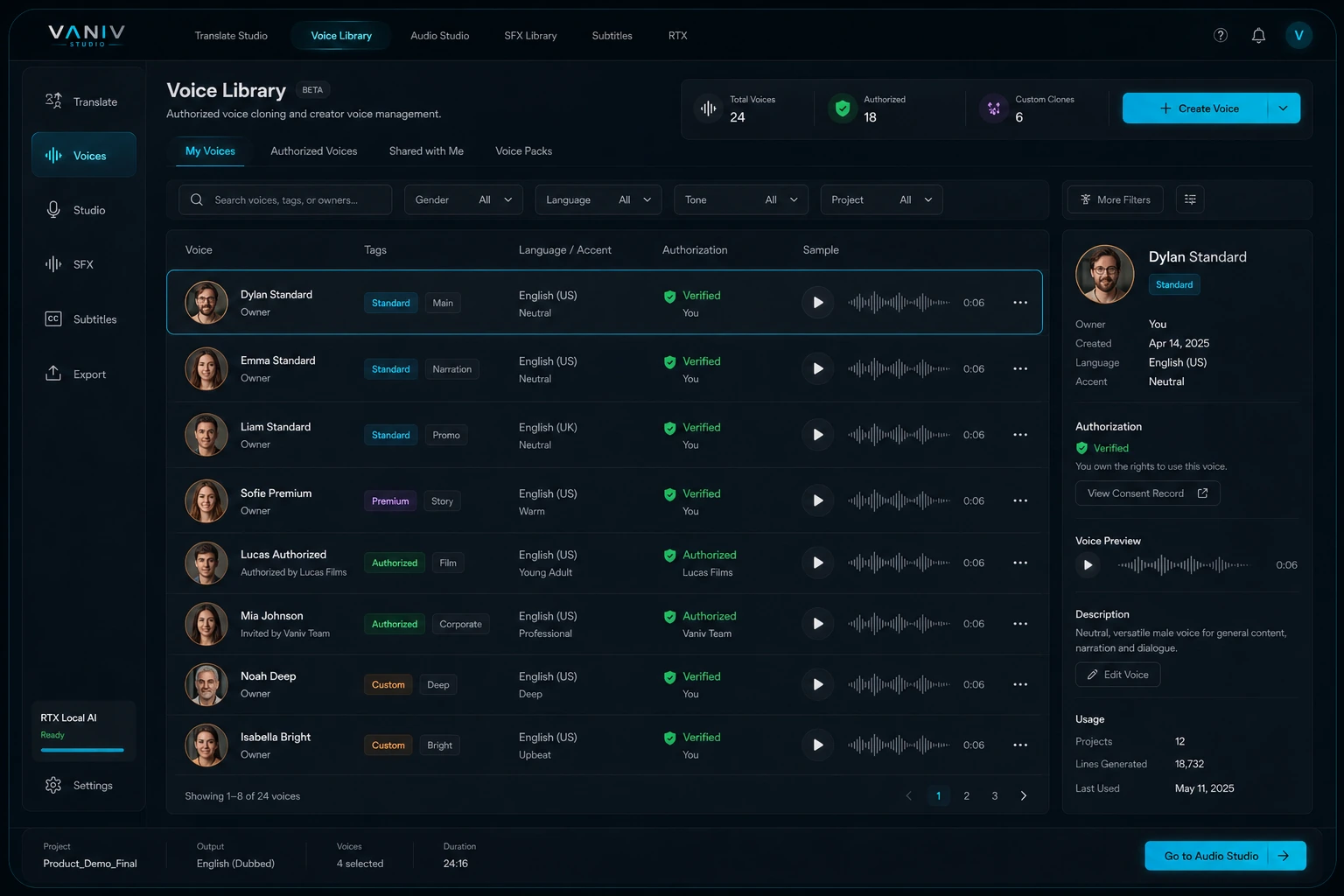
What is an offline AI voice generator?
An offline AI voice generator creates speech mainly on your own PC instead of calling a cloud service for every generation. It is especially useful when you want to test many variants, reuse voices, keep tighter control of files and connect text-to-speech with video, dubbing or course production.
Offline does not mean every part of the lifecycle is permanently disconnected: installation, model downloads, licensing or updates can still require internet access. The important distinction is where the core generation and review work happens.
Why offline AI voices matter for creators
- This is a high-intent search: users want AI voices, but they dislike subscription pressure and permanent cloud dependency.
- VANIV should explain the studio workflow, not just TTS: voices, script, timing, mixing and export belong together.
- Use the word offline honestly: local-first core, while installation, model downloads and updates may still require internet.
Frequently asked questions
What is an offline AI voice generator?
An offline AI voice generator creates synthetic voices or voiceovers on your own system or inside a local workflow. The focus is more control over files, voice settings, projects and exports.
Is offline automatically better than cloud?
No. Cloud tools can be very convenient for quick tests. Offline becomes stronger when you produce regularly, use sensitive voices or want less dependence on credits, limits and platform rules.
Do I need a strong graphics card?
For serious local AI workflows, a capable GPU is very helpful. It often decides how smooth generation, voice cloning and export feel.
Can I use my own voice with VANIV?
VANIV is designed as a local AI studio for voice design, text-to-speech and voice cloning. Own voices should only be used with clear consent and suitable source material.
Is it really without a subscription?
The important point is less subscription and credit pressure. Local workflows shift costs more toward hardware and software instead of recurring cloud usage.
Can I use the voice later for videos?
Yes. That is one of the most useful cases. A voice can be reused for voiceovers, video dubbing, tutorials, product videos or multilingual projects.
What is the difference from normal text-to-speech?
Normal TTS creates audio from text. A complete local workflow also includes voice reuse, project management, export, subtitles, dubbing and repeatable production.
Who is VANIV especially useful for?
Creators, YouTubers, agencies, coaches, software teams and anyone who uses voice regularly in content and wants more control over workflow and data.
Test VANIV Studio on your Windows PC.
VANIV Studio is currently in early access. Request a personal Early Access and test the local creator workflow directly on your own hardware.
- No cloud demo — test the real local workflow.
- No subscription pressure during early access.
- Best with a modern NVIDIA RTX GPU.
Why an offline AI voice generator is more than text-to-speech
Many tools can turn text into speech. For creators, the real question is whether voice, style, project files, export and reuse fit into one repeatable workflow.
Your voice becomes part of your own system
When you use an AI voice regularly, it becomes part of your brand. That is why local processing is interesting: you work closer to your own files, references and project archive. It does not replace rights or consent, but it reduces unnecessary external steps.
From text to audio without starting from zero every time
A serious offline voice generator should not only create one isolated clip. For YouTube, product videos, tutorials or dubbing, you need reusable voices, predictable settings, export options and a connection to subtitles and video projects.
Less subscription pressure, more ownership of the process
Cloud services can be convenient, but recurring credits, usage limits and subscription tiers become relevant when production becomes regular. A local workflow shifts the focus: more hardware responsibility, but more control over repeatable production.
When offline AI voices start to make real sense
Not everyone needs a local AI studio immediately. But once voice becomes part of regular production, the calculation changes.
Creators with recurring formats
If you regularly produce videos, shorts, tutorials or explainers, you do not want to search for a new voice every time. A consistent AI voice helps build recognition and save production time.
Projects with client material and approvals
For client videos, internal demos or product material, control matters more than experimentation. Local workflows help organize files, voices and exports with less dependence on external platforms.
Think voiceover, translation and dubbing together
A voice alone is rarely the final product. Often the real workflow includes translated videos, subtitles, dubbing, timing and export. VANIV connects that idea with video translation, video dubbing and voice cloning.
Important: offline does not automatically mean perfect, free or responsibility-free. Good results still need clean text, suitable voice settings, capable hardware and realistic expectations. But if you produce content regularly, a local approach can be much more professional than a single cloud tool with a credit counter.
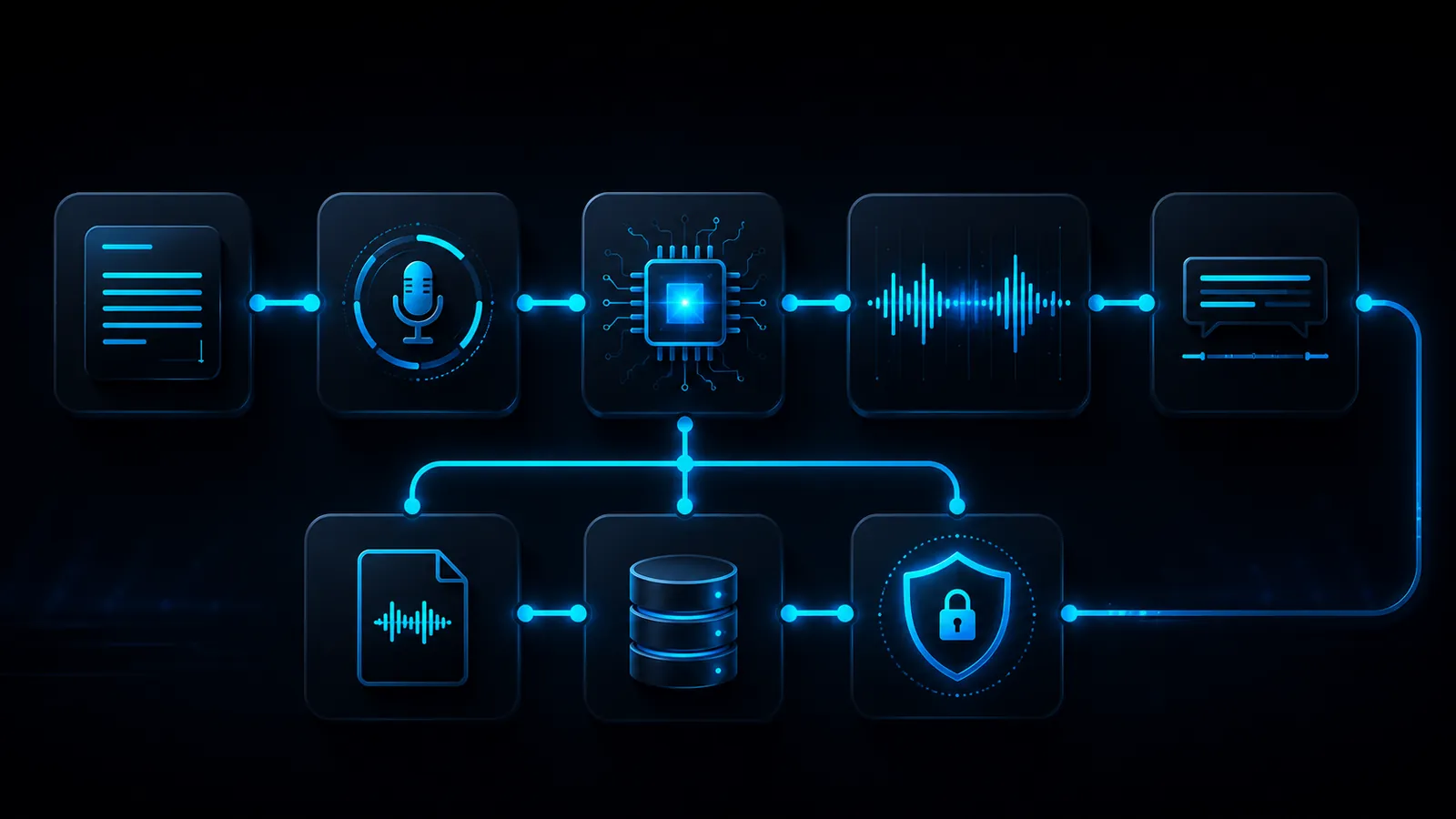
How VANIV places offline voices inside a creator workflow
VANIV is not designed as a one-click toy. It is designed as a local production hub for voice, audio, subtitles and export.
Turn scripts into usable audio
For scripts, intros, explanations, product messages or short clips, you need a voice that does not feel random. That is why local text-to-speech is a core building block.
Design voices more intentionally
You do not always want to clone a real voice. Sometimes you need a speaker role: calm, clear, energetic, warm or serious. That is where voice design from text description becomes useful.
Reuse your own voice consistently
When you want to reuse a known voice with consent, local voice cloning becomes important. Then it is not only about sound, but about reuse across many projects.
Offline AI voices need the right foundation
Local means your machine does work that a cloud server would otherwise handle. That is powerful, but not magic.
Your graphics card often decides how fast it feels
For serious local AI workflows, a suitable GPU is a major lever. More performance does not automatically mean a better voice, but it often means less waiting and more stable work.
Project files need space
Audio, video, models, exports and intermediate files need storage. That is why RAM and SSD are part of the setup.
Good source material still matters
Poor text, noisy references or unrealistic expectations will still produce weak results locally. The advantage is control, not magic.
How to use offline AI voices in real content production
The biggest mistake is treating an AI voice as a gimmick. The value appears when it becomes a repeatable production process.
Good text comes before good voice
An AI voice can only sound as useful as the text it speaks. For voiceovers, use short sentences, clear transitions and natural phrasing. Spoken language for YouTube, product videos and tutorials should not sound like a blog article being read aloud.
Not every voice fits every format
A product video often needs a different tone than a short, course module or dubbing project. It makes sense to think about voices by use case: calm and serious for explainers, more energetic for social clips, more neutral for support content.
Create variants without creating chaos
Offline workflows can make it easier to create variants. But you still need order: clear file names, project folders, versions and notes. Otherwise you end up with 30 audio files and no idea which one is final.
When an offline AI voice generator is not the best solution
Local production is valuable for recurring work and control, but it is not the best fit for every creator or every computer.
For a quick experiment, a cloud tool may be enough
If you only want to test a voice once, you do not immediately need a local workflow. Cloud tools are convenient for experiments. VANIV becomes more interesting when you produce repeatedly and need more control.
Local AI needs compute power
If your machine is very weak, local AI can feel frustratingly slow. You should first check whether your setup is suitable or whether a hardware upgrade makes sense. The hardware page helps with that.
Never use unclear voices casually
If you do not know whether you are allowed to use a voice, the project is not ready. Especially with voice cloning, consent matters. Professional use means taking rights, permission and transparency seriously.
Offline AI voice, cloud tool or normal voiceover?
The best option depends on how often you produce, how sensitive your material is and how much control you need.
Fast and convenient, but dependent
Cloud tools are strong for quick tests, short clips and simple experiments. The downside appears with regular production: limits, credits, uploads, subscription tiers and less control over project files.
Human, but not always scalable
A real voiceover can be very high quality. But it takes time, scheduling and often budget. For regular variants, updates or multilingual versions, an AI workflow can be much faster.
Local workflow for repeatable production
VANIV sits between a one-time generator and a full production pipeline. The focus is local control, reusable voices, export, dubbing and creator content production.
Offline AI voice generator with no subscription focus: what users really search for
Many users are not only searching for a voice. They are searching for a local AI voice generator with less dependence on cloud, credits and subscription limits.
“AI voice generator no subscription” usually means control
People searching for an AI voice generator no subscription or an offline AI voice generator often want more than lower costs. They want control over projects, files, voices, usage rights and export. That is why VANIV fits better as a local workflow than as another pure cloud generator.
A local AI voice generator is strongest for repeatable production
A local AI voice generator makes the most sense when you regularly create voiceovers, tutorials, product videos, YouTube clips or dubbing projects. Then the single export is not the only thing that matters. Voice, text, subtitles and project structure need to work repeatedly.
Think offline text-to-speech and local voice cloning together
Offline text-to-speech is an important building block, but for creators, TTS alone is often not enough. The workflow becomes more interesting when local voice cloning, voice design, subtitles, video dubbing and export work together. That is where VANIV Studio is positioned.
Local AI voiceover generator for videos, courses and product demos
A local AI voiceover generator can help create audio faster, produce variants and make existing videos useful for new audiences. In recurring formats, a local voice is more than an effect. It becomes part of the production structure.
No subscription does not mean no effort
A local approach reduces subscription and credit pressure, but it does not replace good hardware, clean scripts or quality control. Professional results need a workflow. VANIV should represent that middle ground: less cloud dependence, but no unrealistic magic promise.
The best fit: creators who need voices regularly
VANIV is especially interesting for creators, agencies, coaches, software teams and YouTubers who work with voice regularly. If you only need one quick sound effect, it may be overkill. If voice becomes part of your content, a local AI voice generator is strategically strong.
A simple workflow for offline AI voiceovers
To make an offline AI voice truly productive, you need a clear process instead of starting a new experiment every time.
Write for spoken language
Start with a short and clear script. Avoid nested sentences, too many technical terms and unnecessary filler. An offline AI voice sounds better when the text is already written like a spoken voiceover.
Choose a voice that fits the purpose
For a tutorial, you often need a calm and clear voice. For social clips, it can be more energetic. For product demos, trust matters. The voice should not only sound good; it should fit the audience and platform.
Check audio, file and reuse
Before the final export, check volume, pronunciation, pauses, file name and target platform. If the voiceover is later used in video dubbing, subtitles or social clips, a clean export saves a lot of rework.
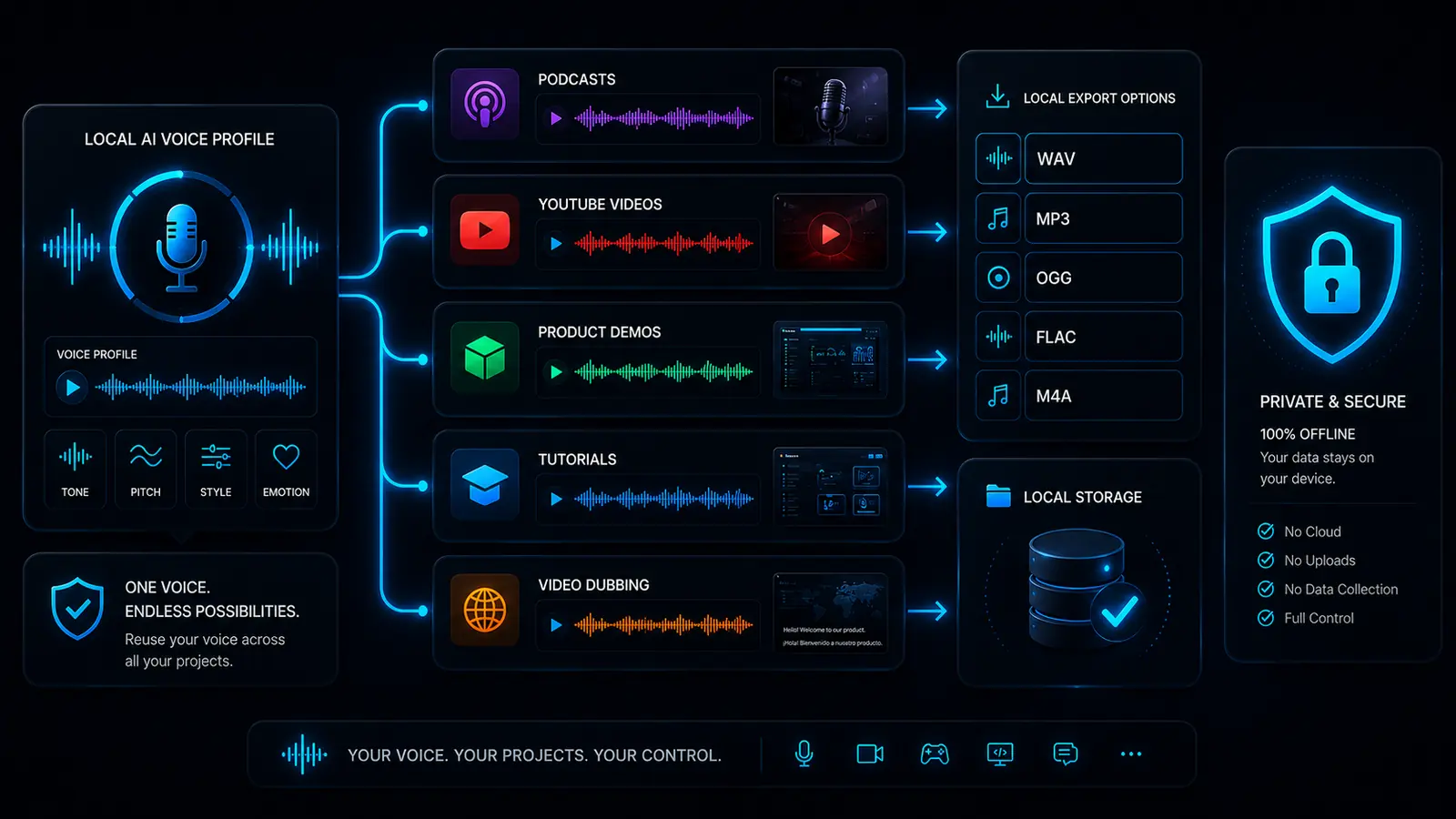
Which VANIV page should you read next?
If you want to use offline voices seriously, these are the next useful pages.
The overview of how VANIV connects voice, video, subtitles and export.
VoiceLocal voice cloningFor your own voice, references and reusable voice profiles.
DubbingVideo dubbingWhen voice becomes complete language versions for videos.
HardwareHardware for local AIThe foundation for stable local workflows on your PC.
CompareCloud vs local AIHelps you understand when local AI really makes sense.
Join Early AccessReady for local AI production?
VANIV Studio connects local AI voices, video, dubbing and export in one controllable workflow on your PC.
Explore Early Access