
Your local AI studio for voices, dubbing, subtitles, SFX and export
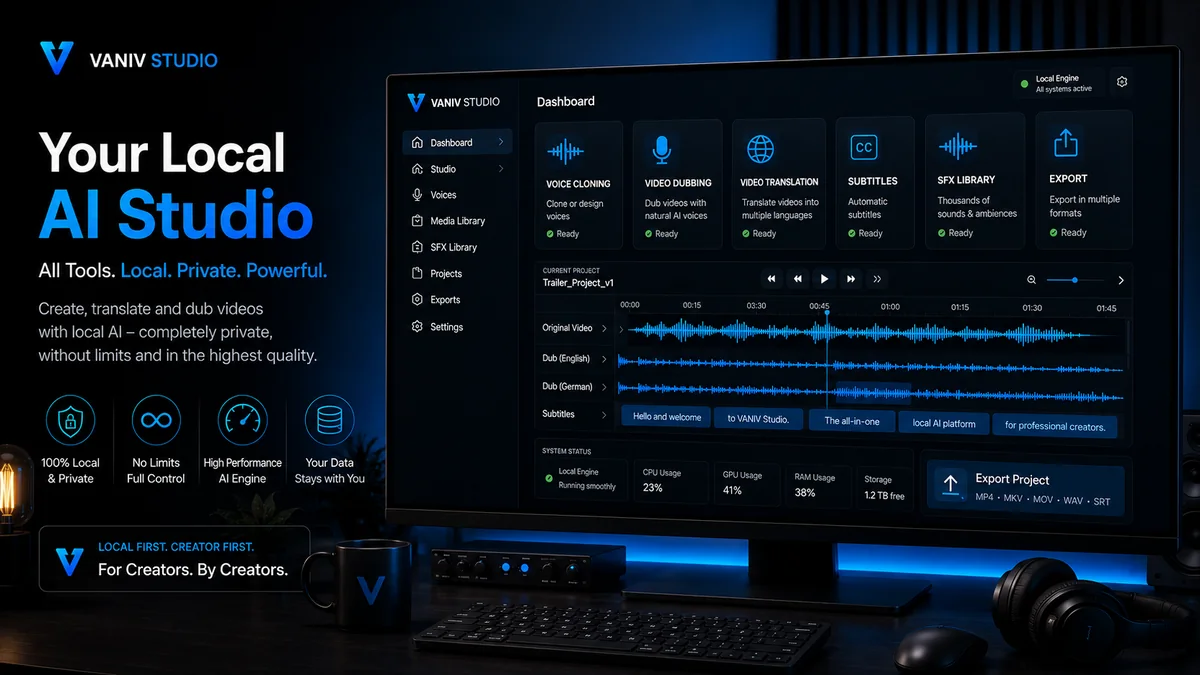
VANIV Studio is a local AI production hub for creators, YouTubers, agencies and small teams. Instead of combining separate AI generators, cloud tools and export workarounds, VANIV brings voice cloning, video dubbing, video translation, subtitles, SFX and export into a controlled workflow on your own computer.
What is a local AI studio?
A local AI studio is not a single generator. It is a workspace for AI-assisted content production where important production steps can run on your own system.
Too many tools, too little workflow
Many creators start with a voice generator, then move to a translation tool, then create subtitles somewhere else and finally rebuild everything in editing software. That works for a quick test. It becomes painful when you regularly produce videos, language versions or client projects. At that point you do not need another isolated tool. You need a repeatable production path.
A local production space
VANIV Studio is designed to become that production space: a local creator studio for voice, video, subtitles, sound effects and export. This is the product idea behind VANIV: control, structure and professional repeatability instead of AI experiments without a system.
VANIV is positioned as a local AI production hub. The value does not come only from voice cloning or video dubbing alone. It comes from connecting these building blocks. That is how a one-off AI test becomes a real workflow for repeatable creator production.
What comes together inside VANIV Studio
A local AI studio becomes valuable when multiple production steps work together. VANIV connects the core building blocks for modern audio and video production.
Recognizable voices
Voice cloning is one of the key building blocks for creators. A saved or authorized voice can be reused for tutorials, explainers, product videos or language versions. The important part is not only the voice itself, but that it remains usable inside a project workflow.
New language versions
Video dubbing is more than a new voiceover track. Timing, language, clarity, subtitles and export have to work together. VANIV is designed to make this process more local and traceable instead of simply creating another audio file.
Multilingual content
For YouTube, software demos and evergreen content, video translation can become a major reach lever. A local AI studio helps treat translation as part of the full production process, connected to voice, timing and publishing.
Readability and control
Subtitles are not just an add-on. They improve clarity, accessibility, social media performance and international content use. In a studio workflow, subtitles belong next to transcript, translation and export.
Sound effects and assets
A creator studio needs more than voice. Transitions, UI sounds, impacts, ambience and small audio details can make videos feel more polished. That is why VANIV treats local asset and SFX libraries as part of the workflow.
Output instead of demo
In the end, the value is not a nice demo inside the tool. The value is an output you can publish, edit further or deliver to a client. Export is therefore not a side topic, but a central part of the product logic.
How a local AI studio helps in real production
The value of VANIV does not appear only in a demo. It appears in repeatable situations where a tool either saves work or just looks impressive for a moment.
One strong video becomes several language versions
A YouTuber publishes a German tutorial that keeps getting searched. Instead of recording the entire video again, a local workflow can connect transcript, translation, voice, subtitles and export in a controlled process. The main advantage is not only saving time. The real advantage is that the same production path can be reused for more videos.
Software explainers become useful internationally
A small software team has a strong demo video, but only in one language. For landing pages, support, onboarding and sales, multiple versions would be useful. A local AI studio can prepare new language versions from existing material without forcing the team to rebuild the entire production process every time.
Test variants before client material goes public
Agencies often need fast drafts: a different voice, another language, new subtitles, a shorter export. At the same time, client material is often sensitive. VANIV fits this use case because local workflows mean fewer platform jumps and more control over intermediate versions.
Structure speech, speakers and context better
Interviews and podcasts are rarely as clean as a studio script. There are pauses, speaker changes, noise and long sections. A local AI studio becomes useful when it does not only generate audio, but keeps transcript, speaker logic, subtitles and export together in one project context.
Why a local AI studio makes sense for creators
Cloud tools are convenient. But when you produce regularly, handle sensitive material or work professionally, control and repeatability become more important.
Your projects stay closer to you
With local AI, important production steps do not necessarily have to run through several external web tools. That matters when you process personal voices, client videos, internal product demos or unreleased content. Fewer uploads do not automatically mean perfect security, but they give you more control over the process.
Less thinking in credits and limits
Cloud platforms often work with subscriptions, credits, minute packages or file limits. For occasional tests, that can be fine. For regular production, it can become annoying. A local AI studio shifts the logic: you invest more in hardware and setup, but gain more control over repeat usage.
A system instead of rebuilding every time
The biggest advantage is often not one single export, but the repeatable workflow behind it. If you create videos, language versions or client variations every week, you do not want to decide from scratch which tool handles which step. You want a production path.
Responsible handling of voices
Voice cloning is sensitive. VANIV therefore stands clearly for using your own voice or explicitly authorized voices. A local studio fits that positioning because it feels less like a quick gimmick and more like controlled production with responsibility.
Why a local AI studio is more than a single AI generator
A generator creates one result. A studio helps you build a production process. That difference is central to VANIV.
Good for quick tests
A single AI generator is useful when you only want to test a voice, text or audio file. For a first impression, that can be enough. The problem starts when the test becomes real production. Then you need saved projects, traceable settings, reusable voices, clean exports and a clear connection between text, audio, video and subtitles.
Stronger for repeatable creator production
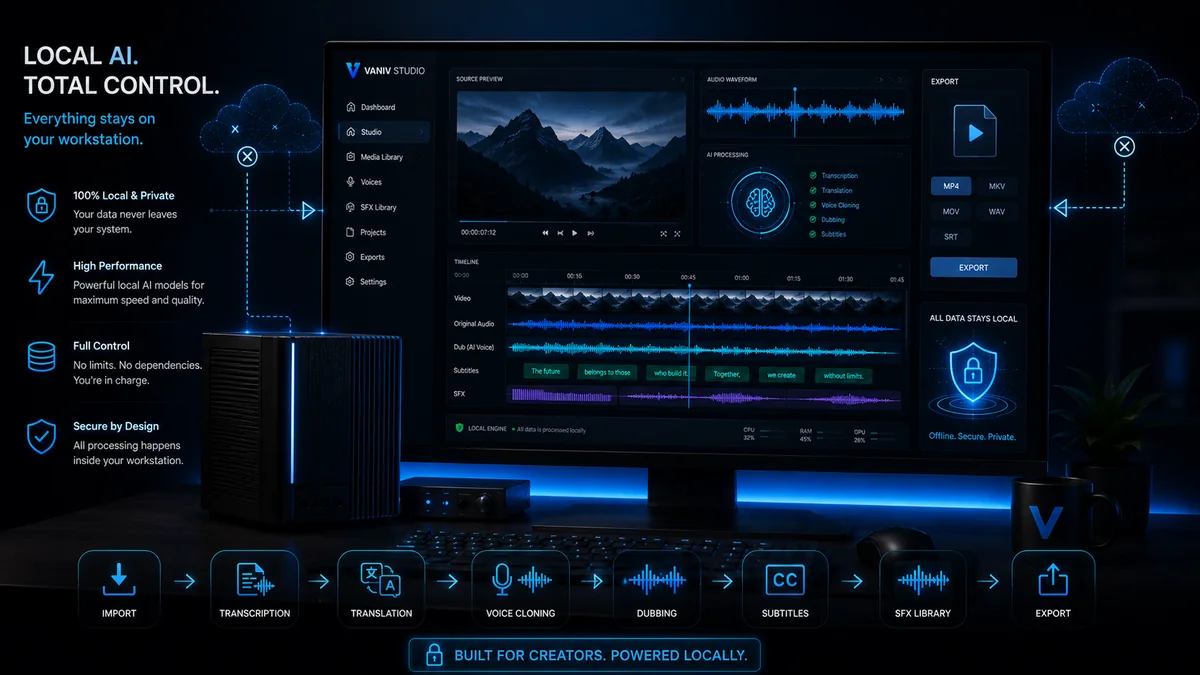
A local AI studio does not only think about one export. It thinks about the workflow behind it. You want to import a video, understand speech, translate text, apply a voice, check subtitles, add sound effects and export a usable result. VANIV treats these steps as one connected workflow for creators, YouTubers, agencies and small teams.
Cloud tool, editing software or local AI studio?
VANIV does not replace every piece of software. It sits between AI generator, classic editing software and production workflow.
Fast to start, but still dependent
Cloud tools are convenient when you need a quick test. No installation, fast result, low friction. The downside becomes visible when you use them regularly:
- uploads into external systems
- credits, minutes or subscription tiers
- several disconnected workflows
- less control over project structure
Strong for editing, weaker for AI workflows
Classic editing software is important for final edits, but it is not automatically an AI studio. Transcript, translation, voice cloning and dubbing often have to come from other tools. That is where friction appears.
- strong timeline and editing control
- often dependent on plugins or export paths
- AI steps live outside the editor
- project logic can become complex
AI production as a local workflow
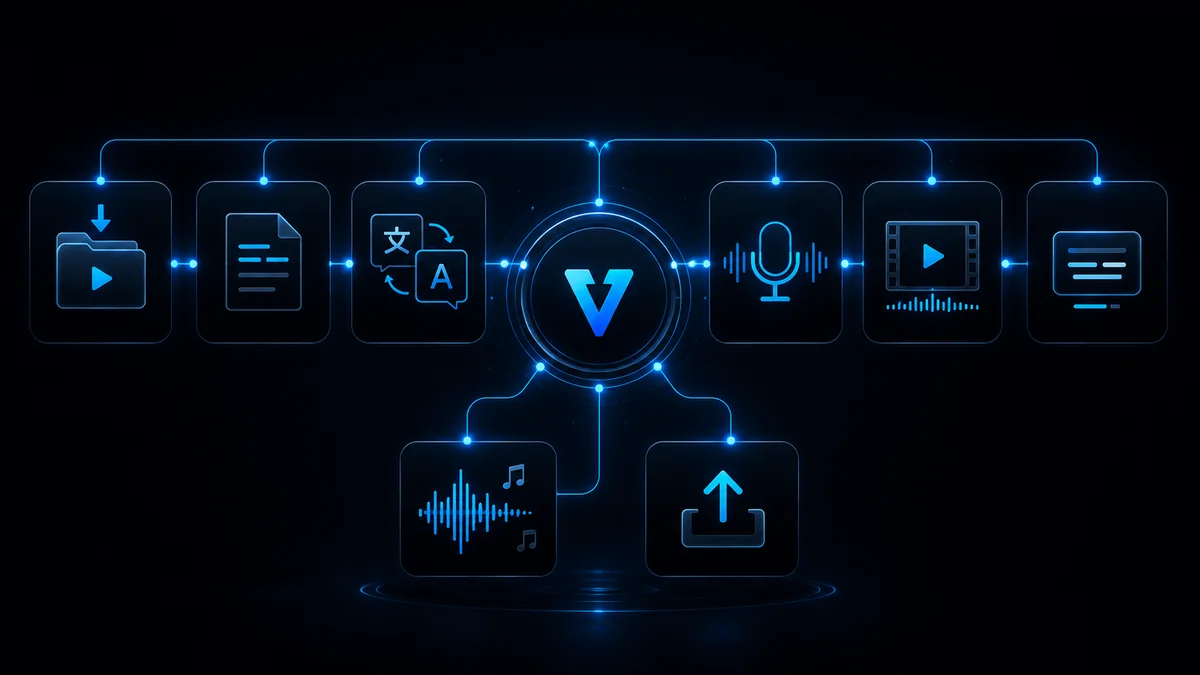
VANIV is designed to bring the AI steps closer together: voice, video, translation, subtitles, SFX and export. It is not meant to replace every pro tool, but to act as a local production hub for creator workflows.
- local AI instead of pure cloud dependency
- several AI building blocks connected
- stronger for repeatable production
- clear VANIV product core
What a local VANIV workflow can look like
The exact process depends on the project. The basic logic is similar: bring material in, understand the content, work on voice and language, then export a usable result.
Import
You start with text, audio or video. The important part is keeping source material organized instead of spreading it across several tools.
Transcript
Speech becomes traceable. The transcript is the basis for subtitles, translation and later editing.
Translation
For international versions, content is brought into another language. Context matters more than word-for-word translation.
Voice
Saved voices or voice cloning create the new language version. Good results need clean references and realistic expectations.
Dubbing
Voice, timing and video come together. That is the difference between a simple audio track and a real language version.
Subtitles
Subtitles support clarity, social media, accessibility and international use.
SFX
Sound effects and audio details can improve transitions, intros, explainers and product demos.
Export
The final result is a usable file or project state that can be published or edited further.
Who benefits most from VANIV as a local AI studio?
Get more value from existing videos
Creators who publish tutorials, reviews or explainers can use local AI workflows to test additional language versions, subtitles and voiceover variants. For evergreen content, a local studio can become especially valuable over time.
Prepare client projects with more control
Agencies often work with unreleased material. A local AI studio can help test variants internally without uploading every intermediate step into another cloud tool.
Localize demos and onboarding
Product videos, tutorials and onboarding clips are often too valuable to use in only one language. VANIV can help treat these assets as part of a repeatable production process.
Handle sensitive material more deliberately
Personal voices, interviews, internal recordings and client data require trust. Local AI is not an automatic solution to every privacy question, but it is a clear step toward more control.
Local AI needs suitable hardware
A local AI studio does not run on magic. For serious workflows, GPU, RAM and SSD performance matter.
The bigger the workflow, the more the GPU matters
Simple tests may work with weaker hardware. For voice cloning, dubbing, longer videos and multiple language versions, compatible GPU acceleration and enough VRAM make a noticeable difference. VANIV supports suitable NVIDIA, AMD and Intel hardware through ONNX; performance depends on the model, drivers and execution provider.
Read the hardware guides
For local AI hardware, gaming FPS are not the whole story. Model size, memory, project files and export reliability matter. That is why VANIV links to hardware guides for GPUs, RAM and SSDs.
What realistic local AI production requires
Strong results depend on source quality, suitable hardware, clear rights and deliberate review.
Bad source material remains difficult
If a recording is noisy, echoey, clipped or has music directly under speech, every AI system will struggle. VANIV can improve workflows, but it cannot turn completely broken material into a clean production automatically. Clean recordings remain one of the biggest levers for good voice cloning and dubbing.
Local does not automatically mean easy
Local AI gives control, but it needs performance. If you want longer videos, multiple languages or high-quality voices, GPU, VRAM, RAM and storage matter. That is why hardware guides belong directly on the VANIV website.
Voice cloning needs permission
A local tool is not a free pass. Voices should only be used when they are yours or explicitly authorized. This clear stance makes VANIV more trustworthy than tools that only promise quick effects.
A studio still needs good decisions
Even a good local AI studio does not remove every decision. You still choose material, review results, adjust language and check exports. VANIV structures that work without pretending every decision magically disappears.
Frequently asked questions about the local AI studio
What does local AI studio mean?
It means important AI workflows can run on your own machine instead of forcing every step through separate cloud tools.
Is VANIV only for voice cloning?
No. Voice cloning is a core area, but VANIV connects voice, video dubbing, translation, subtitles, SFX and export.
Why local instead of cloud?
Not always. Cloud is convenient. Local becomes stronger when control, privacy, cost planning and repeatable production matter more.
Do I need powerful hardware?
For serious local AI workflows, compatible GPU acceleration and sufficient VRAM are especially helpful for longer videos, dubbing and multiple language versions. VANIV supports suitable NVIDIA, AMD and Intel hardware through ONNX.
What content is VANIV useful for?
Tutorials, YouTube videos, product demos, software onboarding, explainers, podcasts, interviews and multilingual creator workflows.
Can I prepare client projects with it?
Yes, that is one of the strongest use cases. Local workflows can help test material with more control and prepare variants faster.
Is voice cloning legally simple?
Only when you use your own voice or have explicit permission. VANIV is built around responsible and authorized use.
Which page should I read next?
The best next pages are Solutions, Local Voice Cloning, Video Dubbing and the hardware guide.
Want to use a local AI studio seriously? Check the foundation too.
For local AI, features are not enough. GPU, RAM, SSD and a clear starting point decide whether the workflow feels smooth or frustrating.
Do not build your AI workflow from five random tools.
VANIV Studio is being built as a local AI studio for creators: voice, video, subtitles, SFX and export in one clear production path. If you produce regularly, repeatability is the real advantage.
Join Early Access & save 15%