
Local vs cloud voice cloning: control or maximum convenience?
Cloud voice cloning is strong when you want to start quickly in the browser. Local voice cloning becomes interesting when you want more control over voices, files, rights, dubbing, subtitles and recurring creator workflows.
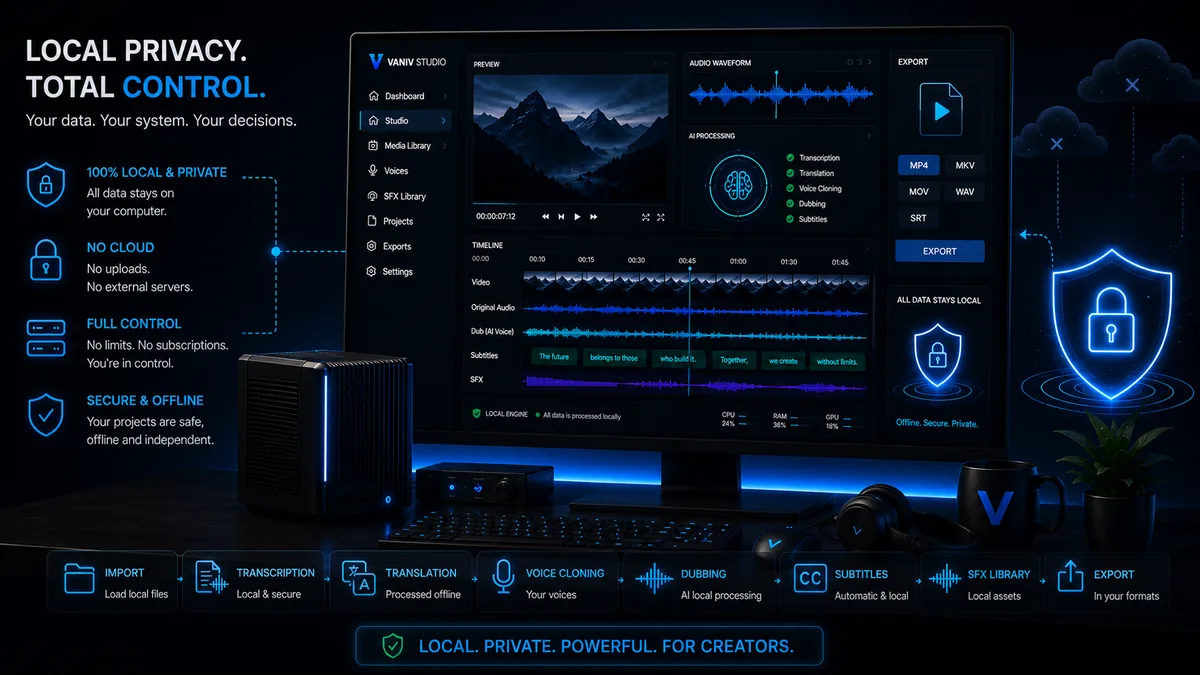
When does cloud voice cloning fit, and when does local voice cloning fit?
The better choice depends on whether you want fast results, minimal setup and platform convenience — or more control over voices, files and repeatable production.
Local voice cloning
Useful when your own or authorized voices should be reused, organized and connected to creator workflows.
Cloud voice cloning
Useful when you want little setup, quick testing and cloud uploads are not a problem for your material.
Video dubbing
Important when cloned voices should not only create audio files, but help bring videos into new languages.
Hardware planning
Relevant when you work locally with longer projects and want predictable performance.
Cloud voice cloning and local voice cloning compared
| Criterion | Cloud voice cloning | Local voice cloning with VANIV |
|---|---|---|
| Core idea | The voice is generated or cloned through an online service. Account, uploads and platform rules matter. | The voice cloning workflow is designed more locally, with more control over files, voices, dubbing and export. |
| Strength | Fast start, little setup, browser convenience and often impressive demo results. | More control, less upload dependency, repeatable speaker profiles and stronger integration into local creator workflows. |
| Privacy | Material is usually transferred to external services. That may be fine, but it should be a conscious decision. | Sensitive projects can stay closer to your own production environment. Rights, consent and responsible use still matter. |
| Cost logic | Often based on subscriptions, limits or credits. Convenient for tests, relevant when you produce a lot. | Hardware and setup matter. In return, repeated use can become more attractive with more control. |
| Dubbing | Can work depending on the platform, but often remains tied to cloud workflow and feature limits. | Voice, translation, dubbing, subtitles and export can be planned as one local workflow. |
| Best fit | Users who want to start quickly, set up little and create individual voices or short voiceovers. | Creators, YouTubers, agencies and local AI users who regularly work with voices, videos and language versions. |
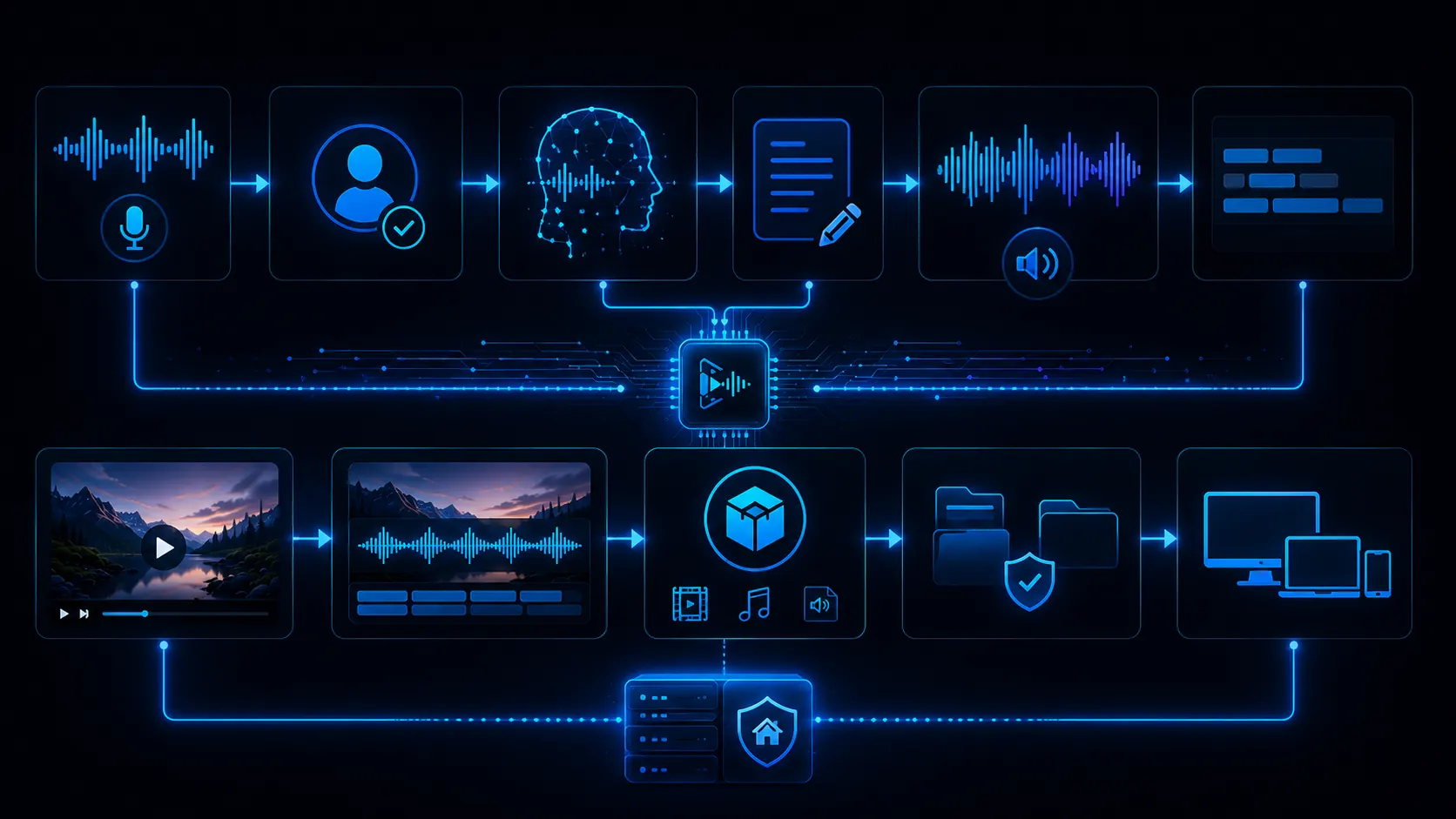
The difference is not only the model, but the entire workflow
Many people compare local voice cloning and cloud voice cloning only by listening to sample clips. That is understandable, but too narrow. A voice can sound impressive in one demo sentence and still become difficult in a real creator workflow.
Real projects depend on more things: how quickly can you make corrections, how consistent is the voice across multiple clips, how easy is it to organize speaker profiles, how are subtitles, dubbing tracks and export versions connected, and how much does your workflow depend on platform rules, uploads or credits?
VANIV therefore does not position local voice cloning as an isolated feature. It is part of a larger AI creator studio. The voice is one building block. The real value appears when that voice becomes voiceovers, video dubbing, multilingual content and repeatable projects.
- Sound quality matters, but it is not the whole workflow.
- Repeatability matters for series, courses and channels.
- Cloud is convenient, but more platform-dependent.
- Local needs setup, but gives you more control.
When local voice cloning makes the most sense
YouTube channel with recurring formats
If the same voice should be used in intros, explainers, Shorts or language versions again and again, repeatability matters more than one demo result.
Courses and tutorials
Learning content needs consistency. A recognizable voice, clear terminology and controlled subtitles are often more important than maximum spontaneity.
Agency and client projects
Client work needs approvals, file structure, project organization and repeatable exports. Local-first can become strategically valuable here.
Sensitive content
Internal videos, unreleased content or confidential material are not always something creators want to upload into cloud tools. Local processing can build trust.
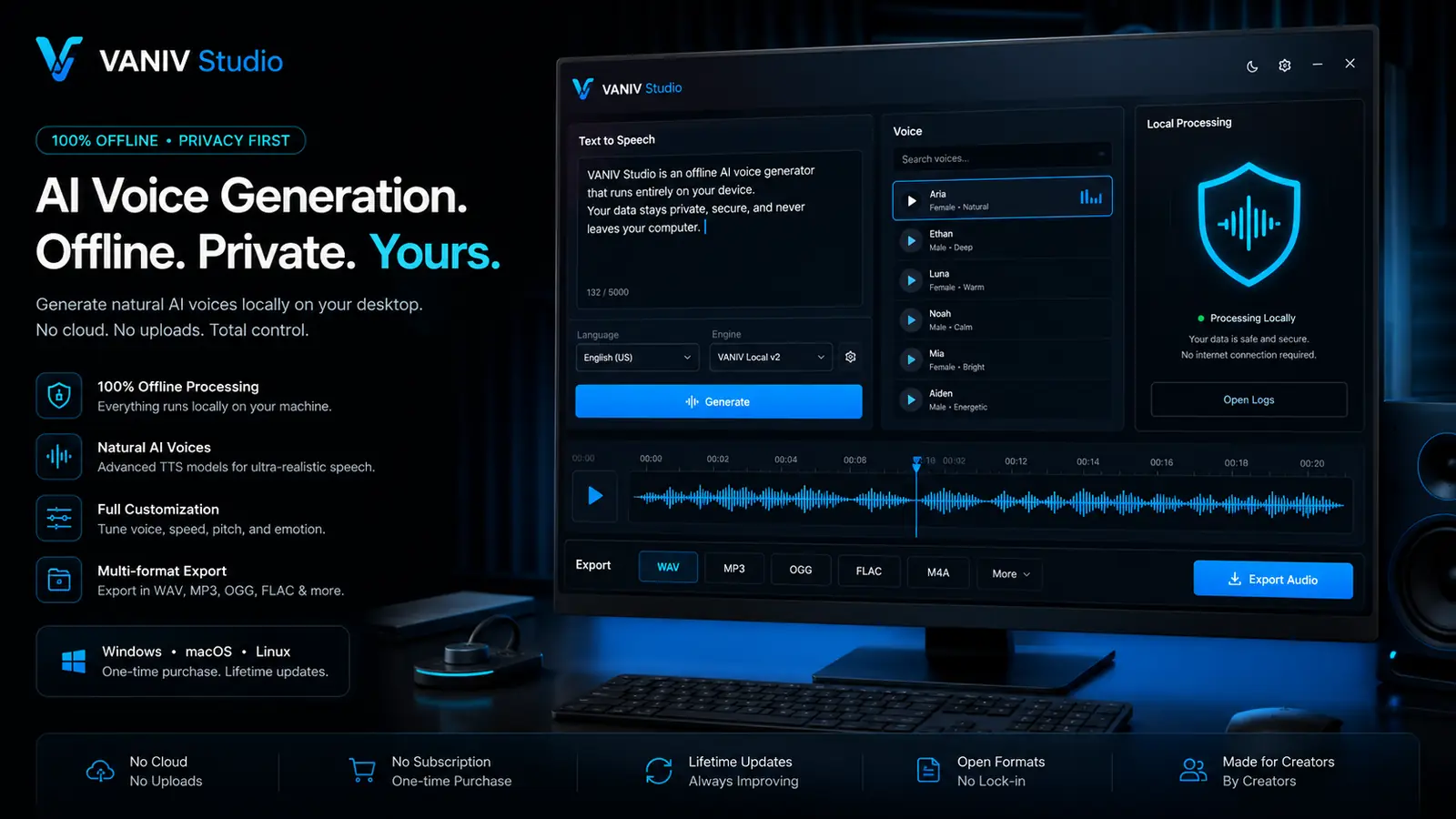
Cloud credits or your own local production environment?
Cloud voice cloning can be very convenient at the beginning. You do not need local setup, hardware planning or technical decisions, and you can often test results quickly. For single voiceovers, short projects or first experiments, that makes sense.
The situation changes when you produce regularly. Then you create many variants, corrections, new exports and language versions. If every iteration depends on platform logic, credits or limits, it influences how freely you work. You may test less, even though iteration is exactly what improves results.
Local voice cloning is not automatically cheaper and not automatically easier. You need hardware, storage, setup and clean project management. In return, you get more control over the process. For creators who work seriously and regularly with voices, that can be the stronger value.
Getting started
Cloud is often faster when you only want to test.
Regular production
Local becomes more interesting when many projects and variants appear.
Control
Files, voices and rights stay closer to your own workflow.
Hardware
A modern GPU, RAM and SSD make local AI more comfortable.
How to test local vs cloud voice cloning fairly
The best comparison uses a real project. Do not only use one short sample sentence. Use a voiceover, tutorial, YouTube video or dubbing segment that you could actually publish.
Then do not only compare sound. Compare corrections, speaker consistency, export, file management, rights, cost logic and repeatability. That is where you see whether cloud or local fits you better.
Cloud often wins at quick start. Local wins more often when you produce long term, need many variants and want more control over your AI voice workflow.
- Test with real material instead of demo sentences.
- Compare corrections, variants and export.
- Evaluate privacy and rights honestly.
- Decide by repeatability, not only by sound.
The more sensitive your material is, the more control matters
Voice cloning is not only about sound quality. It is also about rights, trust, source material, client data and where your voice is processed.
Cloud voice cloning is convenient because it removes many technical decisions. You upload material, choose settings and get a result quickly. For public content, short tests or low-risk voiceover projects, that can be completely fine.
The situation changes when you work with sensitive voices or unpublished material. Your own voice, a client voice, internal training content, product demos or course material are not just random audio. They can contain personal identity, business details, unreleased information or recognizable brand value.
Local voice cloning becomes more interesting in exactly those cases. Not because local is magically better, but because processing stays closer to your own production environment. You can decide more consciously where files live, which voices are reused, which projects are archived and how often something is exported.
That also means responsibility. Local-first is not a free pass. You still need clear consent, clean rights and a reasonable project structure. Anyone cloning voices should know who the voice belongs to, what it may be used for and whether the usage is transparent.
Low risk
Short tests, public demo sentences and low-risk voiceovers can often be handled conveniently with cloud tools.
Medium risk
YouTube series, courses and recurring voices benefit from more structure and repeatability.
High risk
Client voices, internal content and unpublished material are stronger reasons to consider local-first control.
Rights first
Cloud or local: voice cloning needs consent, clear usage and responsible boundaries.
Concrete examples: where cloud is enough and where local becomes stronger
One-off social voiceover
If you only need to voice a short clip and are not using sensitive material, cloud voice cloning or a cloud TTS tool may be the fastest path. Local setup could be more effort than value.
YouTube series with the same voice
If you produce similar videos every week, repeatability matters more. You want consistent voice behavior, clean project files and corrections that do not have to be reorganized every time.
Multilingual course
Courses are not only about audio. You need consistent terminology, clear pronunciation, subtitles, chapters, exports and potentially several language versions. Local control can become very valuable.
Agency with client material
If you work for clients, approvals, data paths, repeatability and trust matter. A local workflow can help you handle source material, voices and export variants more professionally.
Which solution fits which production style?
The decision becomes easier when you stop searching for the “best tool” and start looking for the workflow that fits your production.
Fast testing
Cloud is usually more useful when you want to test whether a voice works without any setup.
Regular production
Local becomes stronger when you need voices, dubbing, subtitles or new export versions every week.
Sensitive content
Local-first becomes more interesting when client data, internal content or unpublished voices are involved.
Multilingual scaling
If one video should become several language versions, the full process of voice, translation, timing and export matters.
Cloud and local do not have to be an either-or decision
Many creators think of local vs cloud as a hard decision. In practice, a hybrid workflow can make sense. You can use cloud tools for quick ideas, rough tests or low-risk experiments and use local tools for projects where control, rights and repeatability matter more.
This is often the most realistic path. At the beginning, you may only want to find out which voice, language or length works. Later, you may want to repeat the same workflow cleanly, review subtitles, manage exports and avoid spreading sensitive files unnecessarily.
VANIV therefore does not have to replace every cloud tool. Its stronger value is building a local production base. Once you notice that voice cloning projects are no longer just tests, but a real part of your content production, local-first becomes much more worthwhile.
- Cloud can remain useful for quick tests.
- Local is stronger for recurring production.
- Hybrid works when roles and data paths are clear.
- VANIV becomes valuable once voice becomes a production asset.
Who can stay with cloud — and who benefits more from local voice cloning?
The right decision depends on how often you produce, how sensitive your material is and whether voice is just an effect or a real production asset.
Solo creator with a few clips
If you only create short voiceovers occasionally, cloud voice cloning can be enough. You save setup time, avoid local hardware planning and can quickly test whether a voice fits. For rare projects, convenience often matters more than maximum control.
YouTuber with a recurring voice
If you produce videos regularly, the calculation changes. The first export is not the only thing that matters. Repeatability matters too: same voice, similar loudness, clean files, new versions, subtitles and clear project structure. This is where local-first becomes much more interesting.
Agency with client projects
Agency work is not only about speed. Clients want traceable processes, approvals, clean files and sometimes clear data paths. Local voice cloning can help you handle client audio, speaker profiles and export variants more professionally.
Company with internal content
Internal training, product demos, confidential presentations or unreleased content are more sensitive than public social clips. The more confidential the material is, the more important it becomes to ask whether everything should be uploaded to a cloud service.
Voice cloning is not a toy: rights, consent and trust belong in the decision
When people compare local and cloud voice cloning, they often start with sound, speed and cost. That is understandable, but incomplete. The most important question often comes earlier: are you allowed to use that voice at all? A voice is not a neutral asset. It belongs to a person, a brand, a context and sometimes a work relationship.
This applies no matter whether you work locally or in the cloud. Local processing does not make unclear usage automatically acceptable. Cloud processing does not make permitted usage automatically bad. What matters is whether the voice is used with consent, whether the purpose is clear and whether the usage remains understandable later.
For creators, this means: ideally clone your own voices, self-recorded voices or voices for which you have clear permission. Document what the voice may be used for. Do not use other people’s voices to mislead, create false statements or publish content that was not approved. The voice cloning law and ethics guide provides the detailed consent checklist.
This is where a local workflow can build trust, because project files, speaker profiles and exports can be organized more consciously. But local workflows still need rules. Anyone working professionally with voice cloning should check rights and approvals before the first training or cloning attempt, not at the end.
- Use only your own or clearly authorized voices.
- Document what a voice may be used for.
- Avoid misleading or unapproved content.
- Check rights before the workflow, not only before export.
Local is not automatically better — cloud is not automatically bad
A common mistake in comparisons is black-and-white thinking. Cloud is then presented as unsafe and local as perfect. That is too simple. Good cloud tools can be fast, stable and high quality. They remove setup, model management and hardware questions. For many users, that is a real advantage.
Local tools have different strengths. They can give you more control, reduce upload dependency and fit better into repeatable production workflows over time. But local also means responsibility: you need suitable hardware, storage, updates, clean file structure and a basic understanding of how your workflow is built.
The best decision is therefore not ideological. It is practical. If you only need one quick voiceover, cloud is often the easier path. If you regularly use voices, build dubbing projects, test several languages and want to control sensitive files, local becomes strategically more interesting.
VANIV is positioned in that second area. Not as a magic solution for everyone, but as a local-first AI creator studio for users who treat voice, video, subtitles and export as a serious production process.
Cloud wins on convenience
Little setup, fast start and browser-based results clearly favor cloud tools.
Local wins on control
Your own files, recurring projects and more sensitive content point more toward local-first.
Cloud avoids hardware questions
You deal less with GPU, RAM, storage and local performance.
Local strengthens repeatability
People who produce regularly benefit more from structured local workflows.
Answer these questions before you decide
If you answer these questions honestly, the decision between cloud voice cloning and local voice cloning becomes much easier.
How often do you produce?
One voiceover points more toward cloud convenience. Weekly videos, series or client projects point more toward repeatable local workflows.
How sensitive is your material?
Public demo sentences are less critical than client voices, internal training, unreleased product videos or personal recordings.
Do you need dubbing?
If voices should become multilingual videos, voice cloning is only one part. Translation, timing, subtitles and export matter too.
Do you want long-term control?
If voice becomes a recurring production asset, it is worth organizing files, speaker profiles, rights and workflows properly.
Frequently asked questions about local vs cloud voice cloning
Want to test local voice cloning?
Test VANIV Studio on your Windows PC and see whether a local-first voice cloning workflow fits your production better than a pure cloud workflow.
Join Early Access & save 15%