
VANIV vs ElevenLabs: cloud voice tool or local creator studio?
ElevenLabs is strong when you want to work quickly in the browser with AI voices, voice cloning and dubbing. VANIV becomes interesting when you want to bring voice cloning, video dubbing, subtitles and export closer to a local production workflow on your own Windows PC.

Which tool fits which workflow?
The better question is not: “Which tool is better?” The better question is: “Which workflow fits your content, budget, rights and production style?”
ElevenLabs fits when speed matters first
If you mainly want to try text-to-speech in the browser, generate individual voiceovers or use a known cloud tool, ElevenLabs is a strong and obvious option.
VANIV fits when the workflow matters
If you want to connect voices, video dubbing, subtitles, recurring projects and export, a local-first studio becomes more interesting.
Cloud is convenient
Cloud tools reduce setup and hardware questions. In return, you work more inside an external system with accounts, uploads, limits, credits or subscriptions.
Local gives you more control
A local workflow does not automatically mean less effort. But it can give you more control over files, voices, repeatability, privacy and production logic.
ElevenLabs and VANIV in a fair comparison
| Criterion | ElevenLabs | VANIV Studio |
|---|---|---|
| Core idea | Cloud voice platform for AI voices, voice cloning and related audio or dubbing features. | Local-first AI creator studio for voice, voice cloning, video dubbing, subtitles and export workflows. |
| Strength | Fast start, browser workflow, little local setup and a well-known platform. | More control over local production, files, repeatable workflows and the connection between voice and video. |
| Cloud dependency | Typically cloud-centered: account, uploads, online processing and platform rules play an important role. | Local-first: the goal is less dependence on cloud uploads during production, even if setup, updates or licensing may still need internet access. |
| Voice cloning | Very relevant for quick voice experiments and cloud voice workflows. | Relevant for authorized local voices, reusable speaker profiles and dubbing projects with more production control. |
| Video dubbing | Useful if you want cloud-based dubbing features. | Useful if dubbing, translation, voices, subtitles and export should become part of a local creator workflow. |
| Cost logic | Cloud tools often work with subscription, limit or credit logic. Always check current details on the official product page. | VANIV is interesting for users who want less subscription or credit pressure and more control over their own production setup. |
| Best fit | Creators, marketers and teams that want to work quickly in the browser with AI voices. | Creators, YouTubers, agencies and local AI users who want to build voice, video and export more controllably. |
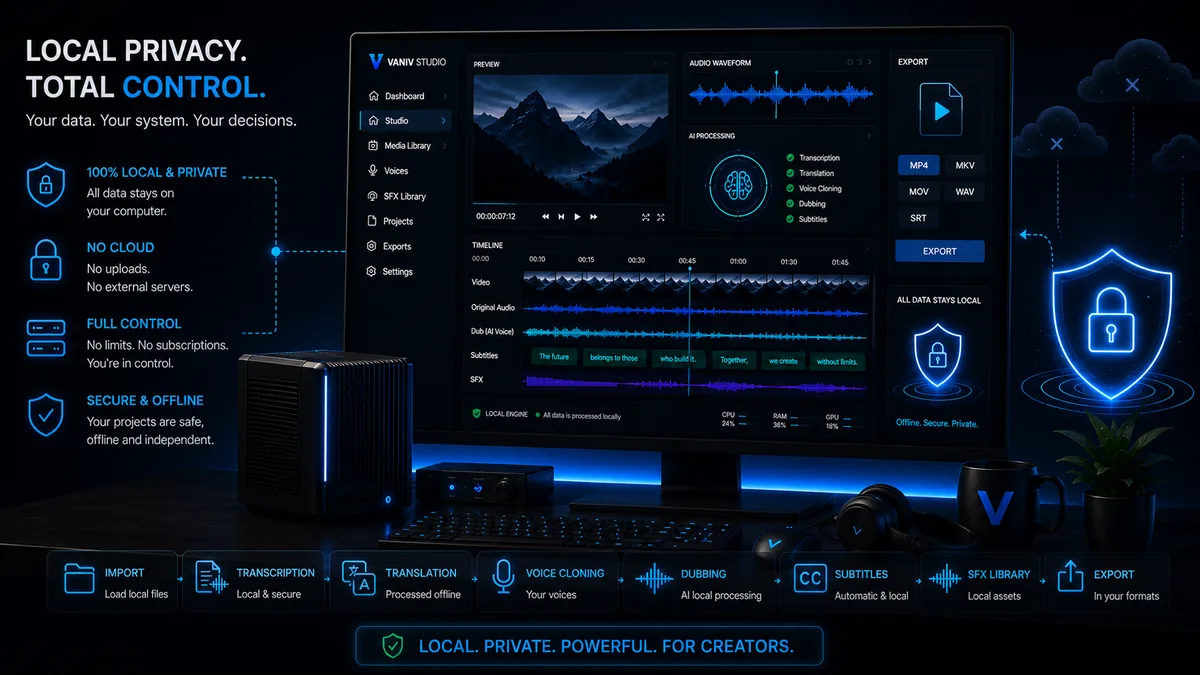
The real decision: cloud voice tool or local production workflow?
For a simple voiceover, a cloud tool can be quick enough. You enter text, select a voice, generate audio and download the result. For single clips, tests or short marketing assets, that can be convenient.
For recurring creator projects, the decision becomes more complex. It is no longer only about a good-sounding voice. It is about consistency, rights, source files, subtitles, video dubbing, export formats, versioning and whether every step should remain tied to an external platform.
That is where VANIV is positioned: as a local creator studio that brings voice and video production into one workflow.
- Cloud is strong for fast experiments and short voiceovers.
- Local is strong when production control becomes more important.
- Video dubbing needs more than one good AI voice.
- Subtitles, export and speaker roles belong to the workflow.
- Voice cloning needs rights, consent and clear responsibility.
Choose by workflow and production requirements.
Choose ElevenLabs if…
you want to start immediately in the browser, do not want to set up local hardware, want to test individual voices and are comfortable with a cloud workflow.
Choose VANIV if…
you want to connect voice cloning, local AI voices, video dubbing, subtitles and export in a more controllable local workflow.
VANIV is not automatically better
If you only generate a short audio file from time to time, a cloud tool may be easier. Local workflows become more valuable when you produce regularly.
ElevenLabs is not automatically wrong
A known cloud tool can make sense. The question is whether you want more long-term control, less upload dependency and your own production process.
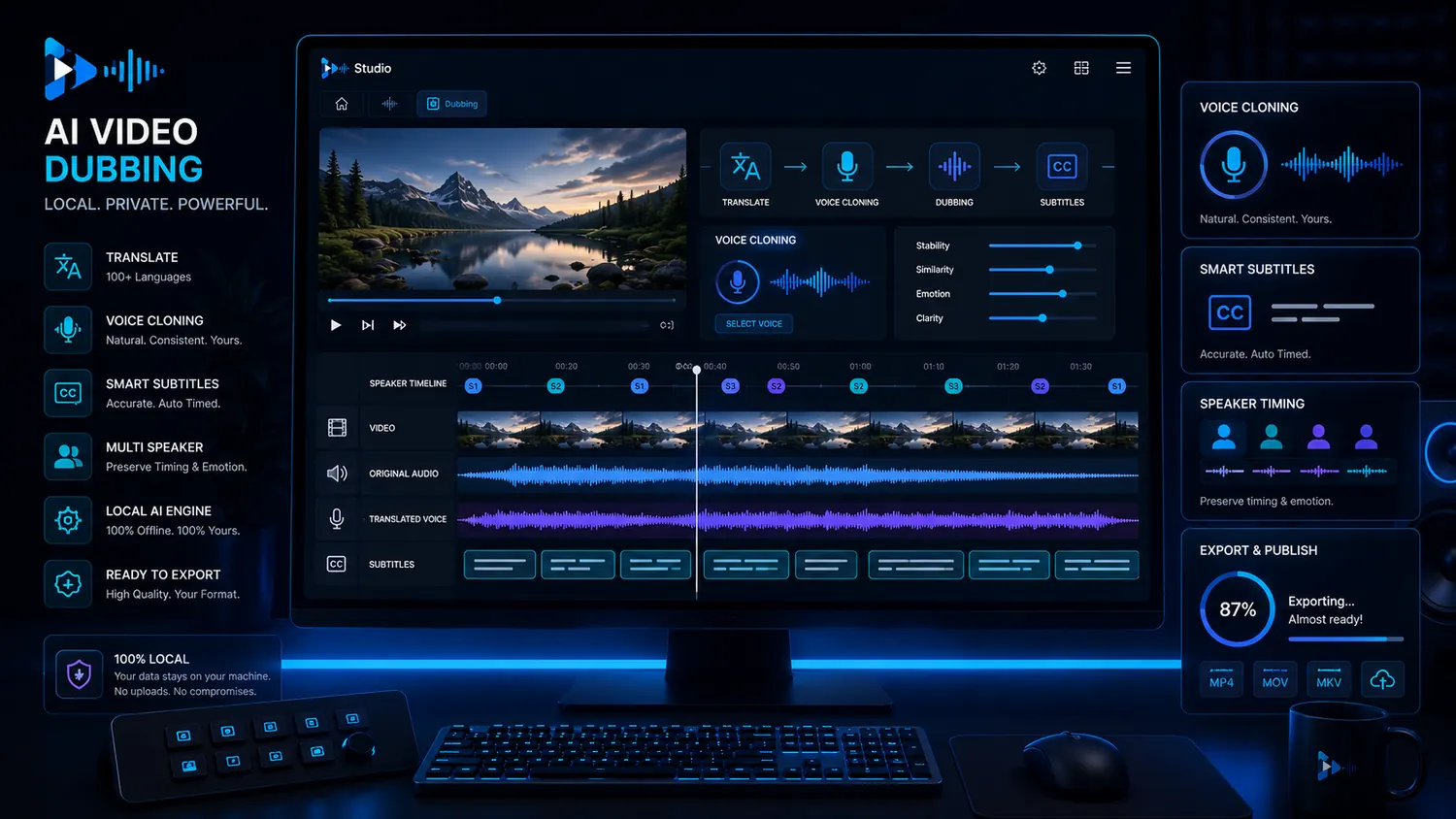
When VANIV makes sense as an ElevenLabs alternative
VANIV is especially relevant when AI voices should not be created in isolation. Many creators need more than an audio file: they need to write the script, choose or clone a voice, translate a video, retain speaker roles, check subtitles and export the result.
For YouTube channels, this can mean testing one video in multiple languages. For agencies, it can mean making client projects more repeatable. For courses, tutorials and product videos, consistency matters most: the same voice, similar settings, clear structure and less manual chaos.
The local approach is also strong when material is sensitive. Product demos, internal training videos, client material or unreleased content are not always something creators want to upload completely into cloud tools.
- Turn YouTube videos into several language versions.
- Produce recurring voiceovers with a consistent voice.
- Localize courses, tutorials and product demos.
- Handle client material in a more controlled workflow.
- Connect video dubbing with subtitles and export.
What many VANIV vs ElevenLabs comparisons miss
Many comparisons stop after the first sound sample. That is dangerous, because a good demo sentence is not the same as a good production workflow.
One sentence is not your workflow
A single voice sample can sound impressive. But if you produce regularly, file handling, speaker profiles, versions, export formats and review steps matter as much as the first audio result.
Dubbing is more than TTS
Video dubbing needs translation, timing, speaker logic, subtitles and control over the final video. That is why looking only at audio quality is often too narrow.
Credits can shape your behavior
When every experiment touches a limit or cost logic, it changes how freely you test. Local-first becomes more interesting when you iterate, re-render and create many versions.
Local control needs discipline
More control also means more responsibility. You need clean projects, suitable hardware and clear rules for voices, rights and publishing.
Subscription, credits or local production environment?
With cloud tools, always check how the current pricing logic works. Many services use plans, limits, usage rights, credits or feature tiers. That is not automatically bad, but it influences how freely you experiment.
For individual projects, a subscription can make perfect sense. For regular creator work, usage limits can affect how freely you create variations, tests and corrections. A local production environment moves more of that control into your own workflow, while hardware and setup remain part of the total cost.
VANIV follows a different production model: more workflow ownership and a direct connection between voice, video and export.
- Always check official pricing and terms.
- Compare real production volume alongside the monthly price.
- Plan corrections, re-renders and language versions.
- Include local hardware in the full calculation.
- Choose the model that fits your actual usage.
Voice cloning requires consent and accountable use
A fair VANIV vs ElevenLabs comparison also has to talk about rights. Voice cloning is powerful, but not every technically possible voice may be used. You should only clone voices you own, recorded yourself or have clear permission to use.
This applies whether you use a cloud or local tool. Local processing can provide more control over files, but it does not remove responsibility for consent, usage, disclosure and publishing.
For professional creators, a structured local workflow can support clearer project records. Anyone working with voices long term should assess sound quality alongside rights, archiving and traceable approvals.
- Use only your own or clearly authorized voices.
- Document approvals and project context.
- Avoid misleading voices or deception scenarios.
- Respect platform rules and local laws.
- Long-term trust matters more than a short-term novelty effect.
Choose a browser tool if setup-free simplicity is the priority.
A local AI studio requires more awareness of hardware, setup and project structure. That is the trade-off for greater control, and not every user needs it.
If you only generate one short sentence once a month, do not need video workflows and do not care about cloud uploads, a browser tool is probably more convenient. But if you produce regularly, build your own voices, test dubbing and want to depend less on external credits over time, VANIV becomes more interesting.
- Cloud-first is easier if you do not want to use local hardware.
- Local-first is stronger when control and repeatability matter more.
- Voice cloning needs rights, whether you use cloud or local tools.
- Hardware matters when you work locally with longer projects.
- The best workflow is the one you actually use regularly.
Compare the workflows that actually matter
When you compare VANIV vs ElevenLabs, evaluate more than one voice sample. Check the whole production process: Where are your files? How are subtitles created? How is dubbing reviewed? How often do you need the same speaker? How do you export finished clips?
That is why the most important next pages go deeper into local voice and video workflows. They show when local AI voices, video dubbing, hardware and cloud comparisons become practically relevant.
A practical four-question comparison
A fair VANIV vs ElevenLabs comparison should not stop at which demo voice sounds better. The real question is which system fits your actual production workflow.
1. How often do you produce?
If you only need short voiceovers occasionally, a cloud tool may be enough. If you produce videos, language versions, courses or client projects every week, control, repeatability and cost logic matter more.
2. What happens after the first export?
Many projects are not finished after the first render. There are corrections, new language versions, different lengths, subtitle changes or new export formats. That is where a real workflow proves its value.
3. How sensitive is your material?
For public social clips, cloud upload may not matter much. For client videos, internal training, product demos or unreleased content, a local workflow can become much more attractive.
4. Do you need voices or a studio?
ElevenLabs is strong as a cloud voice platform. VANIV becomes interesting when voice, voice cloning, video dubbing, subtitles and export should be part of one production environment.
How to think about moving from a cloud voice workflow to a local workflow
Moving toward a local AI voice studio does not mean you have to replace every tool immediately. A smarter approach is to test one real project you would produce anyway: a YouTube video, a tutorial, a product demo or a short course lesson.
Then compare more than the voice. Measure the whole process: time from script to speech, correction effort, project-file reuse and how naturally the workflow connects to video dubbing, subtitles and export.
The purpose of the VANIV vs ElevenLabs comparison is to determine whether your next production step needs more control. If you regularly work with AI voices, test many variants or plan several language versions, a local workflow can become a strategic advantage.
- Test with a real project rather than a demo sentence.
- Compare corrections, variants and repeat exports.
- Check how well voice cloning, dubbing and subtitles work together.
- Evaluate cloud dependency, cost logic and local hardware honestly.
- Decide by workflow, not by the loudest tool marketing.
The short decision matrix for creators
If you do not have time for a long comparison, you can simplify the decision quickly.
Single voiceovers
For individual short audio clips, a cloud tool is often convenient. You need little setup and can get a result quickly.
Recurring content series
For series, courses, YouTube channels and client projects, VANIV becomes more interesting because repeatability and control matter more.
Multilingual content
If one video should become several language versions, TTS is only one part of the workflow. You need translation, dubbing, subtitles, timing and export.
Long-term production
If you want to build your own AI voice setup, a local studio is more strategic than a pure cloud experiment.
Frequently asked questions about VANIV vs ElevenLabs
Want to test the local workflow?
Test VANIV Studio on your Windows PC and see whether a local-first voice and video workflow fits your production better than a pure cloud voice tool.
Join Early Access & save 15%