
VANIV comparisons: alternatives, cloud vs local and creator workflows
Compare VANIV Studio with known cloud tools, voice cloning platforms and video dubbing workflows. The goal is not tool-bashing. The real question is: which workflow fits your production?
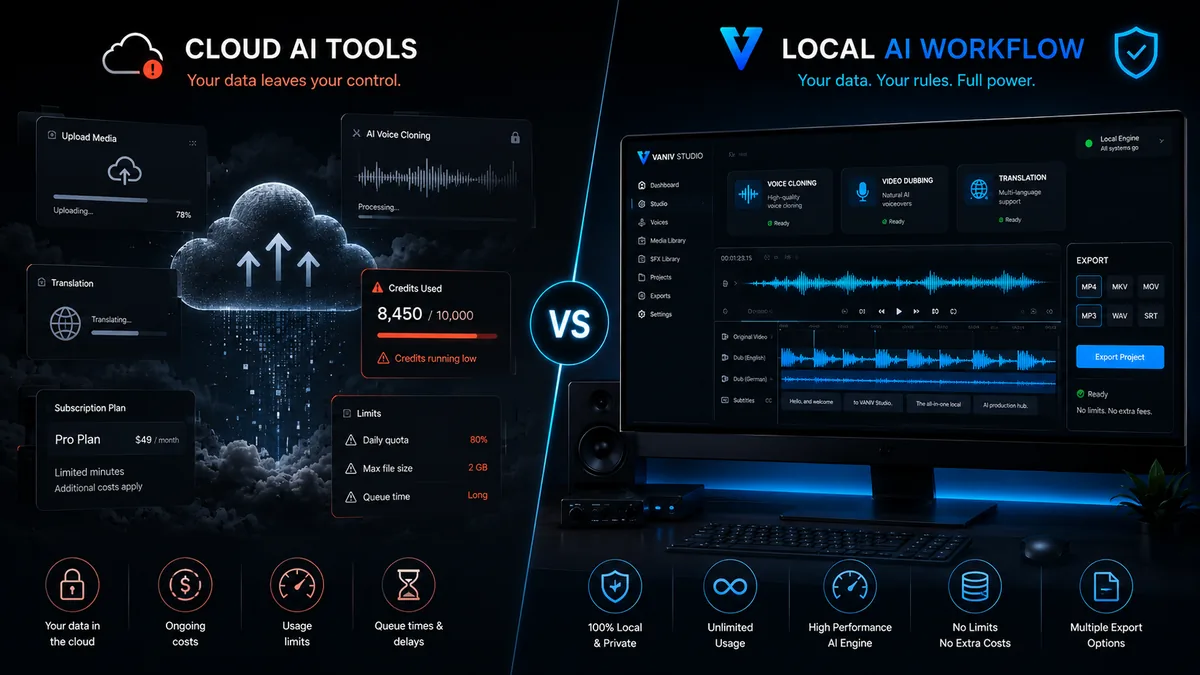
The most important VANIV comparison pages
Start with the comparisons that help most with buying and workflow decisions: cloud voice tool or local creator studio, browser platform or own workflow, individual voice or full production process.
VANIV vs ElevenLabs
Compare a known cloud voice platform with a local-first AI creator studio for voice, dubbing and export.
VANIV vs HeyGen
For creators comparing video translation, dubbing and local control with avatar and cloud workflows.
VANIV vs Descript
Compare an editing and creator platform with VANIV’s local focus on voice, video dubbing and export.
VANIV vs Murf AI
Compare cloud voiceover convenience with a local-first workflow for voices, dubbing, subtitles and export.
Local vs cloud voice cloning
When local voice cloning makes sense, when cloud stays easier and which trade-offs matter.
Cloud vs local AI
The core comparison for privacy, cost logic, hardware, performance and production control.
Local ElevenLabs alternative
A focused alternative page for users searching for local AI voice generation without pure cloud dependency.
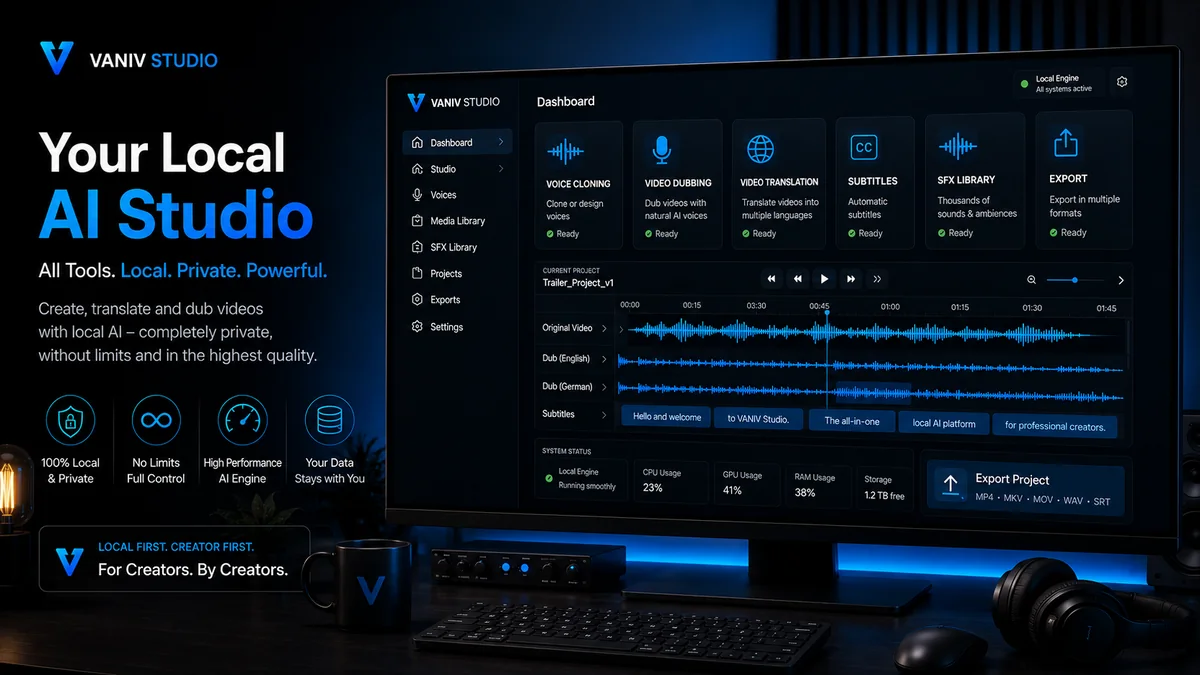
Do not only compare voice samples — compare the whole workflow.
Many AI voice comparisons stop after a short demo sentence. That is not enough. For real creators, the important part starts after the first nice sound: How quickly can you correct something? How consistent are speaker roles? How are subtitles created? How is a video exported? How often do you need the same voice?
Do not assume local AI is always better. Cloud tools are often convenient, fast and strong. VANIV becomes interesting when you want more control over files, voices, video dubbing, subtitles and recurring productions. Start with the voice samples, then test the complete workflow rather than judging one sentence.
- Compare real projects, not only sample voices.
- Check corrections, re-renders and export formats.
- Look at rights, privacy and cloud dependency.
- Evaluate hardware and cost logic honestly.
- Choose the workflow you will actually use regularly.
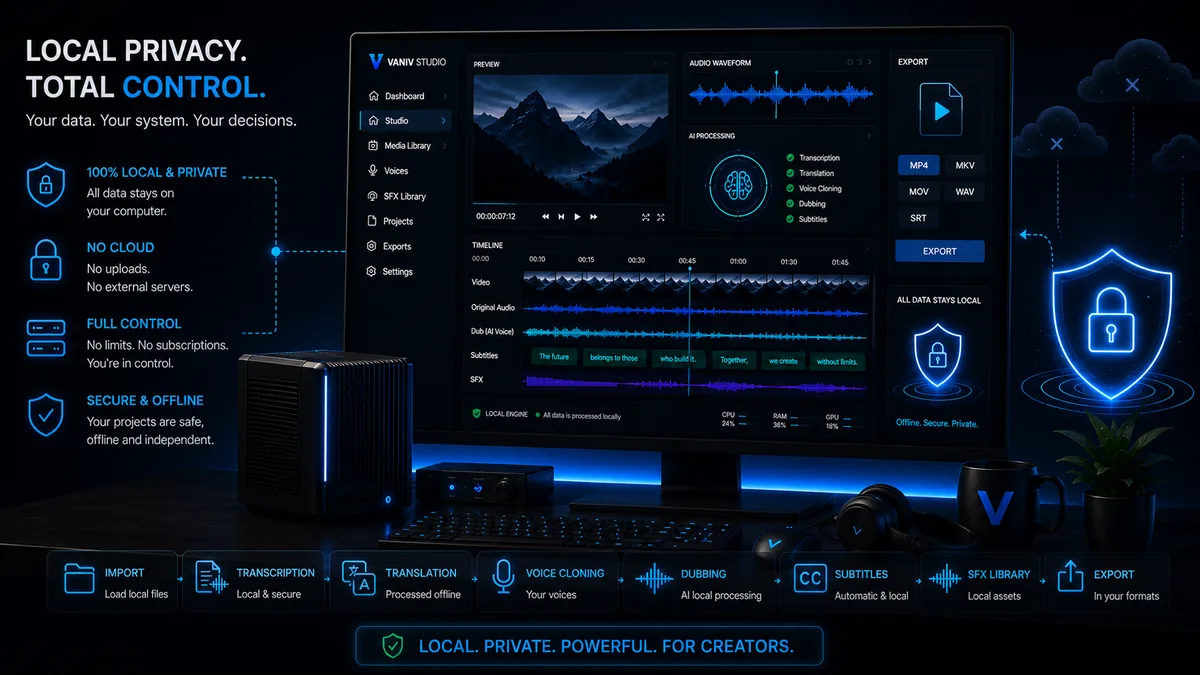
Compare the production system, not only the tool list
Brand recognition matters less than whether the workflow fits your content, rights, hardware and production frequency.
Many creators compare AI tools too superficially. They listen to a few demo voices, look at a polished interface and decide based on the first impression. That is understandable, but risky. One good voice sample says very little about how well a tool works in real projects.
Focus on the whole workflow: How are voices created? Where do files live? How are subtitles produced? How repeatable are projects? How do language versions work? How much control do you have over export, corrections and local processing?
This is where a local AI creator studio differs from many cloud tools. Cloud tools can be fast, convenient and professional. VANIV becomes interesting when you want more long-term control over voice, video dubbing, subtitles, privacy and production structure.
Do not only test voices. Check the path from script to voice, dubbing, subtitles and export.
Cloud can be convenient. Local can become stronger when files, rights and repeatability matter.
A tool for occasional voiceovers has different requirements than a system for recurring creator production.
The quick decision process for AI voice and video tools
Use these four steps before choosing an ElevenLabs alternative, a HeyGen alternative, Descript or a local VANIV workflow.
Define the project type
Are you making one voiceover, a YouTube video, a course, product demos, client material or an entire content series?
Evaluate control
Check whether cloud uploads, platform rules, credits, privacy or local files are critical for your project.
Test the workflow
Compare corrections, re-renders, subtitles, speaker profiles, export formats and recurring production steps.
Think long term
A tool should not only sound good today. It should still fit your production, budget and setup three months from now.
Where VANIV becomes strongest in comparisons
VANIV is not meant to be a simple browser tool that quickly generates one sentence. The stronger idea is a local AI creator studio for recurring production. That matters when you want to reuse voices, translate videos, test dubbing, review subtitles and export finished clips.
Which types of tools you should compare here
Not every tool competes directly with VANIV. Some only overlap in specific areas. That is why fair categories matter.
Cloud voice platforms
Tools like ElevenLabs are strong for fast browser-based AI voices. The comparison shows when a local workflow still makes more sense.
Video and avatar platforms
HeyGen is closer to cloud video, avatars and translation. VANIV focuses more on local control and voice or dubbing production.
Editing and creator tools
Descript is strong for editing and creator workflows. VANIV differentiates through local AI voice, dubbing and export control.
Cloud vs local AI
The core comparison helps you evaluate privacy, hardware, performance, costs and control without hype.
The right comparison depends on what you actually want to build
Start with your goal: one AI voice, video dubbing, a multilingual channel, course production or an agency workflow.
If you only need one voice
Cloud voice platforms are often convenient. You enter text, choose a voice and quickly get audio. For short tests, individual voiceovers or one-off marketing clips, that can be enough.
VANIV becomes more interesting when you need more control: your own or authorized voices, repeatable projects, less platform dependency and a workflow that does not end after one export.
If you want to localize videos
Then a pure TTS comparison is not enough. Video dubbing needs translation, timing, speaker roles, subtitles, export and often several language versions. That is a different use case than one audio file.
That is why comparisons like VANIV vs ElevenLabs, VANIV vs HeyGen or cloud vs local AI should always look at the full production process.
If you produce regularly
For recurring YouTube videos, courses, tutorials, product demos or client projects, repeatability matters. You do not want to start from zero every time. Voices, settings, files and exports should stay organized.
This is where a local AI creator studio becomes strategically more interesting because you are not only generating an output. You are building a production environment.
If privacy and rights matter
Voice cloning, client videos and internal content are sensitive. Cloud tools can be professional, but uploads, platform rules and external processing still remain a factor.
VANIV’s local-first approach is especially interesting when you want more conscious control over files, voices, approvals and production logic.
When a cloud tool is probably still the better choice
An honest comparison should also say when VANIV is not the best fit. That makes the page more trustworthy.
If you do not want local hardware, installation or workflow decisions, a browser tool is probably more convenient.
For a few short voiceovers per month, a cloud subscription or Early Access can be simpler than a local workflow.
If quality control, rights, repeatability and export structure matter less, a fast online tool may be enough.
VANIV is not meant to replace every tool. The stronger idea is this: VANIV fits users who want to do more with AI voices than generate isolated demo clips. If you translate videos, reuse voices, need local control or want to depend less on pure cloud credits over time, the comparison becomes interesting.
Use the detailed comparisons to reach a decision faster. The aim is not to attack other providers, but to choose by real workflow, control and production frequency.
Frequently asked questions about VANIV comparisons
Short answers to the most important questions before you read individual tool comparisons.
Is VANIV an ElevenLabs alternative?
Yes, but not as a direct clone. VANIV is positioned more as a local creator studio that connects voice cloning, local AI voices, dubbing, subtitles and export.
Is local AI always better than cloud?
No. Cloud can be faster and more convenient. Local becomes more interesting when control, privacy, repeatability and your own production structure matter more.
Which comparison should I read first?
If you compare AI voices, start with VANIV vs ElevenLabs. If you compare video and cloud workflows, start with VANIV vs HeyGen or cloud vs local AI.
Why is video dubbing so important?
Video dubbing connects translation, voice, timing, subtitles and export. It is closer to buying intent than pure text-to-speech because the creator value is immediately visible.
Do I need strong hardware for VANIV?
Good hardware helps local AI workflows. GPU, RAM and SSD especially influence how comfortable longer voice and video projects feel.
Can I clone any voice?
No. You should only use your own, self-recorded or clearly authorized voices. This applies whether you use cloud or local tools.
Why separate comparison pages?
Because ElevenLabs, HeyGen, Descript and cloud-vs-local questions cover different decisions. One single page would be too vague.
Is VANIV for professionals or creators?
VANIV is aimed at creators, YouTubers, agencies and local AI users who want more control over voice, video and export.
If you have little time, read the comparisons in this order
This helps you move faster from “which tool looks interesting?” to “which workflow actually fits me?”
Understand the foundation
Start with cloud vs local AI if you are not yet sure whether convenience or control matters more for your work.
Read cloud vs local AICompare voice tools
If you are comparing AI voices and voice cloning, VANIV vs ElevenLabs is the most important next step.
Read VANIV vs ElevenLabsCheck video workflow
If you want to translate or dub videos, compare HeyGen, video dubbing and local workflow pages next.
Read VANIV vs HeyGenWhich comparison helps with which creator scenario?
Not every user needs the same answer. These scenarios help you jump directly to the right detailed page.
You need an ElevenLabs alternative
Then the topic is usually AI voices, voice cloning, cost logic, credits, rights and cloud dependency. The important question is not only whether a voice sounds good, but whether you can use it regularly and controllably.
You need a HeyGen alternative
Then video is often the center: translation, dubbing, international reach and production control. VANIV becomes interesting when you want less avatar show and more local workflow control.
You need a Descript alternative
Then you are comparing creator workflow, editing, audio, video and export. VANIV does not have to replace everything, but can become a strong local AI layer for voice, dubbing and multilingual production.
You compare cloud and local AI
Then the core question is simple: do you want maximum convenience or more control over files, hardware, privacy, repeatability and long-term production costs?
Want to test the local workflow yourself?
Test VANIV Studio on your Windows PC and use your own project to see whether a local-first voice and video workflow fits you better.
Join Early Access & save 15%