EnglishDeutsche Version
12GB GPU field guide

Can a 12GB GPU handle local YouTube dubbing with voice cloning?

Yes, a 12GB GPU can run local YouTube dubbing and voice cloning workflows, but that answer needs context. In RTX 5070-class testing, the workflow was usable and practical enough for real creator experiments. It was also clearly close to the edge once voice cloning, translation, dubbing and export came together.

RTX 5070-class experience12GB VRAM reality checkVANIV model loadingHardware guide linked
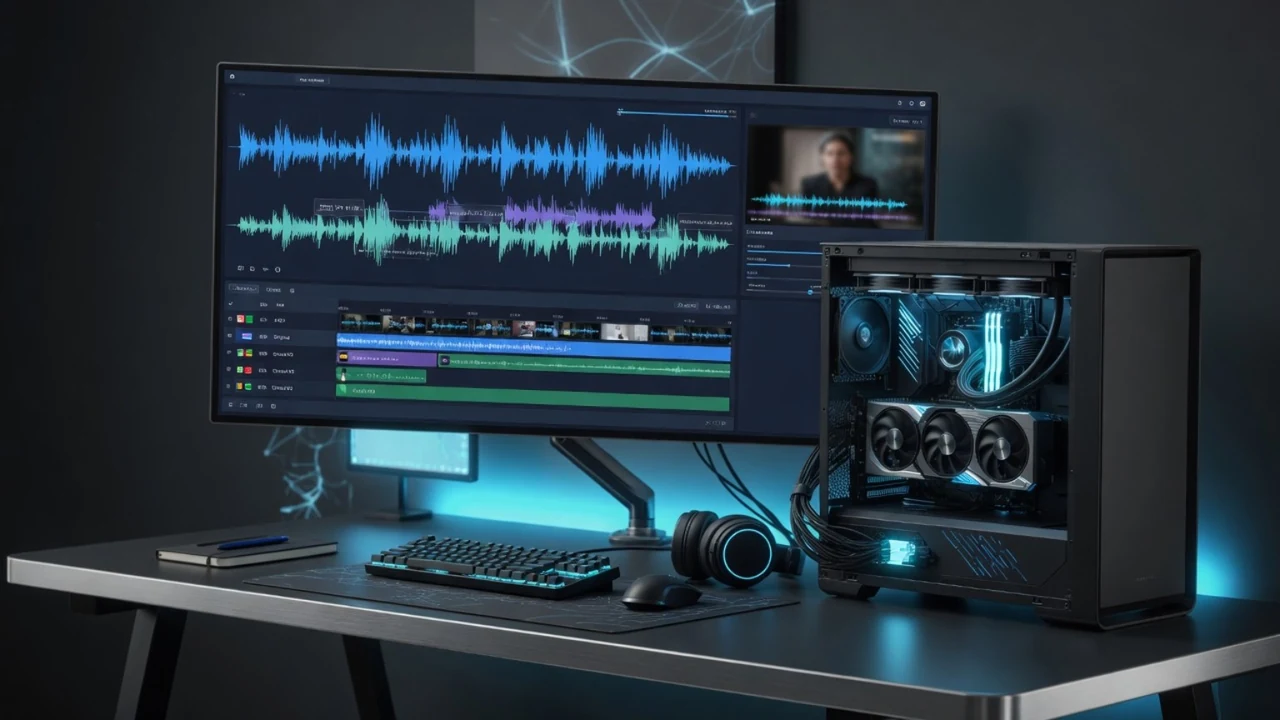
Best GPU for local voice cloning and YouTube dubbing workflow on a creator workstation
Local YouTube dubbing combines transcription, translation, voice rendering, timing and export.

The short answer: 12GB works, but it is not the comfort zone

A 12GB GPU is not useless for local AI. That is the first important point. If you already own an RTX 5070-class card, you can use it for local voice cloning, short text-to-speech jobs, test videos, YouTube Shorts and smaller dubbing workflows. The practical experience is not “this cannot be done.” It is more honest to say: it works, but the workflow needs discipline and patience.

The reason is simple. Local YouTube dubbing is heavier than a normal voiceover. A single TTS job asks the system to generate audio from text. A dubbing workflow can involve source video handling, audio extraction, speech recognition, translation, speaker handling, voice cloning or voice matching, new audio generation, timing correction, subtitle creation and export. Each step can be manageable on its own. Together they create pressure on VRAM, RAM, storage and waiting time.

On a 12GB RTX 5070-class setup, the workflow can be realistic for creators who want to test local production, create short clips or prove that their channel can become multilingual without handing every step to cloud tools. But for regular production, especially if YouTube videos become longer or multiple speakers are involved, 12GB should not be treated as the ideal target. It is the practical lower edge, not the relaxed sweet spot.

The honest takeaway: 12GB can be enough to start. For serious recurring production, plan for at least 16GB VRAM, 64GB system RAM and a fast NVMe SSD.

That recommendation also matches the broader VANIV hardware direction. The VANIV hardware guide separates first tests from real creator production because buying hardware blindly is expensive nonsense. A good setup depends on what you actually produce, how long your videos are and how much waiting time you can tolerate.
Local YouTube dubbing is more than “voice cloning on a GPU”

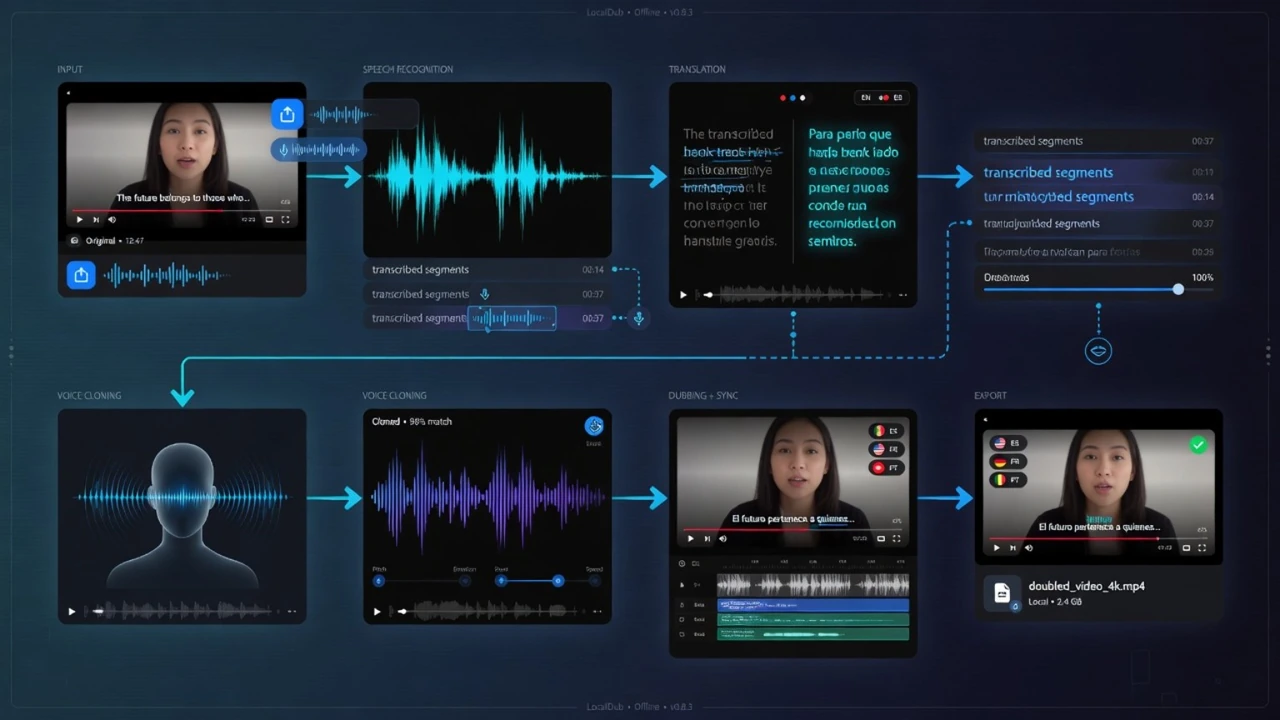
The biggest mistake is treating local YouTube dubbing like one button that only needs a strong graphics card. In reality, the workflow is a chain. The source video has to be read, audio has to be extracted, speech has to be transcribed, the spoken content has to be translated, a voice has to be selected or cloned, the target audio has to be generated, and the result has to be timed back into the video.

That chain matters for hardware. A pure voice cloning test can be short and controlled. A real YouTube dubbing project is messier. There may be background music, pauses, fast speech, several speakers, subtitle timing and long source files. A five-second demo and a ten-minute video are not the same workload, even if both use the same AI model somewhere in the pipeline.

Local YouTube dubbing workflow with transcription translation voice cloning and export
A local dubbing workflow combines several steps. The GPU matters, but so do RAM, SSD and clean model orchestration.

What the GPU actually helps with

The GPU is the accelerator. It helps with AI inference, voice generation and model-heavy parts of the workflow. But it is not the only component doing work. System RAM keeps the whole workstation responsive when the browser, VANIV Studio, source videos and editing tools are open. The SSD stores models, cache, source media and exports. The CPU and cooling keep the system stable while longer jobs run.

This is why the article you are reading is not a generic ranking. The question here is more practical: what happens when a normal creator-level 12GB card is asked to run a local dubbing workflow? The answer is useful because many creators already own cards in this range or are considering a mid-range upgrade before jumping into expensive high-end hardware.

Short clips

Usually the most realistic 12GB use case. Voice tests, Shorts, demos and smaller projects are where a 12GB card feels most reasonable.

Longer videos

Possible, but waiting time grows. Repeated render passes, translation and voice revisions make the limits much more visible.

Multi-speaker dubbing

More demanding because speaker handling, voice consistency and timing create extra workflow pressure.

Why VANIV can still make 12GB VRAM useful

VANIV Studio is built around a local-first idea: creators should be able to run voice, translation, dubbing and export workflows on their own PC instead of being forced into a different cloud tool for every step. That does not mean every PC becomes a magic workstation. It means the software has to respect real consumer hardware.

One important part of that is model handling. If a workflow keeps every heavy model in memory at the same time, 12GB VRAM disappears fast. Speech recognition, translation support, voice cloning and generation can all compete for resources if the pipeline is careless. A smarter local workflow loads models when they are needed, releases them when the step is done and avoids keeping unnecessary weight on the GPU.

That is why 12GB can still be useful. The goal is not to pretend that 12GB behaves like a 24GB workstation card. The goal is to make the workflow possible and controlled: process one stage, free resources, move to the next stage and keep the project moving. This is slower than having a larger GPU with more headroom, but it can turn a consumer RTX setup into a real testing and production environment.

In practical RTX 5070-class testing, the important discovery was not that 12GB is perfect. It was that local YouTube dubbing and voice cloning are possible when the workflow is designed with resource limits in mind. The result is usable, but not instant. You feel the limit most when videos get longer, when you repeat voice renders or when you try to combine too many heavy tasks without giving the system breathing room.

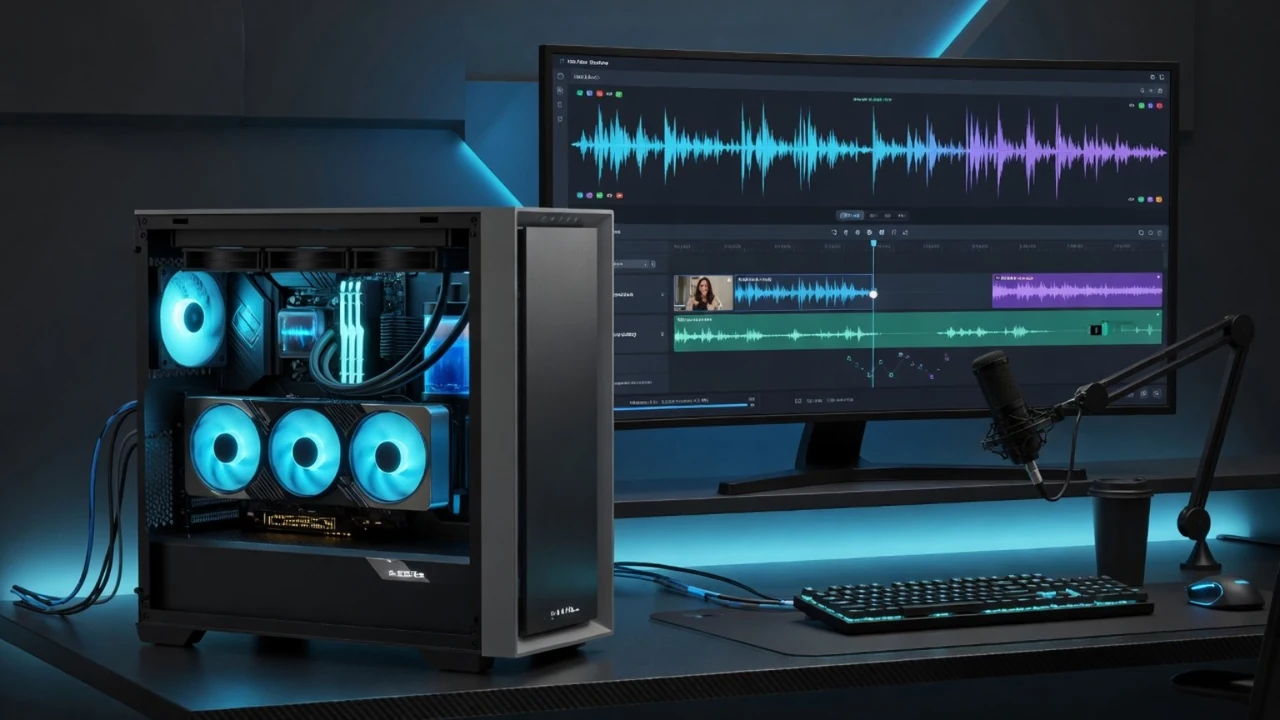
RTX 5070 class local voice cloning workstation for creator dubbing
A 12GB RTX 5070-class setup can be a real starting point, but it rewards clean workflow design and realistic expectations.

Why loading and unloading models matters

Think of VRAM like desk space. If you put every tool, every notebook and every cable on the desk at the same time, there is no space left to work. A 12GB GPU can run into the same problem. Smart model loading is the software version of clearing the desk between tasks. It is not glamorous, but it is the difference between “this can run” and “everything crashes or crawls.”

For the creator, this means the workflow may take longer but stay manageable. You might wait for one step to finish before the next heavy stage begins. You might avoid stacking several demanding jobs at once. You might accept that a longer video needs patience. The trade-off is control: files stay local, the workflow remains yours and hardware buying becomes a choice instead of a subscription trap.

The real cost of 12GB VRAM: time, not only performance

When people ask whether a 12GB GPU is enough for local voice cloning, they often expect a yes or no answer. The better answer is about time. A 12GB card may complete the job, but it may not complete it as quickly or comfortably as a GPU with more VRAM. For small projects, that is fine. For daily production, waiting becomes expensive.

Waiting time appears in several places. Transcription and translation may be manageable, but repeated voice renders can add up. If the first voice pass sounds too flat, you render again. If timing needs correction, you adjust and export again. If you are creating several language versions, the same pipeline runs multiple times. A workflow that feels acceptable for one short clip can feel slow when multiplied by a channel schedule.

This is where hardware advice needs honesty. More VRAM does not automatically make the voice more realistic. Better models, cleaner source audio and good workflow design matter for quality. But more VRAM can make the process smoother. It gives the system room to handle longer videos, larger batches and more demanding steps with fewer pauses and less pressure.

Voice cloning test12GB suitability: goodSmall samples and short generations are realistic. Clean audio matters more than buying a flagship GPU immediately.
YouTube Shorts dubbing12GB suitability: good to usableShort clips are the strongest fit. Waiting times are usually easier to tolerate.
5–10 minute video12GB suitability: usable but slowerThe workflow can work, but repeated passes and export time become noticeable.
Long video or several languages12GB suitability: possible but uncomfortablePatience and good model management are required. This is where 16GB or more becomes attractive.
Multi-speaker client work12GB suitability: not the comfort zoneMore speakers, longer timelines and revisions make GPU, RAM and SSD headroom much more valuable.

Other bottlenecks: RAM and SSD

Do not blame the GPU for everything. If the system has too little RAM, the whole PC becomes less comfortable while VANIV, browser tabs, source videos and other tools are open. If the SSD is slow or nearly full, model cache, video files and exports become annoying. For serious creator work, 64GB DDR RAM and a fast NVMe SSD are not luxury flexing. They are boring, practical stability.

This is why the VANIV hardware page recommends testing first and then upgrading by bottleneck. If the GPU is the limit, open the GPU guide. If the PC becomes sluggish with several apps open, read the RAM guide. If projects and exports fill your drive quickly, the SSD guide matters more than another benchmark video.

What this means for YouTube creators

The value of local dubbing is not only technical. It is about production control. A creator can take one video and prepare versions for different audiences. A course creator can adapt lessons. A product channel can test another language without outsourcing the full workflow. A faceless channel can build a more consistent voice system instead of jumping between random tools.

With a 12GB GPU, this becomes realistic for experiments and smaller workflows. You can test whether multilingual content actually fits your channel. You can learn where timing breaks, where voices need adjustment and how much waiting time you can tolerate. That is valuable before buying a bigger GPU.
For a creator who publishes regularly, however, time becomes the real cost. If every video requires several passes, every extra minute of generation and export matters. That is why the upgrade path is not only about power. It is about reducing friction. More VRAM, more RAM and faster SSD storage do not make you more creative by themselves, but they can make the production process less annoying.

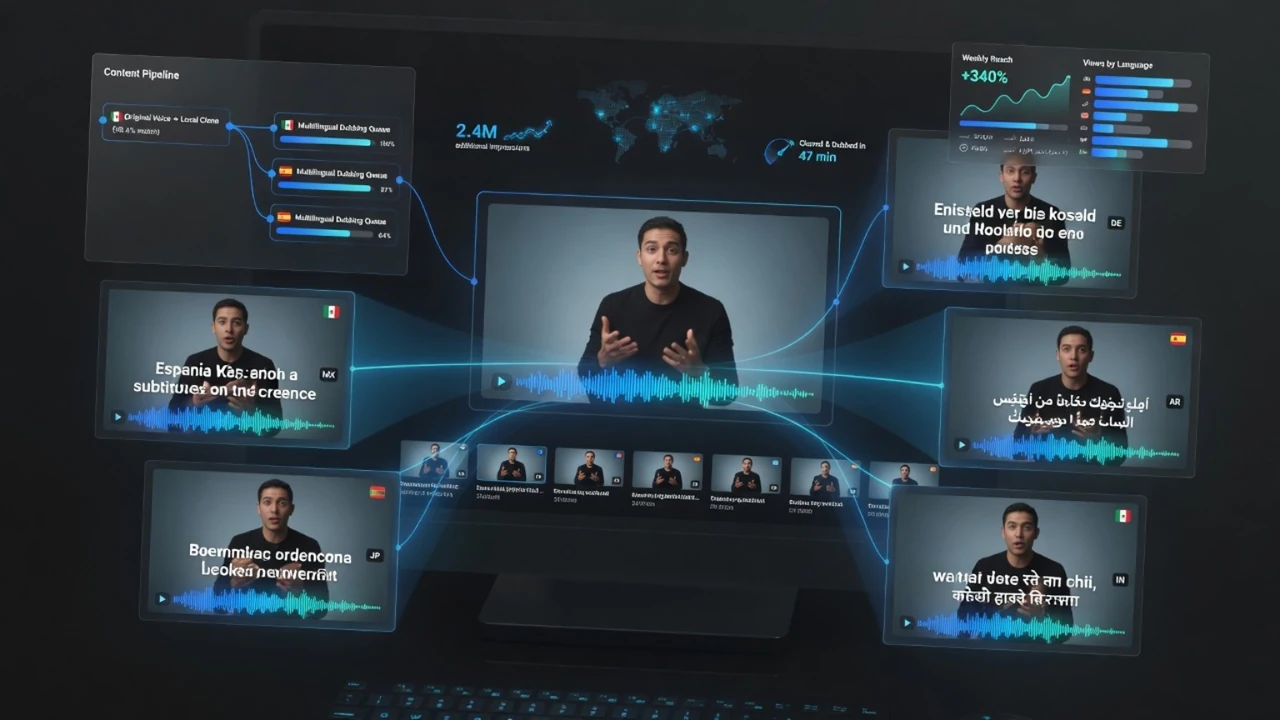
Multilingual YouTube dubbing workflow with local AI voice cloning
The business value is not the GPU itself. The value is turning one content idea into more language versions with a repeatable local workflow.

Where VANIV fits into the workflow

VANIV Studio is being built for creators who do not want their voice workflow scattered across five disconnected cloud tools. The product direction is local-first: voice design, voice cloning, translation, dubbing, subtitles and export should belong together. That matters even more on consumer hardware because every unnecessary step and every badly handled model wastes time.

The 12GB story is therefore not “cheap hardware beats everything.” It is “software should respect real hardware.” VANIV should make lower-VRAM setups useful where possible and still be honest that regular production deserves stronger hardware. That is a more sustainable promise than pretending every laptop can behave like a professional workstation.

FAQ: 12GB GPU, local dubbing and voice cloning

Is 12GB VRAM enough for local voice cloning?

Yes, for short tests, smaller voiceovers and first creator workflows, 12GB VRAM can be enough. It becomes tighter when longer videos, several speakers, translation, dubbing and repeated exports are part of the same project.

Can an RTX 5070 run local YouTube dubbing?

An RTX 5070-class 12GB setup can run local YouTube dubbing workflows, but it should be treated as an entry or testing setup. It is usable, but not the most comfortable choice for regular long-form dubbing.

Why does 12GB take longer?

The system has less VRAM headroom, so model loading and unloading becomes more important. That can keep the workflow stable, but it adds waiting time compared with a larger GPU.

Does more VRAM improve the cloned voice?

Not directly. Voice quality depends on the model, source audio and settings. More VRAM mainly improves comfort, headroom and the ability to handle longer or more complex workflows.

What hardware should I plan for serious VANIV production?

For recurring YouTube dubbing and voice cloning, plan at least 16GB VRAM, 64GB DDR RAM and a fast NVMe SSD. For longer projects, 2TB or more NVMe storage is much more comfortable.

Is 32GB RAM enough?

For tests and smaller projects, 32GB can work. For serious creator workflows with browser tabs, editing software, source videos, cache and VANIV running together, 64GB is much more relaxed.

Should I buy a new GPU before testing?

Not blindly. If you already have a reasonable RTX PC, test VANIV first. Then upgrade the part that actually limits you: GPU, VRAM, RAM, SSD or cooling.

Where should I compare GPUs?

Use the VANIV GPU and hardware pages. They separate entry testing, creator comfort and pro workflows instead of pretending one GPU is the right answer for everyone.

Share this practical 12GB GPU guide

If someone is wondering whether they really need a high-end GPU before testing local voice cloning and YouTube dubbing, this guide gives them the honest version: 12GB can work, but waiting time and workflow discipline matter.

Instagram does not support direct web article sharing like LinkedIn or X. Open the profile or copy the article link manually.

Test the workflow before buying blind

The right hardware can save time, but the smartest order is still simple: test VANIV, observe the bottleneck, then upgrade GPU, RAM or SSD where it actually matters.

Manfred Flecker

About the Author: Manfred Flecker

Manfred Flecker is the founder of VANIV Studio, a trained IT technician and builder of local AI workflows for voice cloning, AI voices, video dubbing and creator automation. VANIV grew from practical testing, a small YouTube project and the wish for more control instead of more cloud subscriptions.