
Qwen3-based TTS
Local speech generation for repeatable voiceover projects.
Create LOCAL.
Scale GLOBAL.
VANIV is a local-first AI studio for voice cloning, voice design, text-to-speech, multi-voice dubbing, video translation, subtitles and creator workflows. After installation, the core production workflow runs on your own PC: no mandatory cloud uploads during production, no monthly subscription model and no credit meter for each test render. Setup, licensing and updates may still require an internet connection. Talking AI avatars built from a portrait and a voice are part of the same multilingual creator workflow.
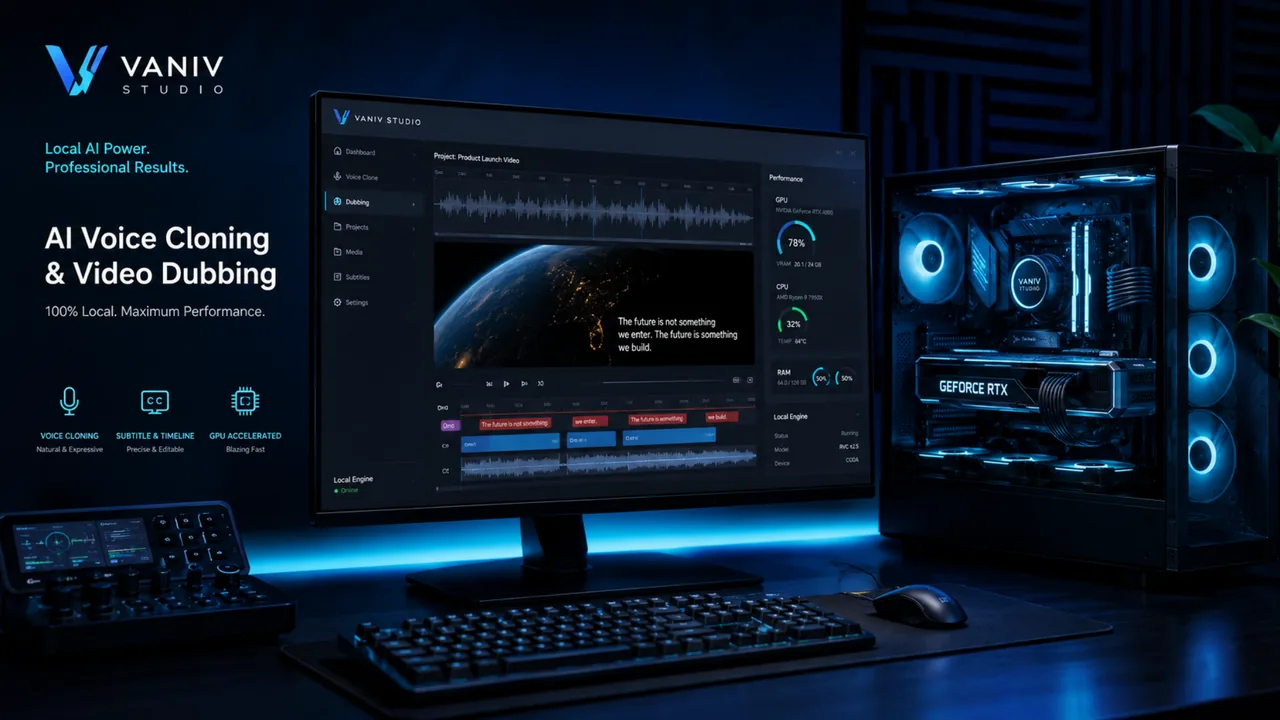
VANIV is built for creators who do not want to spread voices, dubbing, subtitles and export across ten separate tools and external servers.
Many AI voice tools send your audio files, scripts and project material to third-party servers. VANIV takes a different approach: the core workflow runs locally on your own computer. That gives you more control over voices, project files, test renders and sensitive production material.
The difference is the workflow. VANIV is not only local text-to-speech and not only voice cloning. The goal is a studio where you can import media, create or clone voices, translate videos, handle multiple speakers, check subtitles and export finished creator content.
Voice, media, dubbing and export become one repeatable creator workflow.
Generate AI voiceovers directly on your own computer. This is useful for YouTube scripts, tutorials, course lessons, product videos and fast text variants without paying for every cloud credit. Local TTS becomes especially powerful when you test often, rewrite scripts and create multiple versions of the same content.
Read the TTS guide →02Use your own or an authorized voice as a digital speaker profile. That makes it easier to produce recurring voiceovers, updates, course lessons or dubbing projects with a consistent sound. The important part is control: the voice and the project material stay in your local workflow.
See voice cloning →03If you want to use your own voice for videos, podcasts or training content, a local workflow is especially interesting. You can work with real voice samples, test results and reuse your voice in later projects. That is more practical than recording every update from scratch or hiring external speakers for every revision.
Read the guide →04You do not always need a reference recording. With voice design, you describe a voice: warm, deep, calm, energetic, documentary-style or character-like. This is useful for prototypes, ads, explainer videos, game characters and quickly testing different speaker roles.
Voice design guide →05VANIV is designed for repeatable production, not just one-off experiments. Speaker voices should be stored, reused and applied across different workflows. That is the difference between a fun AI demo and a studio setup you can actually build a content pipeline around.
See local studio →06A local workflow starts before the voice is generated. VANIV is meant to prepare audio, video and media sources so you can move faster into the actual production process. That reduces annoying detours through external downloaders, converters and manual intermediate steps.
See video workflow →07VANIV is built to help turn videos into other languages, not just add a generic voiceover. The workflow includes transcription, translation, voice generation, timing, subtitles and export. For YouTube, courses and international creator content, this is one of the most important workflows.
Read workflow guide →08Many real videos have more than one speaker. VANIV is designed to structure dialogue, assign voices, handle timing and build dubbing projects with multiple roles. This matters for interviews, reaction videos, course conversations, podcasts and scenes with several speakers.
Read dubbing guide →09Professional dubbing is not the same as putting one new voice over an entire video. Speaker changes, pauses, timing and dialogue structure must remain understandable. VANIV treats this as a multi-speaker process instead of a simple voiceover overlay.
See multi-speaker dubbing →10Good dubbing needs more than a nice voice. Subtitle timing, sentence length, pauses, speech speed and export all have to fit together. VANIV connects these pieces so a translation can become a production-ready project instead of a loose audio file.
See video dubbing →11The studio idea matters: you should not constantly jump between a TTS tool, a cutter, a subtitle tool and an audio converter. VANIV brings voice tracks, background audio, SFX, subtitles and export closer together. That saves time and makes the workflow easier to repeat.
See demo →12Because VANIV runs locally, your hardware matters. Compatible GPU acceleration, enough VRAM, sufficient RAM and a fast NVMe SSD make voice cloning, TTS and video dubbing much smoother. VANIV uses ONNX-based support for suitable NVIDIA, AMD and Intel hardware; actual speed depends on the model and execution provider.
GPU recommendations → 13Combine a portrait with your own, an authorized or a designed voice to create a talking avatar for tutorials, product videos, courses and multilingual creator content. This turns a reusable voice into a visual presenter, not just an audio file.
Explore AI avatars →VANIV is built around repeatable work: import media, choose a voice, translate, check dubbing, review subtitles and export.
VANIV is not designed for a single demo click. It is for creators, teams and producers who work regularly with AI voices, video dubbing and multilingual content.
If you produce videos without being on camera, you need a recognizable voice, fast variants and a workflow that does not burn money with every test. VANIV helps connect voiceover, dubbing, subtitles and export locally. This becomes especially powerful when a channel later adds multiple language versions.
Read faceless guide →A German or English video can become the base for several language versions. But simple TTS is not enough because timing, voice, subtitles and export must work together. VANIV is designed around that local scaling workflow.
Scale YouTube →For courses, tutorials and podcasts, consistency matters more than a single perfect clip. You may need corrections, new lessons or updates using the same voice later. Local speaker profiles turn that into a reusable production workflow instead of a new recording session every time.
Clone your voice →When client material, unpublished content or sensitive voices are involved, cloud upload is not always comfortable. A local workflow gives you more control over files, voices and intermediate results. It does not replace legal review, but it makes production more controllable.
Law & ethics →Many real videos contain several speakers, pauses and dialogue changes. That is where simple voiceover quickly becomes weak. VANIV treats dubbing as a project with segments, speaker roles, timing, subtitles and export.
See video dubbing →If you already own a powerful GPU, local AI production can become economically interesting. Instead of paying monthly for credits or minutes, you use your own system. The benefit grows when you test often, re-render and publish several language versions.
Check hardware →Many AI voice tools look impressive in a demo. Real production needs different things: control, costs, repeatability, privacy, hardware and a workflow that still works after the tenth export.
A classic text-to-speech tool takes text and returns audio. That is useful for short clips, but often not enough for serious creator production. Once you translate videos, handle multiple speakers, need subtitles or reuse a recognizable voice across many projects, you need more than a generator.
That is why VANIV connects local AI voices with voice cloning, voice design, media import, dubbing, subtitles, audio separation, studio workflow and export. The focus is not one impressive demo, but a repeatable process for real content.
Cloud tools are convenient, but they often come with subscriptions, credits, minute limits and uploads. At the start that may not matter, but it becomes annoying when you test many variants, create multiple languages or work with sensitive voices. The more you produce, the more control matters.
With VANIV, the core workflow runs locally on your computer. Your hardware defines speed, not a third-party queue. That is why VANIV fits creators who want to scale over time: create locally, publish globally.
VANIV works as a local pipeline combining text-to-speech, voice cloning, audio separation, segmentation, dubbing logic, subtitles and export. That means it is not only about a good individual voice, but about the entire production path.
For speech generation, VANIV uses Qwen3-based TTS workflows. ONNX-based acceleration is designed for compatible NVIDIA, AMD and Intel hardware; actual performance depends on the model, drivers and execution provider. For voice isolation and background separation, local approaches such as UVR, Demucs or MDX-based workflows can be used. The goal is practical local production with a workflow creators can understand.
Local speech generation for repeatable voiceover projects.
Reuse your own or authorized voices across projects.
Prepare voice, music and background for dubbing workflows.
Performance depends on your hardware, not on server limits.
Cloud can be convenient. VANIV is stronger when privacy, costs, repeatability and local control matter more.
| Criteria | Cloud tools | VANIV local |
|---|---|---|
| Privacy | Voices and project files are uploaded | Files stay on your computer |
| Costs | Subscriptions, credits or minute limits | Buy once, no ongoing subscription costs |
| Offline use | Usually not possible | Usable offline after installation |
| Workflow | Often requires multiple tools | Voice, dubbing, subtitles and export in one studio |
| Scaling | More usage often costs more | Mostly limited by your own hardware |
A compatible GPU with sufficient VRAM is a sensible starting point for serious local AI workflows. NVIDIA RTX is one common option, while supported AMD and Intel configurations can also use ONNX-based acceleration. Larger projects benefit from more VRAM, a fast NVMe SSD, enough RAM and good cooling.
Learn more in the GPU for voice cloning guide, the GPU recommendations and the local AI hardware guide.
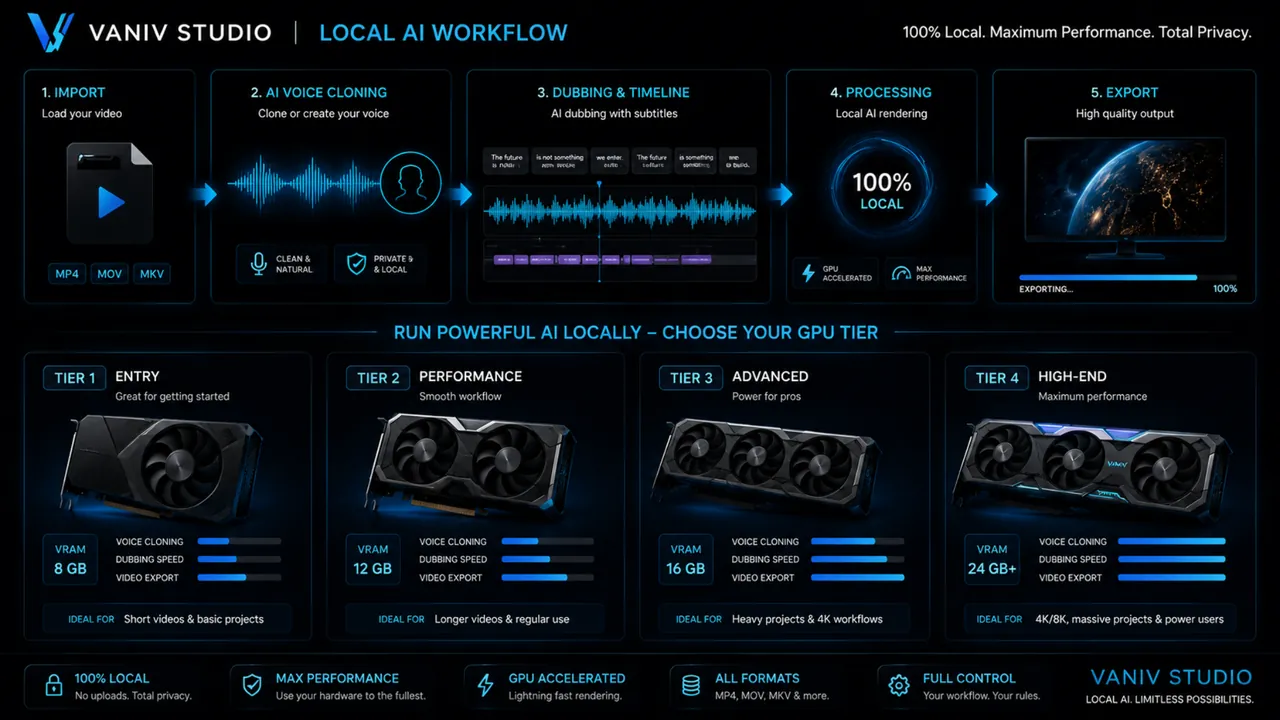
Start with the part that creates the most friction today: voice, multilingual video, hardware planning or cloud dependency.
If you publish regularly, connect recordings, voices, translation, subtitles, timing, background audio and export instead of optimizing one isolated generator. The practical guides cover your own authorized voice, local video translation and cloud versus local AI costs.
Decide how often you produce, whether files are sensitive and which steps need to stay connected. Then compare local TTS, voice cloning without subscription and video dubbing. For product background and testing principles, see how Manfred Flecker builds VANIV.
Yes. After installation, the core production functions run locally on your own computer. Setup, licensing or updates may still require internet access, but voices, scripts and unpublished projects do not need mandatory cloud processing during normal production.
No. VANIV is not designed as a subscription with credits or minute limits. The benefit becomes clearer when you test frequently, create many variants or produce several language versions.
A compatible GPU with sufficient VRAM is a sensible starting point. NVIDIA RTX is one common option, and suitable AMD or Intel configurations can also use ONNX-based acceleration. Larger dubbing projects and multiple languages benefit from more VRAM, enough system RAM and a fast NVMe SSD.
No. Text-to-speech is only one part of the workflow. VANIV connects local AI voices with voice cloning, voice design, video dubbing, subtitles, media import, audio separation and export.
Yes, VANIV is designed for your own or authorized voices. Clean recordings, low room echo and clear speech usually produce better results.
Yes. The workflow is built around preparing video or audio, recognizing speech, translating text, generating a new voice, checking timing, handling subtitles and exporting the result.
Multi-voice dubbing means a project can contain multiple speaker roles. Instead of replacing an entire video with one voice, speaker roles, dialogue, pauses and timing are handled more carefully.
Cloud tools are convenient, but often rely on subscriptions, credits, uploads and limits. VANIV is stronger when control, privacy, repeatability and local scaling matter more.
Yes. VANIV is especially interesting for YouTubers, faceless creators, course creators and channels that want to publish content in multiple languages.
VANIV is available through a non-binding VANIV Early Access request, so you can test the current workflow on your own system and evaluate voice quality, speed and export behavior.
Request a VANIV Early Access and test whether local voice, dubbing and creator workflows fit your own computer and production style.