
Translate YouTube Videos with AI Dubbing, Voice and Subtitles
VANIV Studio helps creators translate YouTube videos with AI, create a new voice track, prepare subtitles and export a creator-ready language version for international audiences.
Built for YouTube creators, Shorts, tutorials, interviews, product videos, online courses and multilingual content experiments.
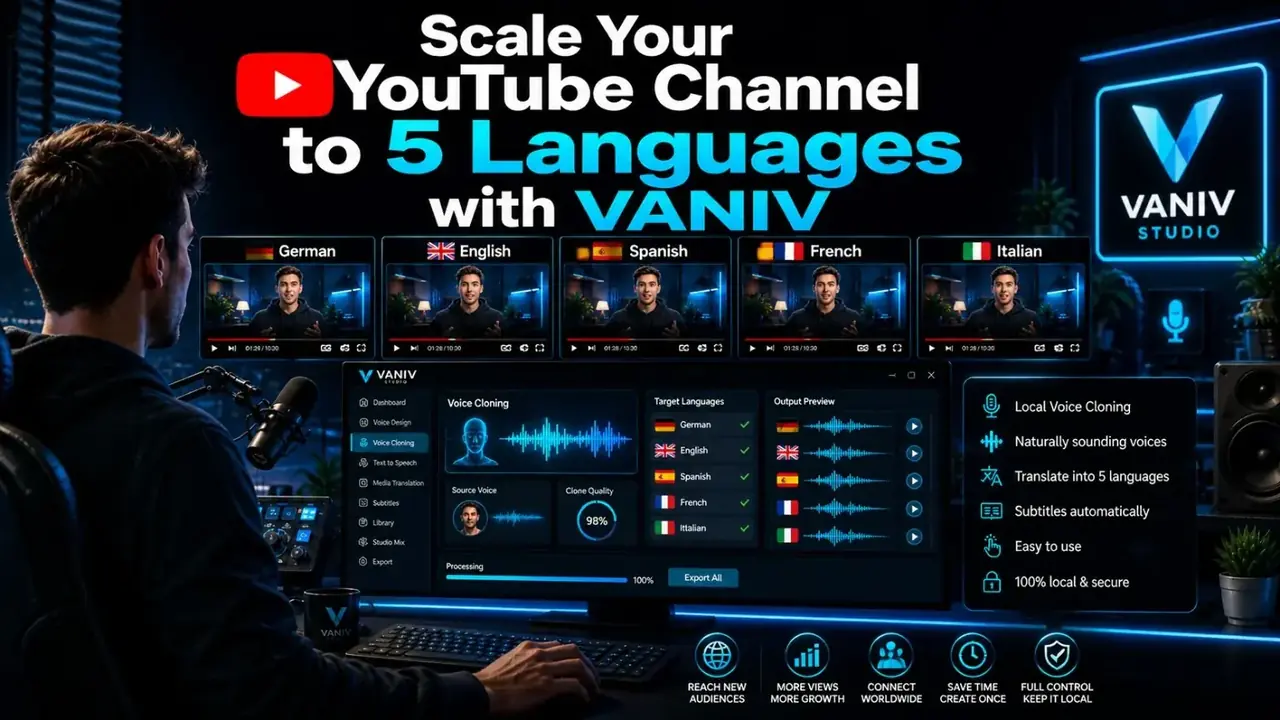
Local YouTube translation works better with the right hardware
VANIV Studio is a local workflow. That is useful for control, privacy and repeatable creator projects – but local AI also needs a PC that can handle voice cloning, AI video dubbing, subtitles and export reliably.
GPU for dubbing & voice cloning
The graphics card is the main accelerator when you translate YouTube videos with AI, generate voices or run AI video dubbing locally.
View GPU guideRAM for longer projects
32 GB is enough for first tests. For longer videos, multiple tools and smoother workflows, 64 GB RAM is much more comfortable.
View RAM guideNVMe SSD for video files
Videos, audio tracks, subtitles, exports and AI models need fast storage. A good NVMe SSD saves time and frustration.
View SSD guideCPU, cooling & power
A local creator PC should be fast and stable. CPU, airflow, PSU and motherboard choices all affect the workflow.
View system guideWhat does a YouTube video translator actually need to do?
A serious YouTube video translator does more than convert words from one language to another. For a real creator workflow, you need transcription, translation, timing, a suitable AI voice, subtitles and finally an exportable clip. That is where a simple subtitle tool and a real AI video dubbing workflow start to differ.
Many tools only generate translated subtitles. That can be useful, but it is not always enough when you want to reach viewers in a new market. A translated YouTube video becomes stronger when the audio track also matches the target language and viewers do not have to read everything on screen.
VANIV Studio is designed for this local creator workflow: import the video, understand the content, translate the script, generate a new voice track, check subtitles and export the result as a new language version. The focus is not generic AI video creation. The focus is turning existing creator content into better multilingual versions.
Subtitles, voiceover or AI dubbing: what fits your YouTube video?
Many creators search for a YouTube video translator, but they often need different outcomes. Some only need translated subtitles. Others need a new voice track. And if you want to publish serious international versions, you usually need a complete AI dubbing workflow with timing, voice, subtitles and export.
| Workflow | Best for | Advantages | Limits |
|---|---|---|---|
| Translated subtitles | Short tutorials, quick tests and videos with many mobile viewers. | Fast, simple to review and useful even without creating a new audio track. | The viewer still hears the original language and has to read along. |
| AI voiceover | Explainers, simple reviews, course modules and videos without complex speaker changes. | The target audience can hear the content in their own language, which improves accessibility and retention. | If timing, emotion or multiple speakers matter, a basic voiceover can feel too loose. |
| AI video dubbing | YouTube channels, interviews, product videos, multilingual content series and professional language versions. | New voice track, better viewer engagement, stronger international presentation and a more complete viewing experience. | Requires more control, good source audio, quality checks and suitable hardware. |
| Voice cloning + dubbing | Creators, coaches, personal brands and channels where a recognizable voice matters. | The translated version can feel more personal because the creator voice or brand voice stays consistent. | Quality depends heavily on the reference recording, translation style, segmentation and review. |
Translated subtitles, AI voiceover or full AI video dubbing?
When creators search for a YouTube video translator, they often mean one of three different workflows.
Translated subtitles
This is the fastest route. The spoken content is translated and shown as subtitles. It can work for tutorials and short clips, but the viewer still hears the original language.
AI voiceover
A voiceover adds a new voice in the target language, but it often sits loosely on top of the video. This can work for explainers, but becomes weaker when timing, emotion and speaker changes matter.
AI video dubbing
Dubbing creates a new voice track that should fit the scene, the timing and the speaker flow. This is where voice cloning, multi-speaker dubbing and local control become much more valuable.
Best result
For international YouTube versions, the strongest workflow is often a combination: translated voice track, checked subtitles and an export that can be uploaded as a new language version.
Synchronize a YouTube video: when translation is not enough
Translating a YouTube video is the first step. Synchronizing a YouTube video goes further: the new language must be correct and fit the visuals, pauses, speaker energy and rhythm of the original clip. That is where simple translation becomes a real dubbing workflow.
For short clips, translated subtitles may be enough. But for tutorials, interviews, product videos and course content, viewers notice very quickly when a new voice track is simply placed on top without timing control. A synchronized version feels more natural because the voice, subtitles and scene rhythm work together.
VANIV Studio is designed for that wider workflow: transcript, translation, AI voice, voice cloning, timing review, subtitles and export. If you want to synchronize YouTube videos with AI, this control is what separates a quick experiment from a version you can confidently publish.
How a YouTube translation workflow works in VANIV
The exact workflow depends on the video, language and hardware, but the core logic stays the same.
Prepare your video or local file
You start with your own YouTube video, a local clip or an exported project. You should own the rights to the content or have permission to use it. Review the voice-cloning law and ethics guide before using a recognizable voice.
Transcribe and structure the speech
The spoken content is turned into text segments. Clean segmentation matters because it affects timing, subtitles and the generated AI voice later.
Translate the script into the target language
The original script becomes a new language version. For YouTube, literal translation is often not enough. The translated text needs to sound natural and stay short enough to fit the video.
Generate a new voice or use voice cloning
For simple workflows, a fitting AI voice may be enough. For creators who want to keep a recognizable personal voice, local voice cloning becomes much more interesting.
Check timing, subtitles and export
The new voice track has to fit the video. Then you review subtitles, pauses, speaker changes and final export. This is where a usable draft becomes a professional language version.
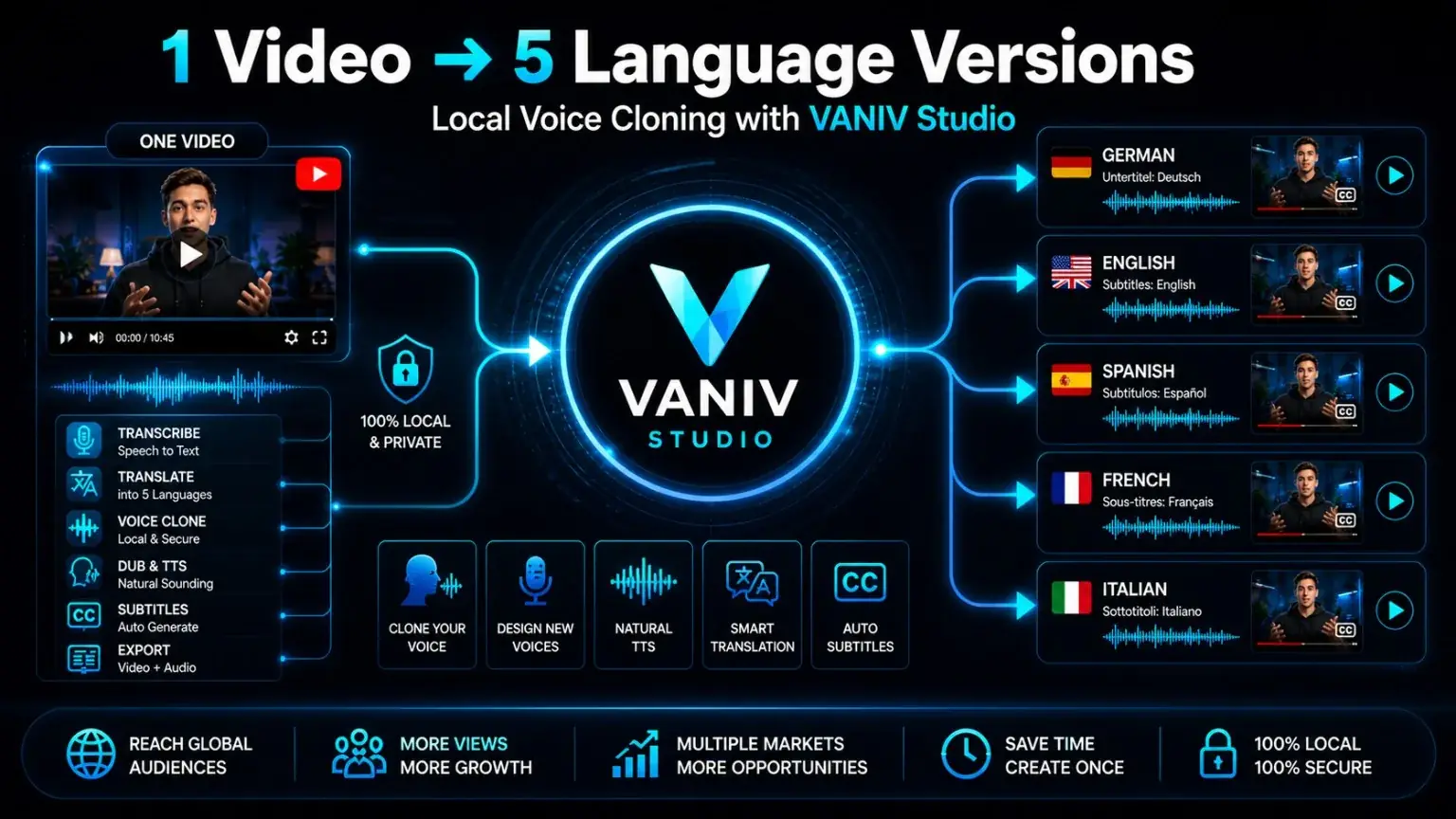
One video, multiple language versions
The workflow turns existing content into new language versions through translation, voice generation, subtitles and export.
Why YouTube video translation is a strong creator lever
Many YouTube channels create valuable content but remain limited to one language. A German tutorial may also be useful for English-speaking viewers. An English review may attract viewers in the DACH region. A course video can create more value when it exists in several languages.
The advantage is simple: you do not have to produce every video from scratch. You can turn existing videos into new language versions. This is especially powerful for evergreen content such as software tutorials, product comparisons, explainers, training videos, technical guides and course modules.
Shorts can be an even faster testing ground. Short clips are ideal for testing which language, format and topic works before you translate longer videos or full playlists.
Example: turn one YouTube video into five language versions
Imagine you have a ten-minute tutorial that already performs well in one language. You can use the existing video as a starting point for multiple language versions. This is where a local YouTube translation workflow becomes interesting.
A reliable workflow is to transcribe the original, review the meaning, adapt technical terms, generate a new voice track, export subtitles, check timing and only then publish the translated version.
The visuals, structure and content already exist. That saves the work of producing a completely new video for every market.
The transcript becomes a natural target-language version. The focus is not literal translation, but a version viewers actually understand.
Check audio, subtitles, timing, volume and terms. This is the step that turns an AI draft into a useful YouTube asset.
This is especially powerful for evergreen videos: software tutorials, product comparisons, how-to guides, course lessons and technical explainers can be searched for months or even years. If a video already works, translating it properly can be smarter than constantly producing new videos for one market only.
Which YouTube videos are worth translating with AI?
Tutorials and how-to videos
Step-by-step content travels well because the search intent often stays the same across languages. A useful tutorial remains useful after translation.
Reviews and product videos
Product comparisons, software reviews and tech videos often have demand in several regions. A new language version can reach additional viewers without reshooting everything.
Interviews and podcasts
Multiple speakers make dubbing harder. This is where speaker separation, multi-speaker dubbing and careful review of the new voice track become important.
Online courses and training
Course videos and training material can become more valuable when translated. Privacy, local files and controlled processing matter especially in this use case.
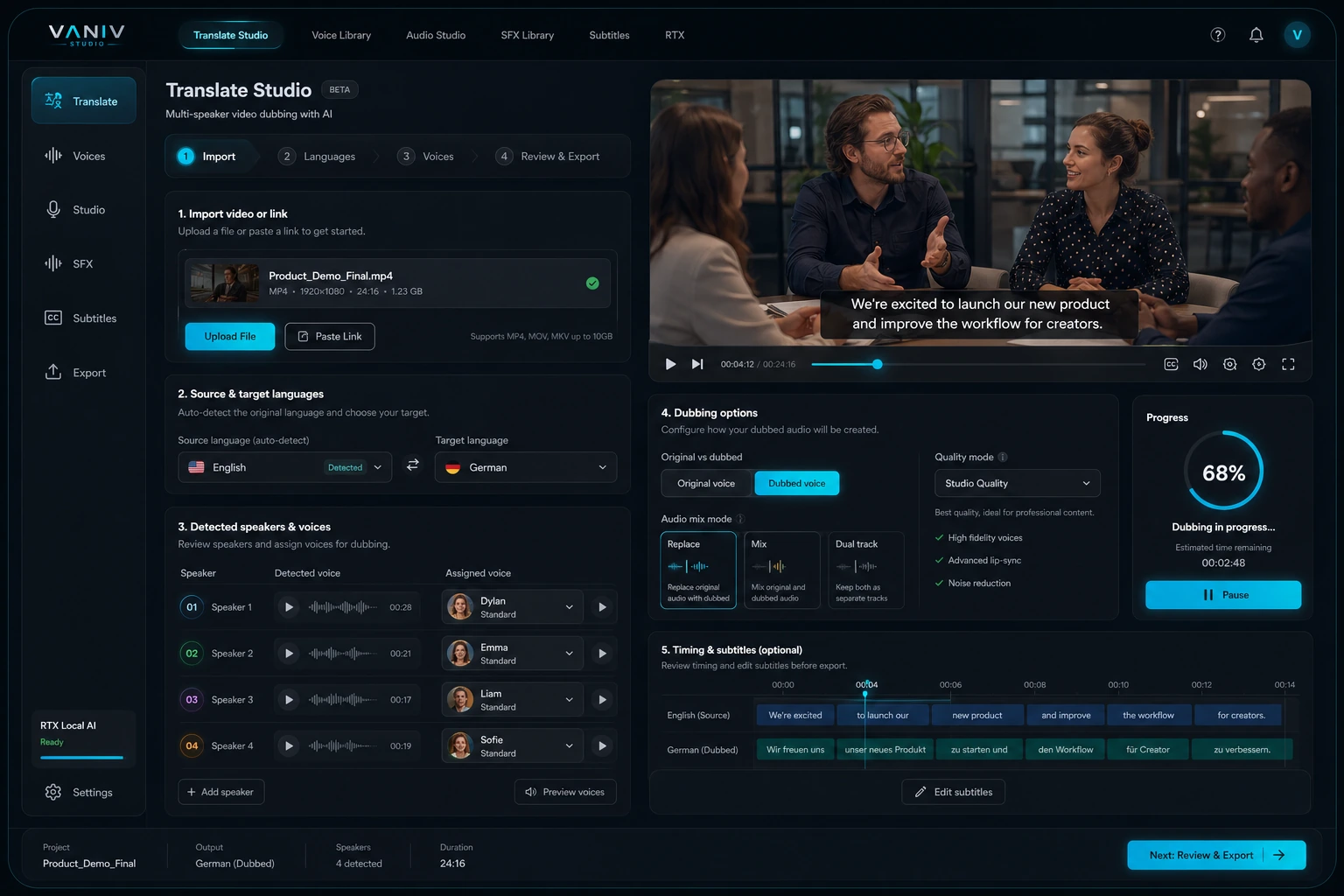
The VANIV dubbing workflow
The screenshots below show the actual VANIV workflow for video translation, AI video dubbing, voice cloning and export.
Why local processing can matter for YouTube dubbing
Cloud tools can be convenient, but they come with trade-offs: uploads, credits, queues, privacy questions, subscription costs and sometimes limited control over the individual steps. For a one-off test, that may be acceptable. For regular YouTube video translation, voice cloning or multiple language versions, control becomes more important.
A local workflow means you work more directly on your own system. Project files, reference voices and export files remain easier to control. This matters for unreleased videos, client work, course content, interviews and sensitive voice material.
VANIV Studio sits in that gap: not as a simple online subtitle tool, but as a local AI studio for creator workflows with voice, AI video dubbing, subtitles and export.
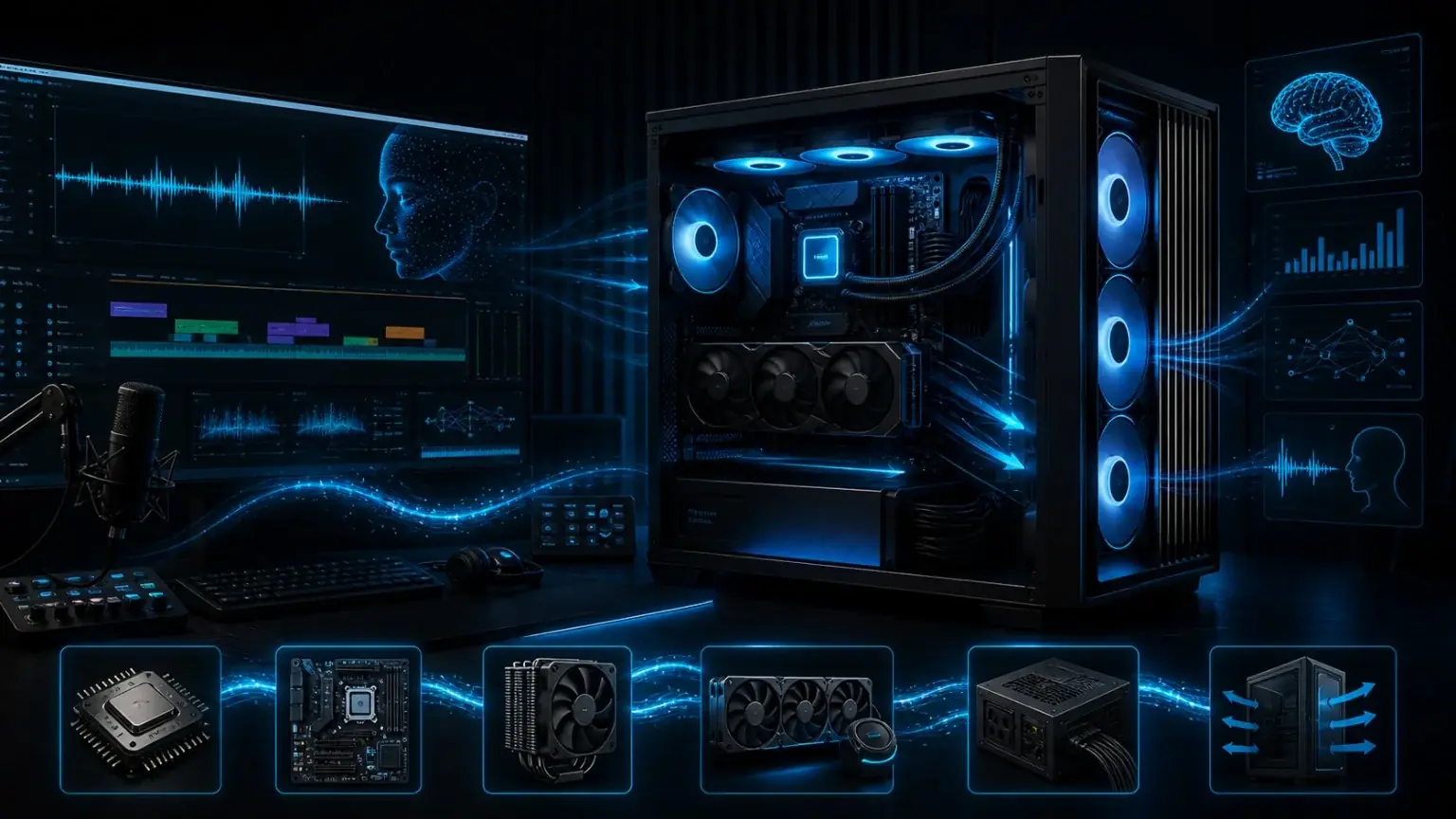
What hardware do you need for local YouTube translation?
For local AI, software is only half of the workflow. The other half is a PC that can handle voice cloning, AI video dubbing and large media files reliably.
Entry setup
For short tests, Shorts and simple translations, a modern Windows PC with 32 GB RAM, a fast NVMe SSD and a current RTX GPU is often a practical starting point.
Creator setup
If you regularly translate YouTube videos, generate AI voices and export longer clips, 64 GB RAM, 2 TB NVMe storage and a stronger RTX GPU are much more comfortable.
Pro setup
For long videos, many language versions and frequent local dubbing, more storage, more RAM and a stronger GPU class can save time and frustration.
Hardware guides
Our hardware pages explain GPU, RAM, SSD and CPU choices specifically for local AI, voice cloning and video dubbing workflows.
Checklist before uploading your translated YouTube version
The biggest mistake in AI translation is not the technology. The biggest mistake is uploading the result without review. If your translated YouTube video should feel professional, you need a short but strict quality check.
Is the new voice clear, loud enough and free of harsh cuts?
Do pauses, sentence length and speaker changes match the video?
Are the subtitles readable, accurate and not too long per line?
Are product names, tools, brands and specialist terms translated correctly?
Does the call to action still fit the target language and audience?
Do filename, language, description, thumbnail and upload plan match the new version?
Common mistakes when translating YouTube videos
- Translating too literally: Good video translation needs to sound natural and fit the timing.
- Ignoring subtitles: Even with dubbing, subtitles matter because many viewers watch on mobile or without sound.
- Using a poor voice reference: Voice cloning is only as good as the source audio. Noise, echo and background music hurt quality.
- Underestimating hardware: Local AI works better when GPU, RAM and SSD are not constantly at the limit.
- Ignoring rights: Translate and publish content only when you own it or have permission.
- Skipping quality control: Check names, technical terms, timing, volume, subtitles and final export before publishing.
After translation: publish the new language version properly
A translated YouTube video is not truly finished until the upload setup also fits the new language. Many creators generate a good new voice track, but leave the title, description, chapter names or thumbnail text in the wrong language. That weakens the experience for viewers and can also make it harder for YouTube to understand the new context.
If you want to translate YouTube videos and publish real language versions, check more than the audio. Your title, description, subtitle file, filename and thumbnail should clearly show which language and audience the video is made for.
Do not rely on a literal translation. The title should match the search intent of the new audience.
Explain the video in the target language and link to relevant resources, products or downloads.
Even with a new voice track, subtitles help mobile viewers, accessibility and comprehension.
If the thumbnail contains text, that text should also fit the new language.
Chapter names, product names and technical terms should be consistent and understandable.
Compare click-through rate, watch time and comments per language to see which markets are worth scaling.
This is how a simple AI translation becomes a clean publishing process. Test one language before scaling, then compare reach, watch time and real requests across the versions.
YouTube video translator: subtitles, voiceover or AI dubbing?
Which method fits your video? Here is when simple subtitles are enough, when a voiceover makes sense and when a new AI-dubbed voice track is the better choice.
YouTube video translator
This focuses on creator reach, YouTube channels, Shorts, tutorials and international language versions. This page covers that specific use case.
AI video translation
This is broader: local files, course videos, product clips, interviews or internal training. That belongs to the general video translation page.
AI video dubbing
Dubbing goes deeper: a new voice, timing, speaker changes, emotional fit and an export-ready voice track.
Voice cloning
If your own voice or a recognizable brand voice matters, voice cloning becomes a separate workflow with its own quality rules.
Frequently asked questions about YouTube video translation with AI
Ready to translate your YouTube video with AI?
Test VANIV Studio with a short clip first. If the workflow fits your channel, our hardware guides help you choose GPU, RAM, SSD and system parts for local AI production.