
VANIV vs Descript: creator editor or local AI voice studio?
Descript is strong when you want to edit audio and video through transcripts, manage podcasts and organize creator projects in an editor. VANIV becomes interesting when local AI voices, voice cloning, video dubbing, subtitles and export should become more controllable.

Which workflow fits your creator project?
VANIV vs Descript is not about a simple winner. It is about whether your focus is editing, transcript workflows and podcasts — or local AI voice, dubbing and controllable production.
You want voice control
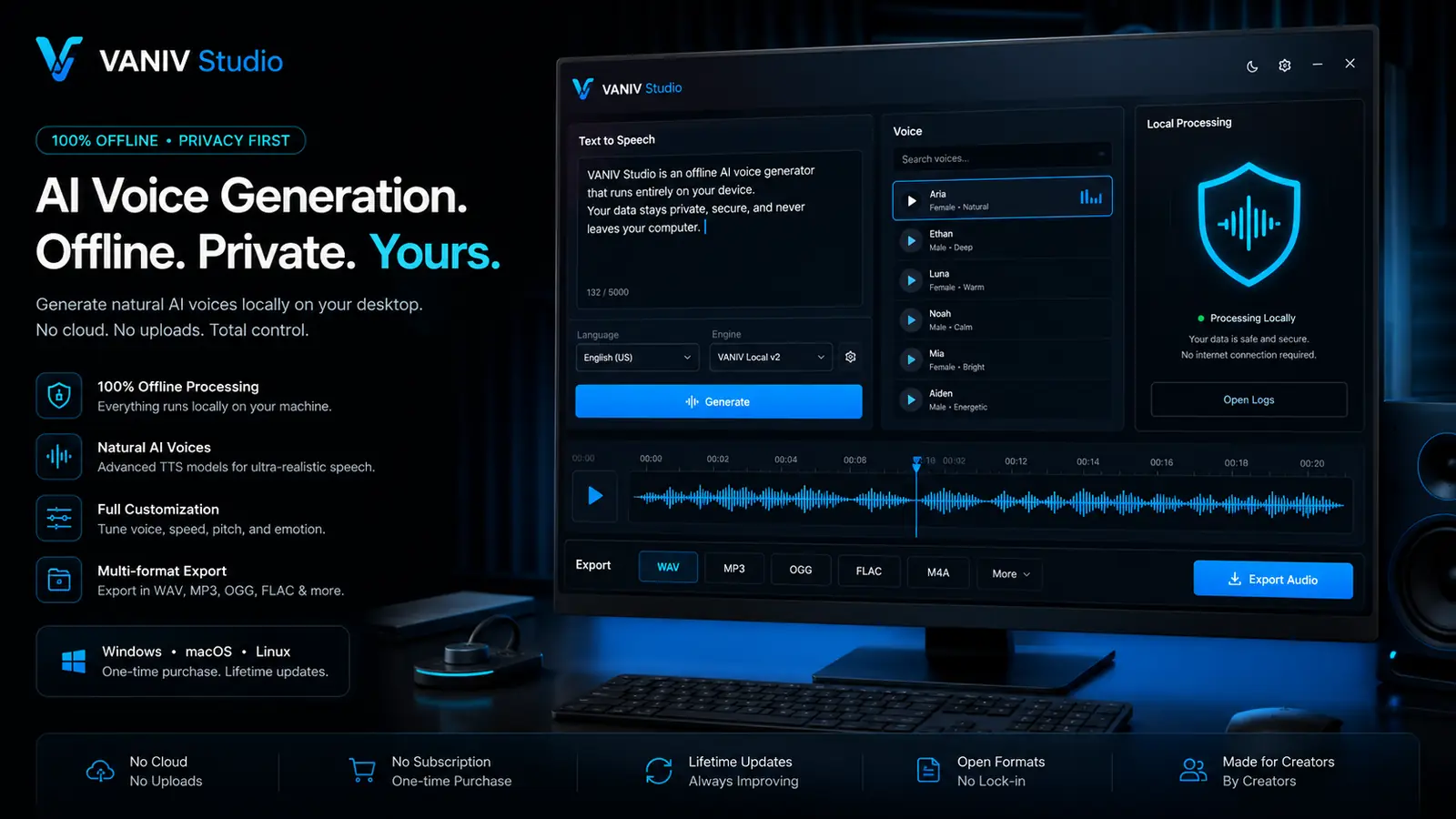
If voice cloning, local AI voices and recurring speaker profiles matter, VANIV fits local AI production better.
You want video dubbing
If translation, voice, subtitles and export belong together, a local dubbing workflow matters more than editing alone.
You compare cloud and local
Descript is convenient as a platform workflow. VANIV becomes more interesting when files, rights and local control matter.
You want less subscription pressure
Local workflows can become interesting when you generate, test, correct and export regularly.
Descript and VANIV in a fair comparison
| Criterion | Descript | VANIV Studio |
|---|---|---|
| Core idea | Creator tool for transcript-based audio and video editing, podcast workflow, recording, editing and publishing. | Local-first AI creator studio for voice, voice cloning, video dubbing, subtitles and export. |
| Strength | Editing, transcript workflow, podcast and video editing, and fast creator production in one platform. | Local AI voices, authorized voice cloning, video dubbing, subtitles and more controllable export workflows. |
| Voice workflow | Useful when voice features should be part of an editing workflow. | Useful when voice itself, speaker profiles and local generation become more important. |
| Video dubbing | Useful when editing and content production are the main priority. | Stronger when translation, dubbing, subtitles and multilingual export should be connected. |
| Cloud dependency | Platform and account workflow play a bigger role. | Local-first by design: less cloud dependency during production, with more control over local files and workflows. |
| Best fit | Podcasters, video creators and teams that prioritize editing and transcript workflows. | Creators, YouTubers, agencies and local AI users who want more control over voice, dubbing and export. |
Why VANIV and Descript solve different problems
Descript is strong when you want to edit audio and video like a document. Transcript editing, podcast cutting, screen recordings, social clips and fast editing are typical reasons creators look at Descript. That is real value, especially when editing is the bottleneck.
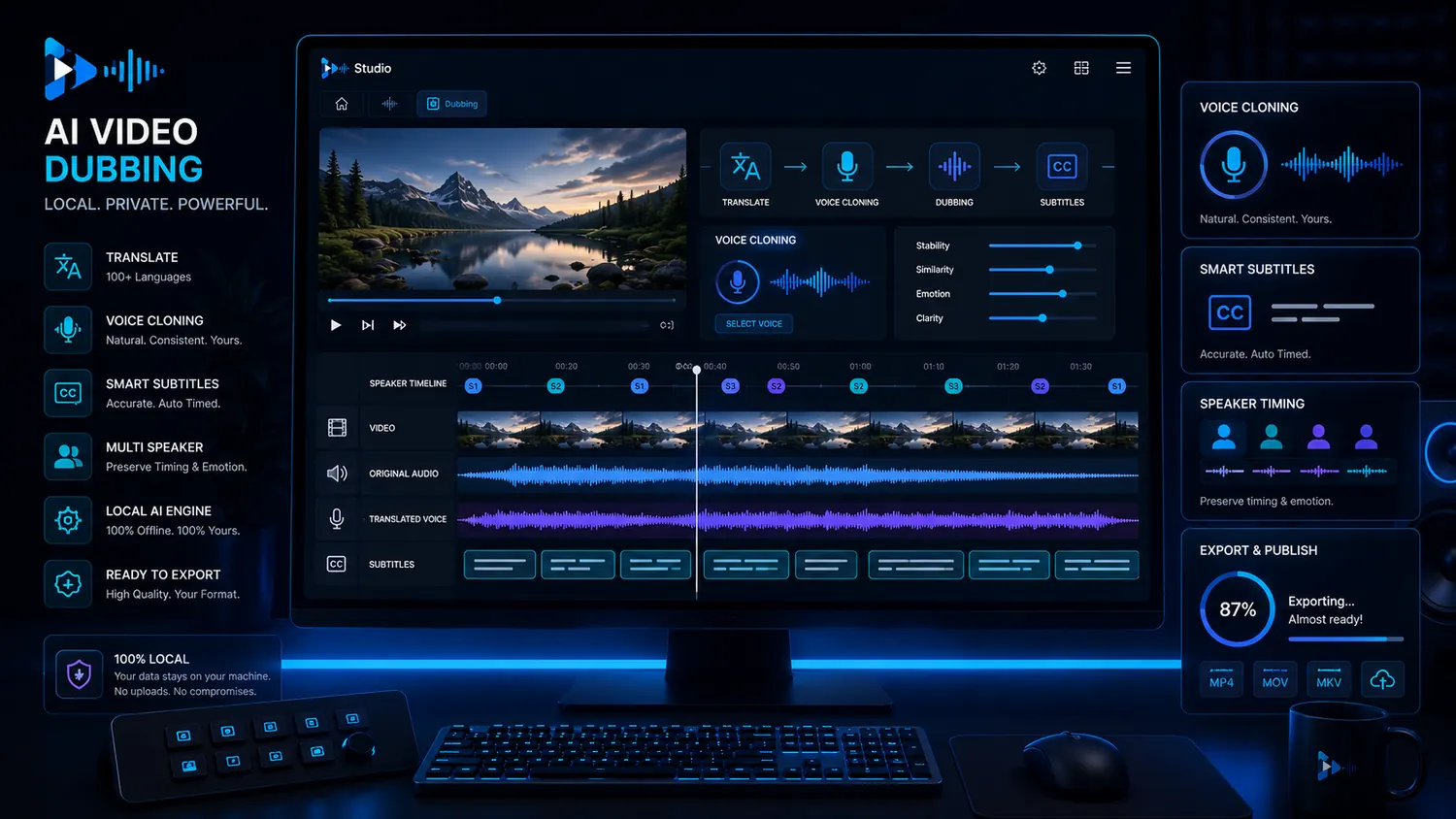
VANIV starts from a different place. The focus is not to be a full video editor. The focus is to connect local AI voices, voice cloning, video dubbing, subtitles and export more effectively. That becomes relevant when you want to bring existing content into new languages or make your own voices reusable.
The comparison becomes fair only when you know your main task. If your problem is editing and transcript-based content production, Descript may be the obvious choice. If your problem is local voice, dubbing, rights, repeatable speaker profiles and more control over AI production, VANIV becomes more interesting.
- Descript is strong for editing and transcript workflows.
- VANIV is strong for local AI voices and dubbing workflows.
- Not every creator tool has to solve the same task.
- The best choice depends on the bottleneck in your workflow.
When VANIV makes sense as a Descript alternative
Multilingual YouTube videos
If one video should become several languages, you need translation, voice cloning, dubbing, subtitles and export. That is more than editing alone.
Recurring speaker profiles
If you want to reuse the same voice in series, tutorials or courses, controllable local voice becomes more important.
Client and agency projects
Agencies need structured workflows, project files, clear speaker roles and clean exports. Local-first can become strategically valuable.
Sensitive content
With client videos, internal training and unreleased material, it matters more where files are processed and stored.
When a local production workflow is the better fit
Creator tools are rarely only about price. The important part is how a tool feels in real use. How quickly can you make changes? How often do you need variants? How easily can you find your files again? How controllable are voices, subtitles and exports?
Descript can make sense when you need a strong editor with transcript-based editing. VANIV becomes more useful when you treat AI voice and dubbing as a local production layer, especially for recurring projects that benefit from greater control over files and voices.
Local does not automatically mean easier or cheaper. You need suitable hardware, setup willingness and clear project structure. In return, you get more control over files, voices and recurring workflows.
Check editing
If editing is your biggest problem, Descript is a natural fit.
Check voice
If AI voice and voice cloning matter more, test VANIV.
Check dubbing
If videos should become multilingual, the full workflow matters.
Check control
If files and rights are critical, local-first becomes more interesting.
How to compare Descript and VANIV with one real project
Use a real project rather than a demo script. A podcast excerpt, tutorial, YouTube video or course module works well. Then assess two separate areas: the editing workflow and the voice or dubbing workflow.
If the test shows that editing, transcript workflow and content production are the bottleneck, that points toward an editor workflow. If voice, translation, dubbing, subtitles and export are the real bottleneck, that points more strongly toward VANIV.
The best comparison is not “which software has more features?” It is “which software solves my next real production problem faster, more controllably and more repeatably?”
- Test with a real project instead of demo material.
- Separate editing problems from voice and dubbing problems.
- Compare corrections, exports and repeatability.
- Decide by workflow, not by feature lists.
Descript alternative: what task do you actually want to solve?
People searching for a Descript alternative are usually trying to solve a specific problem: editing, podcasting, transcript workflow, AI voice, dubbing or greater production control.
Podcast and editing
If your biggest problem is classic editing, transcript-based changes, removing pauses or podcast production, an editor workflow like Descript remains very natural.
AI voices and voice cloning
If your biggest problem is repeatable AI voices, your own speaker profiles or authorized voice cloning, VANIV fits the local AI voice workflow more strongly.
Video dubbing and translation
If existing videos should become new language versions, you need more than editing: translation, speaker roles, timing, subtitles and export matter.
Production control
If files, rights, sensitive content and recurring projects matter, local-first becomes more interesting than a pure platform workflow.
The core difference: Descript edits content, VANIV generates and localizes voice
VANIV and Descript serve different primary roles. Descript is strongest when you want to edit existing audio or video conveniently: cut, transcribe, prepare clips, organize podcasts and finish content faster.
VANIV is not intended to replace a classic editor one-to-one. Its focus is local AI production: voice generation, voice cloning, video dubbing, subtitles and export for controllable speech and language versions.
For a broader view of the available workflows, visit the VANIV comparison hub.
For creators, this distinction matters. Someone editing a podcast needs different tools than someone publishing a video in three languages. Someone polishing a tutorial needs different features than someone building a recognizable AI voice for series, courses or product videos.
- Descript is closer to editing, transcript workflow and content production.
- VANIV is closer to local AI voice, dubbing and export.
- Both tools can complement each other when their roles are clear.
- The right choice depends on the bottleneck in your production.
Why VANIV and Descript can also complement each other
Not every comparison has to end with “either-or”. For some creators, the best solution is a clear division of labor.
Script and raw material
A video, podcast or course often starts with raw material, text or existing recordings. First, it is about structure, content and audience.
Voice and language versions
VANIV becomes interesting when AI voices, local voiceovers, dubbing tracks, subtitles or multilingual variants should be created.
Editing and polish
An editor can still be useful afterwards when clips are cut, social versions are prepared or final corrections are made.
Export and repeatability
The real value appears when the process becomes repeatable: same voice, clear files, clean subtitles and predictable exports.
Who benefits most from VANIV compared with Descript?
YouTubers with several languages
If you want to internationalize a channel, editing alone is not enough. You need translation, voice, dubbing, subtitles and export in several versions.
Course creators and coaches
For learning content, consistency matters. A recognizable voice, clear terminology, clean subtitles and controlled language versions are more important than one fast clip.
Agencies and client projects
Agencies need repeatable processes. Voices, approvals, source files, export formats and client versions should stay organized.
Creators with sensitive files
If content is unreleased or contains client material, it matters more where files are processed and how much cloud dependency you accept.
Cloud convenience or greater local control?
With creator tools, price is only one part of the decision. More important is how often you actually use the tool and which production steps appear again and again. One podcast edit is very different from a series with several languages, recurring voices, subtitles and many export variants.
Platform tools can be very convenient. They reduce setup, bundle functions and remove technical complexity. They also rely more heavily on an account, an online workflow, platform limits and external processing, which should be included in the comparison.
VANIV’s local-first approach becomes more interesting when you want to build your own production environment. You need suitable hardware and more structure. In return, you get more control over voices, files and recurring projects. For occasional editing, that may be too much. For regular production, it can become strategically useful.
Individual projects
If you rarely produce, a platform editor can be easier and faster.
Recurring series
If you regularly create language versions, a local workflow becomes more attractive.
Many variants
Corrections, re-exports and tests depend on how freely you can iterate.
Your own structure
If you want long-term control over files, voices and projects, local-first is worth testing.
How to test Descript and VANIV fairly with one real project
The best comparison does not come from feature lists. It comes from a project you would actually produce.
Choose real material
Use a podcast excerpt, tutorial, video or course lesson that could realistically be published or localized.
Test editing separately
Check how well cutting, transcripts, pauses, corrections and clip creation work.
Test voice separately
Check how well AI voice, voice cloning, dubbing, subtitles and export fit the project.
Decide by bottleneck
If editing blocks you, you need an editor. If voice and localization block you, VANIV becomes more interesting.
When Descript and VANIV make more sense together than as replacements
The strongest workflow sometimes does not come from one tool replacing everything. It comes from each tool doing the job it is best at.
For many creators, Descript is useful because it simplifies editing. You can cut material, work with transcripts, structure podcast sections and bring content into a publishable form faster. If editing is the main bottleneck, VANIV does not replace that role completely.
VANIV becomes stronger when the voice itself becomes a production asset: new language versions, a recognizable voice, dubbing tracks, controlled subtitles and export variants for different platforms. In that area, the task is less about classic editing and more about local AI production.
A useful workflow can therefore look like this: Descript or another editor handles cutting, polishing and content structure. VANIV handles local AI voices, voice cloning, dubbing, translation, subtitles and export preparation. That does not create a chaotic tool stack if the responsibilities are clear. It creates a clean division of labor.
Add a tool only when it solves a defined bottleneck. If you do not need multilingual content, reusable voices or regular voiceovers, you may not need VANIV yet. If one piece of content should become several language versions, clips or recurring voice assets, VANIV becomes more relevant.
Descript for editing
Strong when cutting, transcripts, podcast workflow and final content structure are your main problem.
VANIV for voice
Strong when voice cloning, local AI voices, dubbing and multilingual variants become more important.
Combined for series
Useful when you produce content regularly and need both editing and voice workflows.
Do not overload
Use only tools that solve a real bottleneck. Otherwise your workflow becomes slower instead of better.
Frequently asked questions about VANIV vs Descript
Want to test local AI voices and dubbing?
Test VANIV Studio on your Windows PC and see whether local voice, dubbing, subtitles and export fit your creator workflow better.
Join Early Access & save 15%