
Local AI voice cloning for creators, dubbing and repeatable voice workflows
AI voice cloning is more than a quick effect. For creators, YouTubers, agencies and product teams, the goal is a recognizable, authorized voice that can be used in voiceovers, video dubbing, video translation, subtitles and export workflows. VANIV treats voice cloning as local, controlled and responsible.
Diagnose voice-cloning quality before long-form generation
Updated: 18 Aug 2026Do not judge a voice from one good sentence. Use the same authorized reference and a small fixed test set so recording quality, pronunciation, prosody, routing and speed can be evaluated separately.
| Problem | Likely cause | First test |
|---|---|---|
| Voice sounds dull or unstable | Weak or noisy reference | Try a clean, dry reference without music or background noise |
| Pronunciation drifts | Text/language model or unsuitable reference | Compare short, phonetically clear sentences |
| Prosody varies between segments | Reference or generation instability | Generate the same sentence several times and compare variation |
| Generation is too slow | Model size or missing acceleration | Benchmark 10–20 seconds on CPU and the active accelerator |
| Speakers are swapped in dubbing | Routing/diarization rather than cloning quality | Validate speaker IDs separately with short clips |
Use only voices you own or are authorized/licensed to use, and evaluate several test segments rather than one showcase sample.
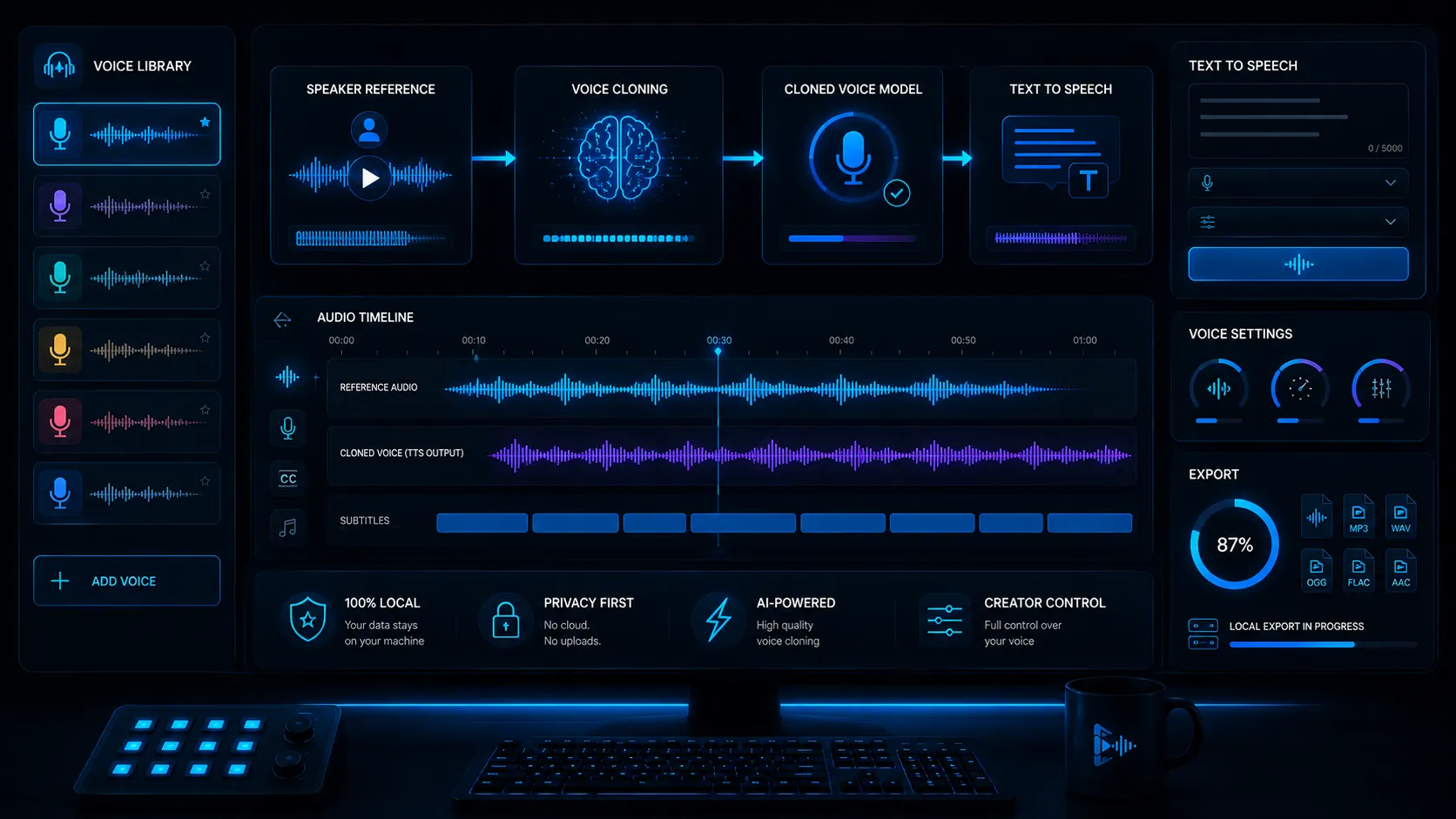
What does AI voice cloning mean?
Voice cloning describes the attempt to create new synthetic speech with a similar voice character from a reference recording.
Make a voice recognizable again
Voice cloning analyzes a reference voice and makes it usable for new content. The goal is not just any AI voice, but a voice that fits a person, brand or creator identity. For YouTube, courses, product videos and dubbing, that can be a major advantage.
Voice cloning as a local creator workflow
VANIV does not treat voice cloning as a gimmick. It is part of a production process where a voice can be reused in video dubbing, video translation, text-to-speech, subtitles and export workflows.
A voice is personal. VANIV should clearly stand for your own voice or explicitly authorized voices. This serious positioning matters for trust, legal clarity and long-term product quality.
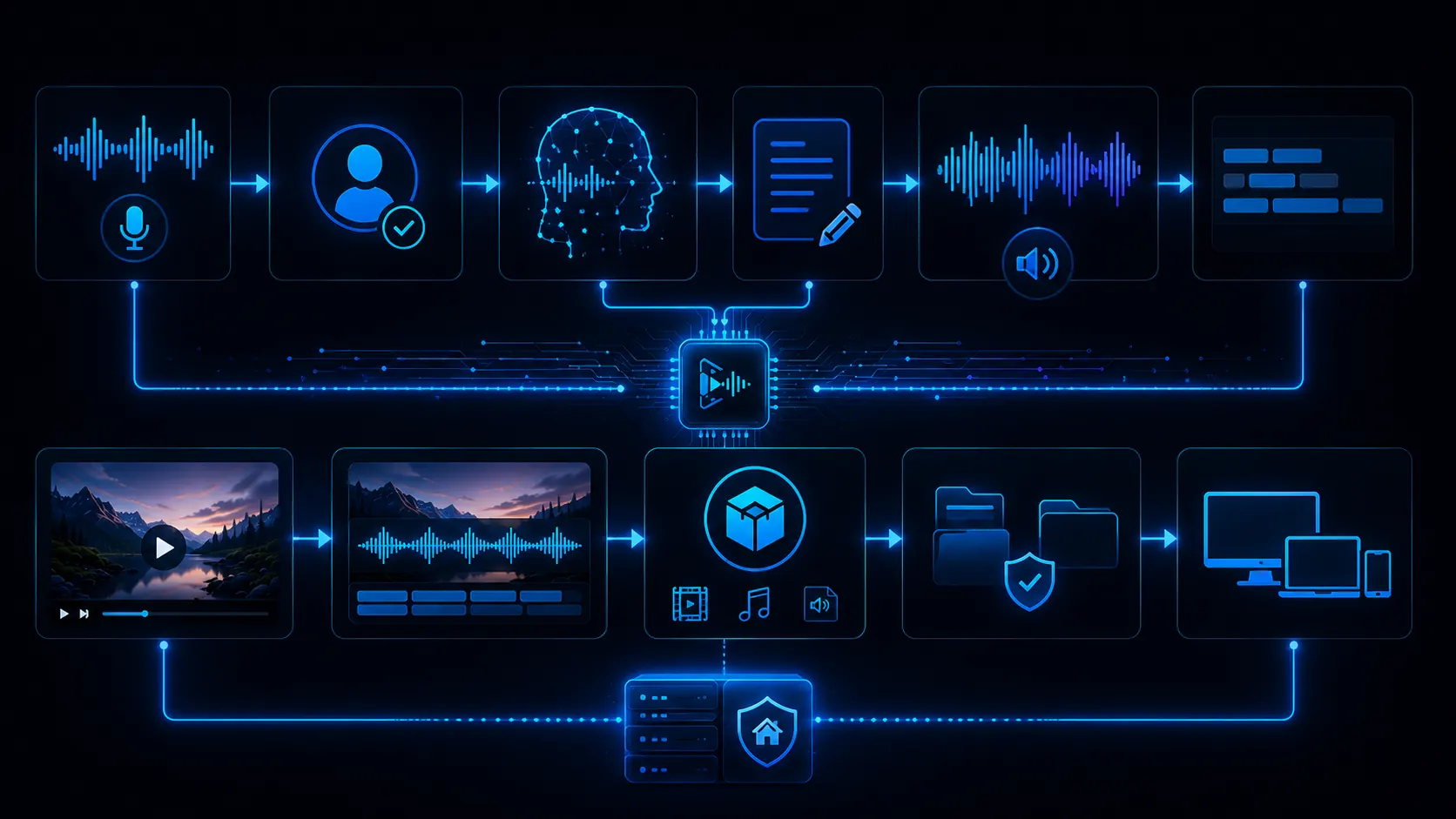
What a local voice cloning workflow can look like
Good results do not come from a model alone. They come from clean recordings, clear permission, useful settings and quality review.
Recording
You start with a clean speech recording without strong echo, noise or background music.
Consent
The voice should be yours or explicitly authorized. This is not a side issue.
Voice profile
The voice is used as a reusable profile or reference point in the workflow.
Text
You provide text that should be spoken as voiceover, TTS output or dubbing segment.
Generation
The system creates a new speech recording based on the voice and the desired text.
Review
Pronunciation, timing, tone, names and technical terms are checked.
Use
The voice can be used in voiceovers, video dubbing, video translation or internal clips.
Export
The final output should be a file you can publish, edit further or use in videos.
Why local voice cloning makes sense for creators
Cloud tools are convenient. But with voices, identity and repeatable production, control matters a lot.
Voices are sensitive assets
A voice is more personal than normal text or an image. If you work with your own voice, client voices or speaker recordings, you need control over material, usage and project structure. A local workflow reduces platform switching and keeps important steps closer to your own system.
A creator voice needs consistency
If you regularly create videos, tutorials, product demos or dubbing projects, you do not want to start from scratch each time. Local voice cloning can help keep a recognizable voice more consistent across multiple projects.
Credits and limits can become annoying
Many cloud services work with characters, minutes, credits or subscription tiers. For tests, that is fine. For repeatable production, that logic can slow you down. Local means more hardware responsibility, but often more control over usage and workflow.
Local-first is not dogma
Cloud can make sense for quick tests. But when voice, privacy, repeatability and project logic matter, local AI is often the stronger foundation. The cloud vs local AI page explains this in more detail.
What creators can use a cloned voice for
Recognizable voiceovers for videos
For YouTubers, an own voice can help produce videos faster without recording every voiceover manually. Tutorials, shorts, updates and evergreen content can benefit a lot.
Language versions with a consistent voice
When videos are transferred into other languages, an authorized voice can help preserve brand identity and recognition. That is where video dubbing and voice cloning connect closely.
Demos, onboarding and explainers
Software demos, product videos and onboarding clips often need clear, repeatable speech. A consistent voice can make these assets more professional and scalable.
Repeatable client workflows
Agencies can use authorized voices for repeatable variants, language versions and presentations. Control, rights and project structure matter much more than a quick gimmick.
What really affects voice cloning quality?
Quality depends on much more than the AI model. Recording, room, microphone, text and review all matter.
Clean audio is the biggest lever
A clear and calm recording with little echo and little background noise improves the chance of good results. Bad references often lead to unstable voice output, artifacts or unnatural pronunciation.
A consistent style helps the voice
If the reference recording and target text use completely different moods, results may vary. For repeatable workflows, consistent references and clear writing style help a lot.
Better writing sounds better
Even the best voice suffers from bad sentences. Short, clear wording, natural language and clean emphasis points help create better voiceovers.
AI needs control
Names, numbers, technical terms, emphasis and pacing should be checked. Especially for public or business content, a short review is required.
Why responsible voice cloning is essential
Local control does not remove responsibility. Professional voice cloning starts with permission, clear ownership and an honest use case.
The cleanest starting point
Your own voice is the simplest and clearest starting point. You know that you are allowed to use it, and you can build a repeatable creator workflow around it.
Other voices only with consent
If you clone speakers, clients or team members, you need clear permission. Without consent, voice cloning quickly becomes problematic and unprofessional.
Be transparent when context requires it
For client projects, ads or public content, it may be useful to be transparent about AI-generated voices. Trust is worth more long term than a short-term trick.
Professional, not creepy
VANIV should not feel like a tool for deception. It should feel like a local studio for creators who want to work professionally with their own or authorized voices.
What hardware helps with local voice cloning?
Local AI needs a solid foundation. Hardware becomes more important for longer texts, multiple voices and video workflows.
VRAM and performance matter
For local AI, the GPU plays a major role. Depending on model, length and workflow, more VRAM can help a lot. Our GPU guide explains what to look for.
What kind of recording works best for voice cloning?
The quality of the reference recording often affects the result more than any magic AI setting.
A quiet room matters more than people think
Echo, background noise, keyboard sounds, fans and room reflections can make a cloned voice less stable. For voice cloning, a quiet environment is a real quality lever. You do not need a luxury studio, but you do need a recording where the voice is clearly in front.
A consistent microphone position helps a lot
If distance and angle to the microphone keep changing, the reference voice sounds inconsistent. A stable position helps the workflow create a more stable voice profile. For creators who want repeatable voiceovers or dubbing, this consistency matters.
Speak naturally instead of overperforming
A good reference should be clear, calm and natural. Very dramatic acting, whispering, shouting or extreme emotion can lead to unstable results later. A voice works best when the reference sounds similar to the intended use case.
Clean and short beats long and messy
A longer recording is not automatically better. Ten minutes full of echo, music and background noise can be worse than a shorter clean reference. For VANIV, the message is simple: better input, better voice, better workflow.
How voice cloning fits real creator workflows
The value does not come from the clone alone. It comes from using the voice in repeatable production.
Produce voiceovers faster
Many creators have ideas, but not always the time or energy to record new voiceovers manually. An own authorized AI voice can help create drafts, updates, explainers or evergreen videos faster. The content still has to be good. Voice cloning does not replace strategy; it accelerates one part of production.
Create language versions with recognition
When you bring a video into another language, a random voice is often not enough. A recognizable own or authorized voice can help preserve brand and personality. This is where voice cloning connects directly with video dubbing and video translation.
Keep explainers and onboarding consistent
Product videos, tutorials and onboarding clips benefit from a consistent voice. Users recognize faster that the content belongs together. For software, courses and internal training, a consistent voice can feel more professional than changing speakers all the time.
Create variants without recording everything again
Agencies can use authorized voices for different versions: short social clips, longer explainers, language variants or client presentations. The value is not the gimmick. It is repeatability and clean project structure.
How voice cloning stays professional instead of risky
Because voices are personal, the workflow needs clear rules and control.
No other voices without consent
The most important principle is simple: use your own voice or voices for which you have clear permission. This is legally relevant, but also essential for trust. A serious product should not sell gray-zone behavior as a feature.
Name and separate voices clearly
If you use several voices, you need order. Voice profiles should be named clearly, assigned to projects and not mixed up accidentally. Especially with client projects or dubbing with several speaker roles, structure matters more than speed.
Always review before publishing
Even good AI output can contain mistakes. Pronunciation, names, numbers, product terms, emphasis and pacing should be checked. For public videos, a short review is required. Otherwise even a good workflow can look sloppy.
Local control as a trust signal
A local workflow helps manage sensitive voices, project files and exports with more control. That does not make VANIV automatically perfect, but it sends a strong signal: less blind upload, more responsibility, more control over the production process.
When is voice cloning actually worth it?
Not every text needs a cloned voice. The biggest value appears where repetition, brand identity and workflow come together.
When you often need voiceovers
Voice cloning is especially useful when you regularly produce videos, tutorials, product demos, shorts or updates. A reusable voice does not only save time; it also helps create a consistent sound across many pieces of content.
When your voice is part of recognition
For many creator and product formats, the voice is part of the brand. Viewers recognize style, tone and personality faster. Your own or an authorized AI voice can help preserve that recognition across multilingual videos, dubbing and new formats.
When you need several versions
Voice cloning becomes especially interesting when one piece of content needs several variants: another language, a shorter version, a social clip, product demo, course module or internal training. The voice becomes a reusable production asset.
For a one-time test, simpler options may be enough
If you only want to test something once, you do not immediately need a full voice cloning workflow. A simple AI voice or a normal voiceover may be enough. VANIV becomes interesting when voice, text, dubbing, translation and export become a repeatable local workflow.
Which VANIV page should you read next?
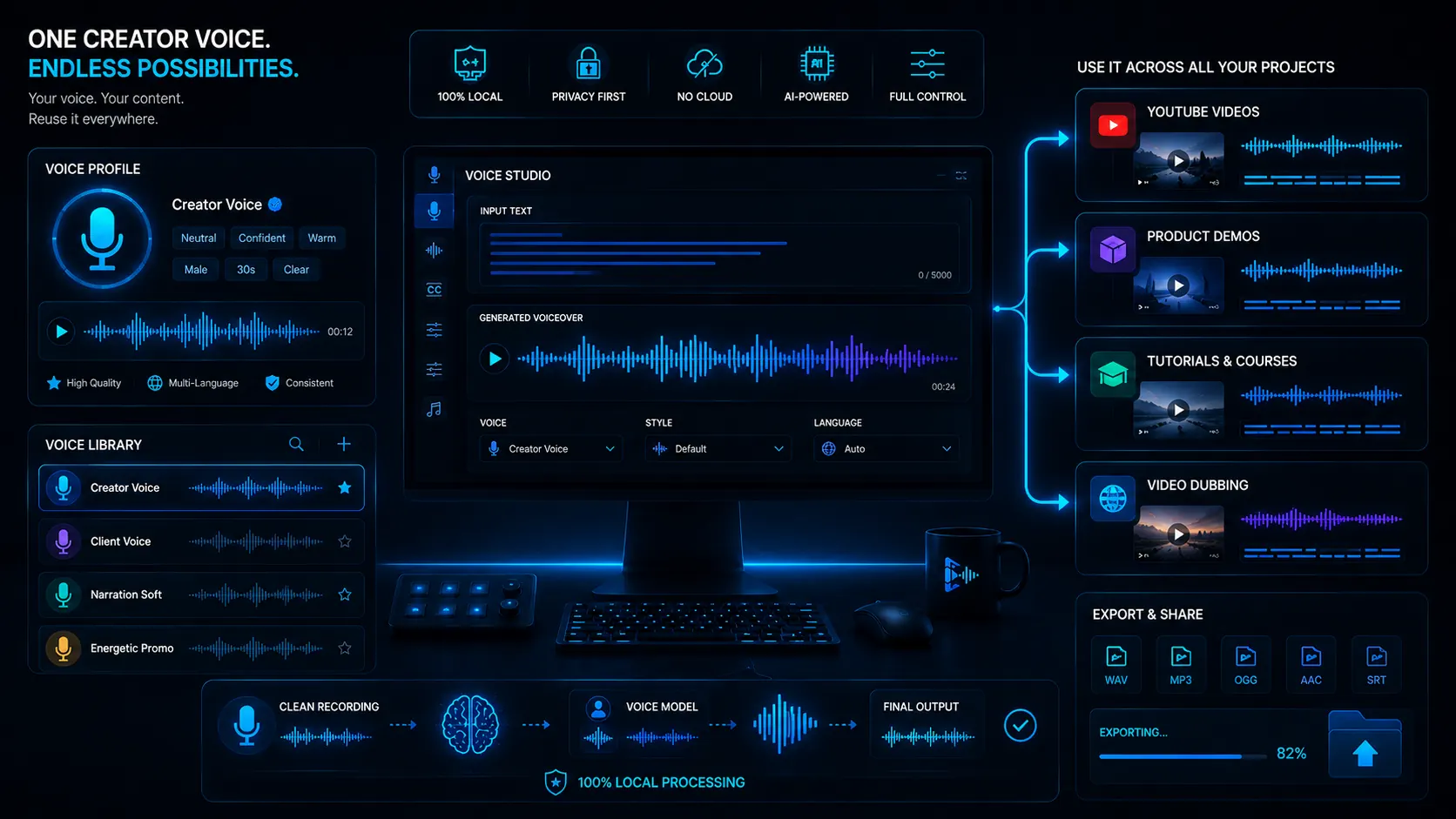
Voice cloning is a central building block. These pages show how the voice is used in the wider VANIV workflow.
If you want to use a voice in new language versions and videos.
TranslateVideo translationFor multilingual videos with transcript, translation, voice and subtitles.
OfflineOffline AI voice generatorFor local voice generation without pure cloud dependency.
DialogueMulti-speaker dubbingFor interviews, podcasts and videos with several speaker roles.
RightsVoice cloning law and ethicsFor consent, ownership, disclosure and responsible production rules.
StudioLocal AI studioThe central page for VANIV product logic and local workflows.
HubAll solutionsThe overview for voice, dubbing, translation, hardware and local AI.
Frequently asked questions about local AI voice cloning
Can I clone my own voice with AI?
Yes, with a suitable recording and workflow, your own voice can be used for new voiceovers.
Can I clone any voice?
No. Other voices should only be used with explicit permission. A voice is a personal characteristic.
Is local voice cloning better than cloud?
Not always. Cloud is convenient for tests. Local becomes stronger when control, privacy, repeat usage and project structure matter.
What recording quality do I need?
The cleaner the reference recording, the better. Low echo, little noise and clear speech matter more than effects.
Can I use voice cloning for video dubbing?
Yes. Voice cloning is especially useful when your own or an authorized voice should remain recognizable in translated videos.
Is this useful for YouTube?
Yes, especially for tutorials, evergreen videos, product demos, shorts and multilingual creator workflows.
What hardware do I need?
For serious local AI workflows, a modern GPU, enough VRAM, sufficient RAM and a fast SSD are useful.
Which page should I read next?
Read Video Dubbing, Video Translation or Local AI Studio next.
Voice cloning is strongest when it becomes a real workflow.
VANIV Studio connects voice cloning, text-to-speech, video dubbing, video translation, subtitles and export into one local creator workflow for your own or authorized voices.
Join Early Access & save 15%Voice cloning from engineering, creator and business perspectives
In 13 minutes, Mira, Noah and Daniel discuss when a cloned voice becomes genuinely useful and why local processing alone does not create a dependable workflow.