
VANIV vs Murf AI in 2026: Local Voice Cloning or a Cloud Voiceover Studio?
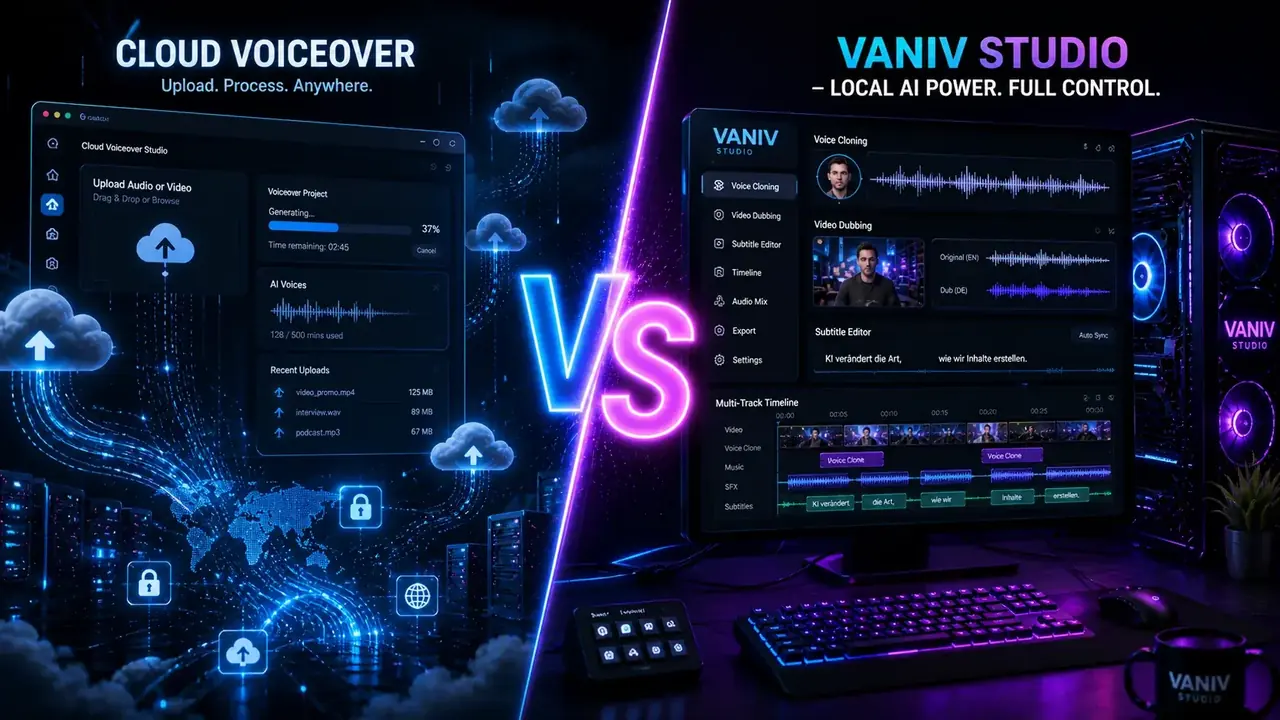
Murf AI is a cloud platform for text-to-speech, voiceover, translation, AI dubbing and managed voice-cloning services. VANIV Studio provides a local-first Windows workflow for creators who want more direct control over voices, video dubbing, subtitles and export.
This comparison focuses on the practical difference between a managed cloud production environment and a local-first workflow for YouTube, courses, faceless content and multilingual videos.
Jump straight to the comparison
Murf AI and VANIV do not solve exactly the same problem.
Both tools extend beyond basic text-to-speech. The practical question is whether you want Murf’s managed cloud workflow or VANIV’s local-first environment for voices, video dubbing, subtitles and repeatable creator production.
Murf AI makes sense if you want to work in the browser, avoid local hardware setup and use cloud-based voiceover, translation or dubbing for marketing, e-learning, presentations and video localization.
VANIV Studio becomes more interesting when you regularly produce YouTube videos, product demos, courses or faceless content and need your own or authorized voices, local processing, dubbing, subtitles, SFX and export in one workflow.
The honest decision
- Choose Murf if browser convenience matters more than local control.
- Choose VANIV if you want repeatable local creator workflows.
- Choose Murf if managed cloud dubbing, collaboration and minimal setup are priorities.
- Choose VANIV if on-device processing and direct control of local project files are priorities.
What Murf AI does well
Murf offers a broad cloud workflow for voiceover, translation and dubbing without requiring a local AI workstation.
Murf AI is built for users who want to create voiceovers and localize content without building their own AI workstation. You work in the browser and use text-to-speech, translation, dubbing or managed voice-cloning features according to the current product and plan.
No local setup
You do not need a local GPU, installation or your own AI workflow. That is useful when you simply want to generate a clean voiceover quickly.
Voiceover and localization
For marketing videos, presentations, e-learning, explainers and multilingual dubbing, Murf provides a managed cloud workflow.
Browser-based collaboration
When several people in a company need access to voiceover projects, cloud workflows and team features can be practical.
The trade-off is deployment rather than a missing feature category. Source files and processing remain in a cloud platform, while product access, usage limits and collaboration depend on the current Murf offering. VANIV becomes relevant when those same production steps should run more directly on your own system.
What VANIV Studio does differently
VANIV is not intended as just another cloud TTS tool. It is built around a local creator workflow for voice, video and reuse.
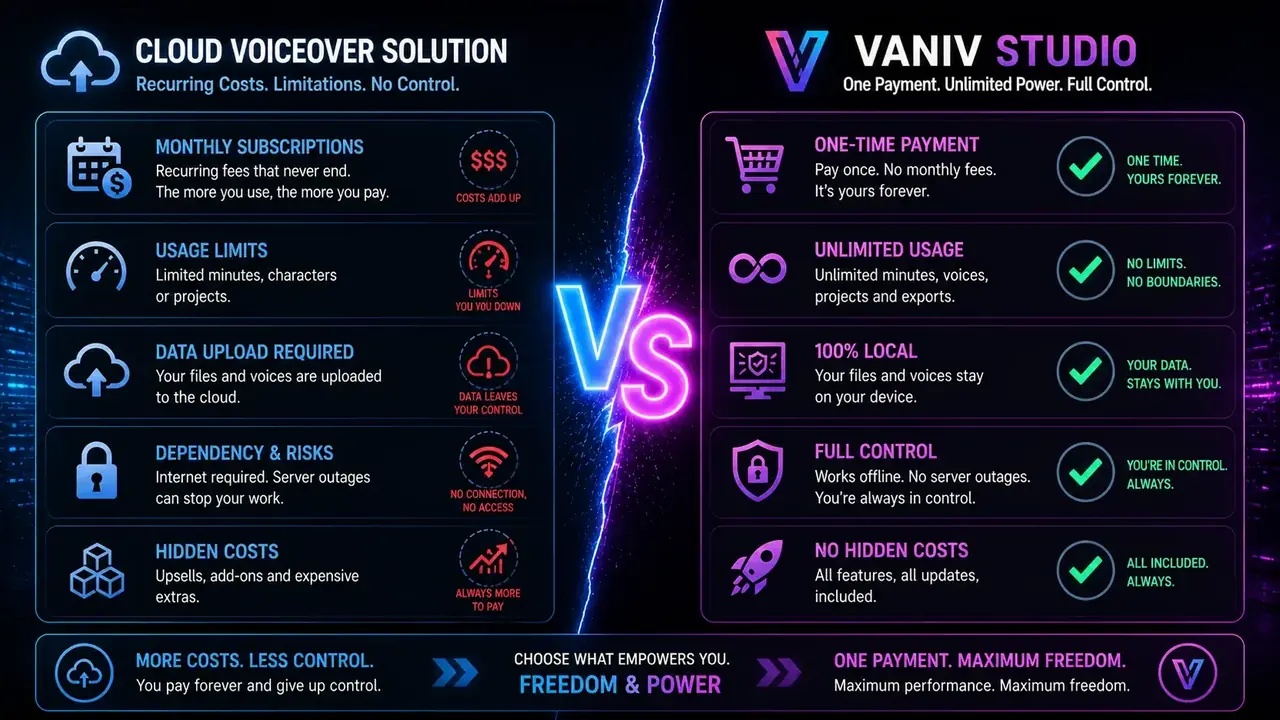
The core workflow runs locally
VANIV is interesting for creators who want stronger control over files, voices and workflows on their own PC. That matters for client projects, course material, sensitive product demos or recurring channel voices.
More than text to speech
The real benefit is the combination: voice design, voice cloning, text-to-speech, video dubbing, subtitles, SFX and export. For YouTube and faceless content, that can be more valuable than a single generated voice.
If you only need one short voiceover per month, VANIV may be more tool than you need. But if you publish regularly, test several versions, reuse voices and treat dubbing as part of your production system, the local approach becomes much more compelling.
VANIV vs Murf AI: The key differences
This table compares deployment and workflow priorities. Current cloud features and access models should always be checked on the provider’s official pages.
| Category | Murf AI | VANIV Studio | Better suited for |
|---|---|---|---|
| Deployment | Browser-based cloud workflow | Local Windows app for creator workflows | Murf for fast access, VANIV for local control |
| Text-to-speech | Strong focus on fast voiceovers | TTS as part of a wider audio and video workflow | Both, depending on use case |
| Voice cloning | Managed cloud service and dubbing workflows that can retain the original speaker’s voice; access depends on the current offering | Owned or authorized voices managed in a local-first workflow | Depends on access model and file-control needs |
| Voice design | Voice selection and voiceover workflow | Plan and reuse voices from descriptions | VANIV for channel-like voice systems |
| Video dubbing | Cloud dubbing for audio and video localization, including preservation of timing and original production elements | Local-first dubbing with voices, subtitles and export | Murf for managed cloud; VANIV for local-first production |
| Privacy | Files are processed in a cloud workflow | The core production workflow runs on your PC | VANIV for sensitive projects |
| Team work | Stronger for cloud, team and enterprise structures | Local file and project workflow | Murf for browser-based teams |
| Cost logic | Plans, credits, pay-as-you-go or enterprise models depending on product area | Local usage plus your own hardware and license model | Depends on volume and workflow |
| Hardware | No local AI workstation required | A compatible accelerator, sufficient RAM and fast storage improve local workflows | Murf for minimal setup; VANIV for supported local systems |
| Long-term control | Depends on platform, plans and cloud access | More control over files, voices and repeatable production | VANIV for long-term creator systems |
Real workflow comparison: a 12-minute YouTube video
A single sentence test cannot show the operational difference. Use a real video with translation, review and export steps.
Imagine a realistic project: a 12-minute YouTube video with an intro, several sections, product names, maybe background music, a clear conclusion and a call to action. Now you want to create a clean language version.
Typical browser-tool process
With Murf, you upload audio or video into a managed cloud project and can use voiceover, translation or dubbing features from there. Murf Dub can retain the original voice, timestamps, background music and sound effects, depending on the selected workflow.
The advantage is minimal local setup. The trade-off is that source material, processing and access remain connected to the cloud platform and its current terms.
Typical VANIV Studio process
With VANIV, the whole video is handled through a local-first workflow. You import material on your Windows PC and work with transcription, voice, dubbing, timing, subtitles and export as connected production steps.
The benefit is greater file control, reusable authorized voices and a workflow designed for repeated projects. The trade-off is local hardware, setup and maintenance.
The important point
For one short voiceover, the best tool is often the one you can open fastest. For a recurring YouTube or course workflow, the better tool is often the one that creates less friction over many projects.
Using a voice is not the same as building a voice workflow.
This is one of the biggest differences. Generating a voice once is not the same as building a reusable brand voice across many videos.
Classic cloud voiceover tools are often about quickly finding a suitable voice for a project. That is useful. But for creators, the larger value often appears when a voice becomes part of the brand: recognizable, repeatable and consistent across many videos.
Cloud voices and managed cloning
Murf provides a large voice library, dubbing that can preserve the original speaker and managed voice-cloning access. Check the current product and plan if a reusable custom clone is central to your workflow.
Stronger for saved creator voices
If your own voice or an authorized speaker voice appears regularly in videos, shorts, demos or language versions, reuse becomes important. That is where VANIV fits better into a creator routine.
Voice cloning requires clear rights and consent. Use only your own voice or voices you have permission to use, and consult the voice-cloning law and ethics guide before publishing cloned speech.
A reusable voice system matters more than one isolated sample.
For creators, an authorized voice can become a repeatable production asset.
Many people judge AI voices by first impression only: does the voice sound natural, is pronunciation good, does the emotion fit? That matters, but professional production needs more.
For YouTube, courses, product demos and faceless content, consistency is often more valuable than one polished sample. A recognizable channel voice can support continuity across a series, while frequent unexplained changes can make the production feel inconsistent.
Personal brand
If you are the brand, your own voice is an asset. It can be reused for tutorials, updates, shorts, course lessons and translated versions.
Professional speaker
If you work with a speaker, clear permission matters. Then a reusable voice can help keep series and videos consistent.
Faceless format
For faceless channels, a designed voice can make sense: serious, dynamic, calm, technical or narrative — depending on the channel format.
Why this matters for VANIV
VANIV makes voices part of a local production system: save authorized profiles, reuse them, place them in videos, combine them with subtitles and use them for language versions.
Explore voice cloningBoth support video dubbing; the deployment model differs.
Murf provides managed cloud dubbing. VANIV organizes dubbing, subtitles and export in a local-first Windows workflow.
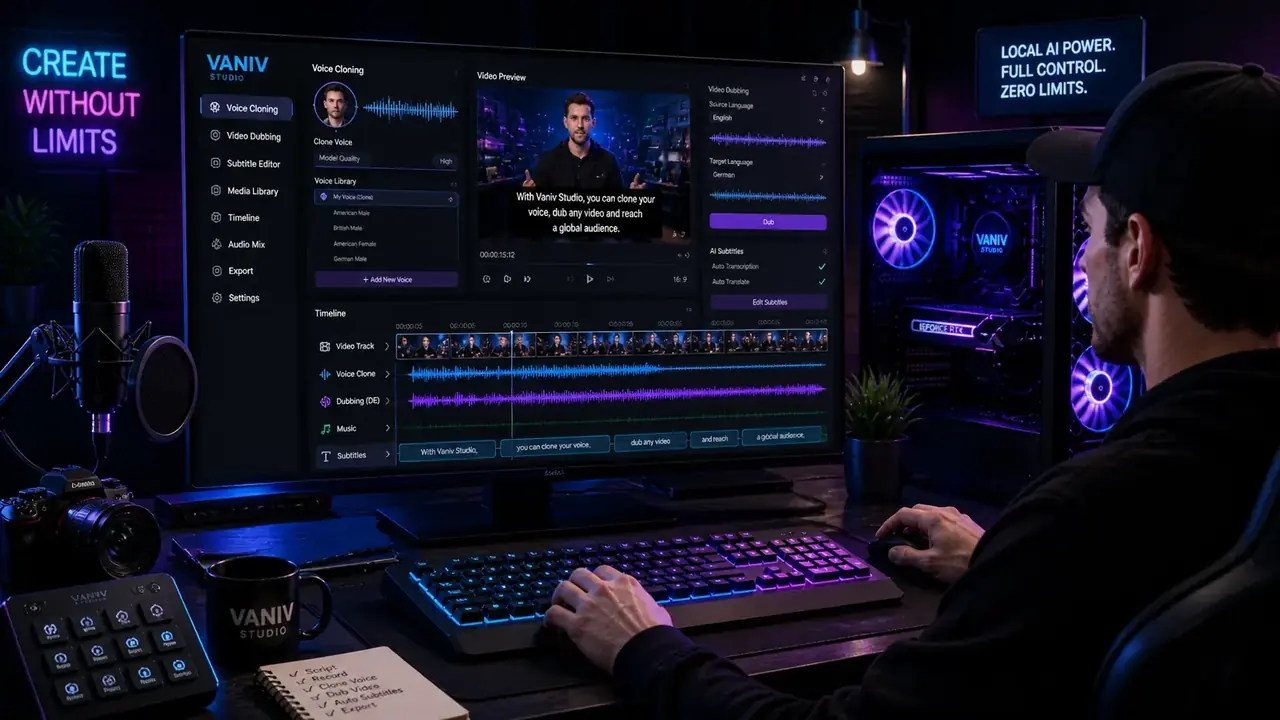
Import the video
Creators rarely work with text only. A tutorial, review or course video contains voice, timing, pauses, music, atmosphere, cuts and subtitles.
Understand speaker structure
Interviews, demos and multi-speaker content quickly become more complex. A simple text box is not enough anymore.
Create the language version
Translation, dubbing, voice and timing need to fit together. Otherwise the new version sounds artificial or hard to follow.
Check subtitles and export
For YouTube, you need clean files, readable subtitles, controlled exports and often several language versions.
For related workflows, continue with Video Dubbing, Video Translation and Scale YouTube in 5 Languages.
Cloud convenience and local control involve different trade-offs.
Cloud tools are convenient. You open the browser, upload files and start working. For many projects, that is completely fine. But with sensitive videos, client material, internal training, product demos or your own voice, the question becomes more important: where are my files, who processes my audio data and how dependent am I on a provider?
VANIV addresses that decision by running the core production workflow locally on your PC. Setup, licensing and selected external services may still require internet access, but voice and video production can remain more directly under your control.
- less upload pressure for sensitive projects
- more control over owned or authorized voices
- better fit for client projects and internal content
- less dependence on changing cloud plans
Cloud subscription or local workflow: what makes more sense over time?
There is no universal answer. The right calculation depends on how much you actually produce.
Good for occasional use
If you only need a voiceover occasionally, a cloud tool can be economical and convenient. You do not need hardware, local setup or your own workflow.
The downside appears with volume: many videos, longer content, several language versions, repeated exports and team or enterprise requirements can change the cost logic.
Interesting for regular production
A local workflow needs hardware and setup. In return, it becomes more attractive when you produce regularly, reuse voices and create many versions.
For creators with a YouTube channel, courses, faceless content or client projects, the price per generated minute is not the only thing that matters. Control over the full workflow matters too.
Calculate with your actual production volume
If you need only a few short voiceovers, Murf may be the more convenient option. If you translate videos every week, use authorized voices, export subtitles and test multiple markets, compare that cloud workflow with the cost of local hardware, setup and licensing. For the full framework, read the cloud vs local AI cost comparison.
Test VANIV locallyThink realistically: one voiceover is not the same as a production system.
Tool comparisons often calculate too simply. The real difference appears when you look at monthly production volume.
A cloud tool can be a very reasonable choice for occasional voiceovers. You pay for convenience, hosting, browser access and fast results. A local workflow becomes more attractive when you produce regularly and create many files, voices or language versions.
| Usage | Cloud tool like Murf AI | Local workflow with VANIV | Practical take |
|---|---|---|---|
| 1–3 short voiceovers per month | Very convenient, little setup | Possibly more tool than needed | Cloud may be enough |
| Weekly YouTube videos | Managed cloud project with current plan and usage limits | Repeatable local-first workflow | Compare convenience with file control |
| Multilingual videos | Cloud translation and dubbing with supported languages and product limits | Voices, subtitles and export combined locally | Choose by deployment and review process |
| Courses or client projects | Cloud convenience, collaboration and centralized access | Local file and project control | Assess privacy, team access and repeatability |
Compare total workflow cost
Include the monthly price, upload time, export steps, privacy requirements, project structure, voice reuse, hardware, plan limits and production frequency. This gives you a more useful cost comparison than one headline price.
Who is Murf better for — and who should choose VANIV?
This is where the comparison becomes practical. A tool does not need to do everything. It needs to fit your workday.
- you want to start immediately in the browser
- you do not have or do not want to use a local GPU
- you want managed cloud voiceover, translation or dubbing
- your team works cloud-first
- you need marketing, e-learning, presentation or localization workflows
- local file and voice control is not a priority
- you regularly produce YouTube videos, courses or demos
- you want to reuse your own or authorized voices
- you want to translate and dub videos
- you need subtitles, SFX, audio and export in one workflow
- you do not want to upload sensitive files unnecessarily
- you want a long-term creator workflow instead of isolated voiceovers
VANIV is especially relevant for faceless YouTube, multilingual videos, local voice cloning and repeatable desktop production. Murf remains useful when managed cloud access, dubbing and team workflows are preferable. For other decisions, use the VANIV comparison hub and listen to the voice samples.
Three typical creator scenarios
This is how the difference looks in everyday production.

YouTube tutorials
A 15-minute tutorial should be published in German, English and Spanish. Compare Murf’s managed cloud dubbing with VANIV’s local-first handling of timing, subtitles, export and authorized voice reuse.
Short product video
A team needs a two-minute voiceover for a presentation. No local hardware, no complex pipeline. Murf can be very practical in this scenario.
Scaling lessons
Ten course lessons need several language versions. Compare cloud collaboration and managed processing with local file control, recurring voices and repeatable exports.
How to find out which tool actually fits you
Test both workflows with files and requirements from your own production.
Week 1: choose real material
Pick three projects: one short voiceover, one longer YouTube video and one video that needs translation. Only real material shows where each tool shines or becomes annoying.
Week 2: test the cloud workflow
Test Murf or a comparable cloud tool with the same requirements. Watch speed, usability, cost logic, export and team fit.
Week 3: test VANIV locally
Rebuild the same projects locally. Check voice, timing, dubbing, subtitles, file control and how easily the workflow can be repeated.
Week 4: make the decision
Do not compare only audio quality. Compare time, control, cost logic, privacy, reuse and how comfortable the process would feel for your next 50 videos.
Common questions about VANIV vs Murf AI

VANIV vs Murf AI: The best choice depends on your workflow.
Murf AI provides a managed cloud environment for voiceover, translation, dubbing and related production tools. It can be a strong fit when you want browser access, minimal local setup and centralized cloud projects.
VANIV Studio becomes more relevant when you regularly produce videos, reuse your own or authorized voices and want dubbing, subtitles and export to run through a local-first Windows workflow.
The central difference is the production environment: managed cloud processing or greater on-device control. Test both approaches with the same real project and compare output quality, corrections, file handling, cost and repeatability.
Test with your own material
The best comparison is not a feature list. Use a real video, a real voice and a real export. You will quickly feel which tool fits your daily production better.
Join Early AccessVoice Cloning
Multilingual
Test VANIV Studio with your own video.
Do not compare tools in theory. Use a real video and test voice, dubbing, subtitles and export locally on your Windows PC.
- test your own or authorized voices
- try local voice cloning
- check video dubbing and subtitles
- compare the workflow with cloud tools