
One voice for everyone
If every person in a video gets the same voice, the viewer feels the automation immediately. Interviews lose personality, podcasts lose chemistry and dialogue scenes become hard to follow.
Multi-speaker AI dubbing keeps different speakers separate through translation and voice generation. A good workflow detects who is speaking, builds dialogue cues, assigns a suitable voice to each speaker, adapts translated timing, checks subtitles and produces one clean final export.
This guide explains why basic video dubbing often sounds unnatural in real dialogue, how local multi-voice dubbing works and when VANIV Studio is useful for creators who want more control over video translation.
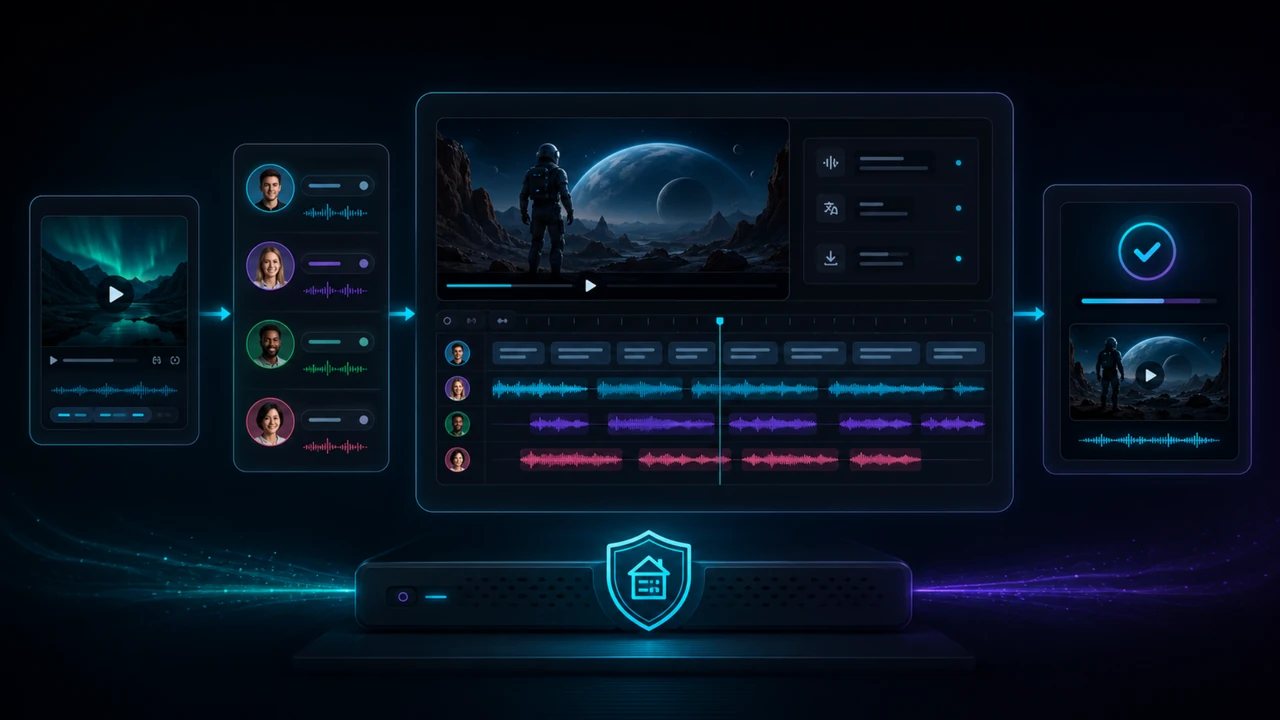
Local multi-voice dubbing becomes important as soon as a video has more than one speaker. A single narrator voice may work for simple explainer videos, but interviews, podcasts, panel discussions, courses and dialogue-heavy YouTube videos need speaker separation, dialogue cues, individual voices, timing checks, subtitles and a clean final mix.
VANIV Studio is built around this workflow: import media, detect speaker roles, translate speech-aware cues, assign the right voice to each speaker, check subtitles and export a finished dubbed video from your own production setup.
Many tools look impressive in a short demo. Real projects are messier: speaker changes, interruptions, timing gaps, background audio, subtitles and export quality all matter.
If every person in a video gets the same voice, the viewer feels the automation immediately. Interviews lose personality, podcasts lose chemistry and dialogue scenes become hard to follow.
Translated sentences are often longer or shorter than the original. Without cue-level control, speaker changes drift and the dubbed version no longer matches the video rhythm.
Transcription in one tool, translation in another, voice generation somewhere else and subtitles in a separate editor creates friction. Every export step can introduce mistakes.
For client work, unreleased videos or repeatable creator workflows, control matters. A local-first setup makes it easier to test, correct and reuse project logic without sending every step through a browser workflow.
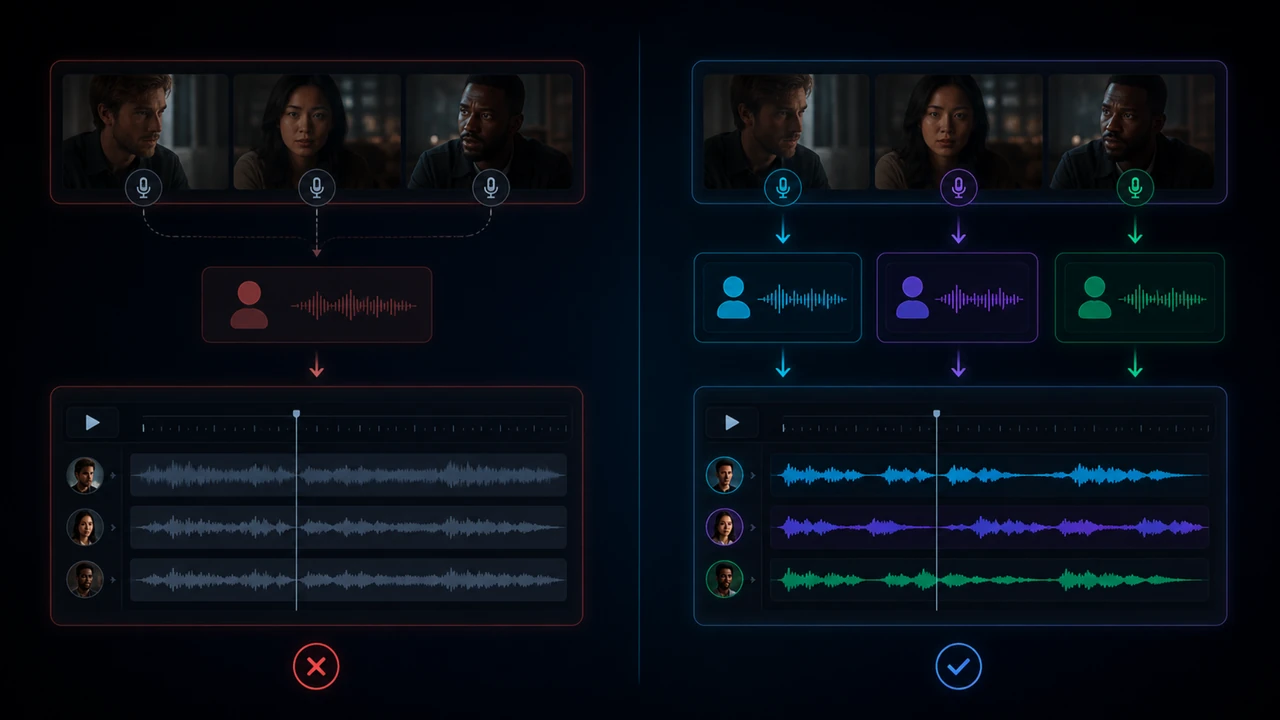
Professional dubbing is not one magic button. It is a controlled chain from source video to speaker mapping, translated dialogue cues and final export.
A good local multi-voice dubbing workflow makes every speaker visible and editable. You should be able to see the cues, correct speaker roles, adjust translation length, choose voices and check the final result before exporting.
Not every video needs multiple synthetic voices. The decision depends on structure, audience expectation and how much speaker identity matters.
If the viewer should understand who is speaking without looking at the screen, multi-voice dubbing is probably the right choice.
The strongest use cases are not toy demos. They are real creator formats with speaker roles, dialogue flow and repeatable publishing needs.
Local multi-voice dubbing is especially valuable when you want to translate videos with several speakers without rebuilding the whole project manually. A YouTube interview, podcast episode, online course or faceless story needs more than translated text. It needs speaker logic.
If you want to translate a video with multiple speakers, the quality depends on whether the host remains the host, the guest remains the guest and narration does not suddenly sound like a dialogue partner. This is where speaker mapping, dialogue cues and role-based voice assignment become important.
A channel that wants to reach international audiences often needs more than subtitles. Multi-voice dubbing helps keep interviews, reactions and dialogue videos understandable in another language.
Podcasts and interviews depend on distinct speakers and recognizable personalities. A multi-voice workflow keeps the host, guest and short interruptions easier to follow than one generic voiceover.
Courses often contain trainer narration, student questions, examples and scenario dialogue. Multiple voices make localized versions easier to follow.
Documentary-style videos, story channels and role-based explainers can use narrator, comment, counterpoint and character voices without hiring a full voice cast for every test.
A useful tool must support the whole workflow, not just generate an isolated voice clip: speaker roles, voice assignment, timing, subtitles, review and final export.
Multi-voice dubbing is powerful, but it must be handled carefully. Every speaker role needs a deliberate voice choice.
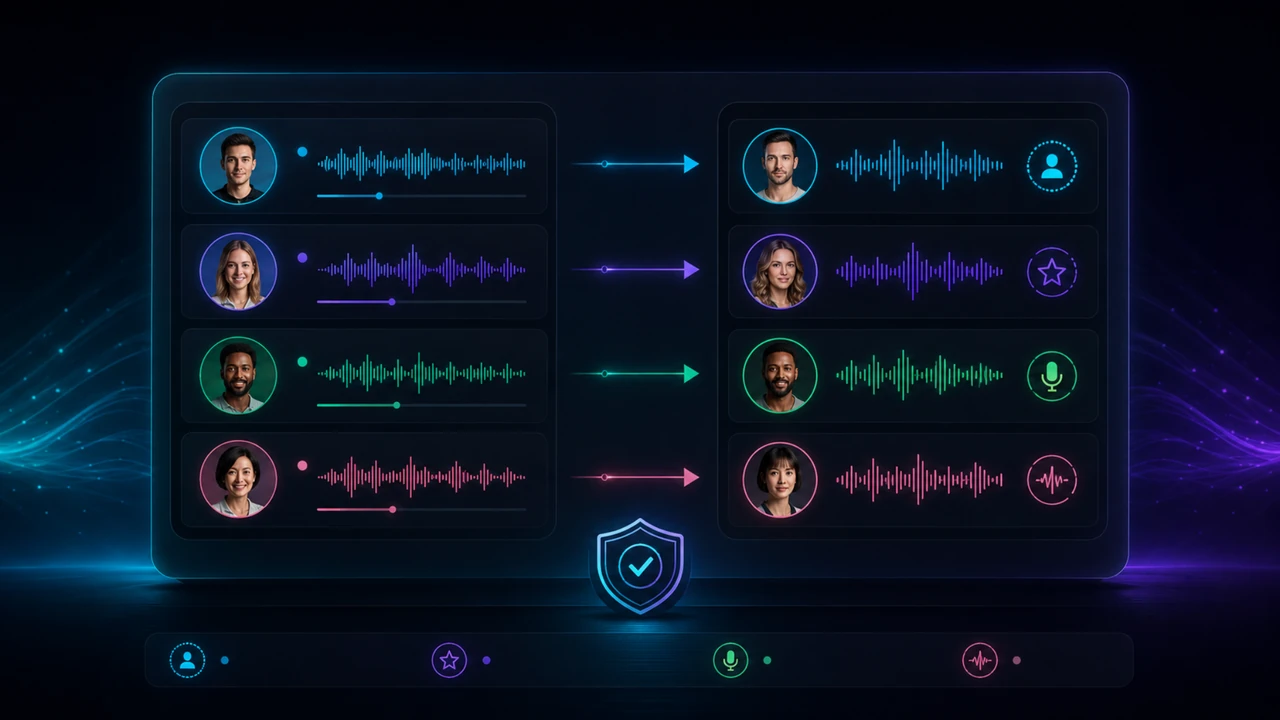
Useful when you have clear rights and want a speaker to remain close to their real identity.
Useful for recurring creator formats where the same host, narrator or brand voice appears again and again.
Useful for roles, characters, faceless formats or neutral voices that should not imitate a real person.
Important when speaker detection is not perfect, speakers overlap or a role needs to be corrected before export.
The goal is not just a generated audio file. The goal is a repeatable local dubbing workflow for creators who care about control and final output quality.
Dialogue is easier to review when it is split into visible cues instead of one long black-box render.
Host, guest, narrator and character roles can be treated as separate voice decisions.
Subtitles reveal whether translation length, timing and speaker changes still make sense.
Voice, background audio, subtitles and export have to come together as one finished result.
Creators do not just need “a dub”. They need a process they can repeat for new videos, new languages, new speakers and updated versions. That is why the workflow matters more than a flashy demo.
Hardware needs depend on video length, speaker count, model settings and how often you produce. Short tests are very different from weekly production.
For short clips, you can start with a modest local setup and learn the workflow before upgrading anything.
If you create longer videos, multiple language versions or recurring client projects, GPU headroom becomes much more important.
For regular local AI voice and video work, a modern NVIDIA RTX GPU is usually the most practical choice.
A stronger GPU helps, but it does not replace clean source audio, good speaker mapping, subtitle checks and export review.
For a deeper hardware breakdown, read the GPU for voice cloning guide. The same principle applies here: test first, then upgrade based on your real bottleneck.
A better test clip gives you a more honest result. Do not judge a workflow with broken source material and then blame the dubbing model.
Use a clip with clear speaker changes, realistic audio and at least one short dialogue sequence. A perfect studio clip tells you less than a real creator video.
Heavy noise, echo, music over speech and overlapping speakers can make speaker detection and translation harder.
Only use voices you own, voices you are allowed to use or newly designed voices that do not imitate real people.
A good translation for dubbing is not always literal. It should fit the scene, speech rhythm and audience.
This is not magic. A strong local workflow gives you control, but you still need review and judgment.
If the source is noisy, distorted or full of overlapping speakers, every later step becomes harder.
AI voices can sound convincing, but they do not guarantee nuanced, human-level acting in every line.
Publishing without checking speaker roles, timing and subtitles is where many automated dubbing projects feel cheap.
Dubbing quality and lip-sync are related, but they are not the same problem. Treat lip-sync as a separate quality layer.
A demo clip can look impressive. A useful creator workflow must survive the last mile: subtitles, timing, audio balance and export quality.
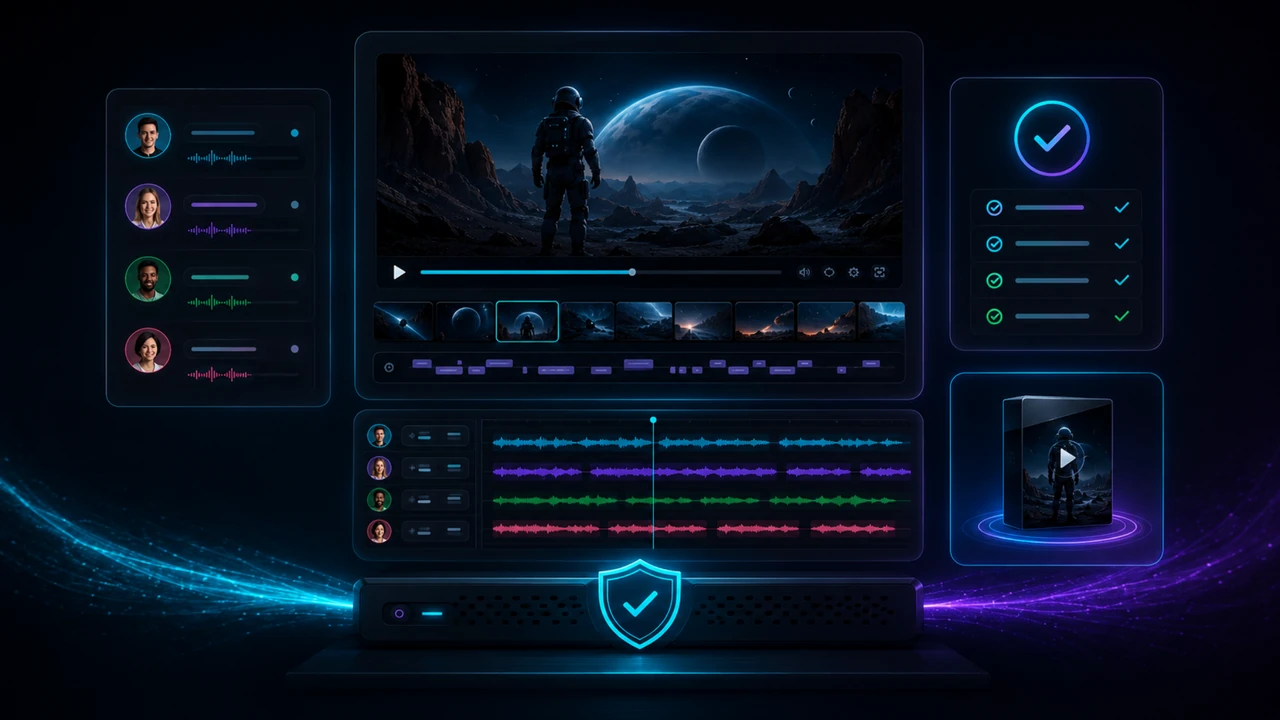
Every speaker switch should still make sense in the translated version.
Silence, reaction moments and short interruptions are part of the video rhythm.
Subtitles are a fast way to catch translation length, terminology and cue mistakes.
Voice levels, background audio and export settings decide whether the result feels finished.
Most bad dubs fail for boring reasons: unclear roles, weak source audio, literal translation and no final review.

If multi-voice dubbing is relevant for your workflow, these guides are the logical next steps.
See the complete local workflow from import to translation, voice, subtitles and export.
Read the video workflow guide →Learn how to prepare voice material and use your own voice responsibly.
Read the voice cloning guide →Use voice design when you need a new speaker role instead of copying a real person.
Read the voice design guide →Compare cloud voice tools with a local-first creator workflow.
Compare local and cloud workflows →Understand which hardware matters for local voice and dubbing workflows.
Read the GPU guide →Clarify consent, rights and responsible use before working with real voices.
Read the law and ethics guide →VANIV Studio is in Early Access. Request a personal test license and check on your Windows PC whether local voice, dubbing, subtitle, SFX and export workflows fit your content.