
Local AI workflows for creators who need more than isolated generators
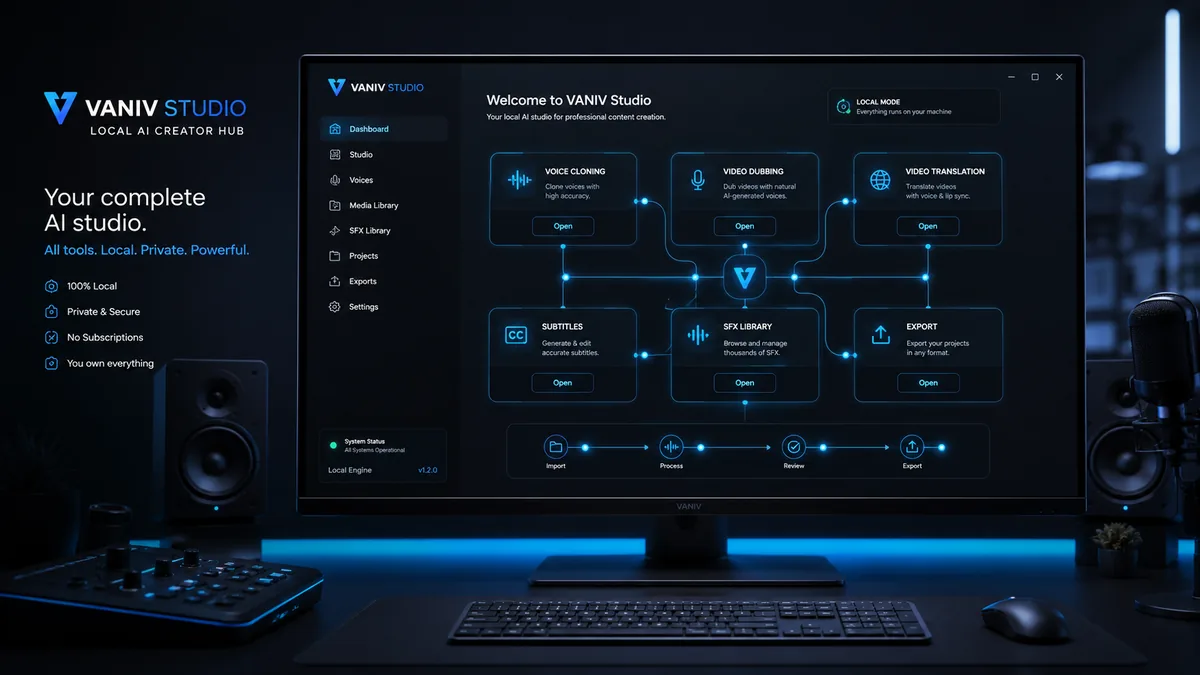
VANIV Studio brings voice cloning, video dubbing, video translation, subtitles, SFX and export into one local creator workflow. This page helps you choose the right solution: clone a voice, translate YouTube videos, plan multi-speaker dubbing, work locally instead of cloud-only, or choose the right hardware for local AI production.
What do you want to create with VANIV?
Do not choose by tool name. Choose by production goal. VANIV is designed as a local AI studio: one connected workflow instead of several websites, subscriptions and export workarounds.
For creators who want to reuse their own or explicitly authorized voices for voiceovers, tutorials, social clips and product videos.
I want more reachTranslate videos with AIFor YouTube, courses, product demos and creator content that should work in English, German or additional languages.
I want a new language versionVideo dubbing beyond a simple voice trackFor projects where timing, subtitles, voice and export have to work together.
I have multiple speakersPlan multi-speaker dubbing locallyFor interviews, podcasts, dialogue videos and scenes where speaker roles must remain understandable.
I want less cloud dependencyCompare cloud and local AIFor creators who care about privacy, upload requirements, running costs, credits and workflow control.
I need the right performanceHardware for local AIFor users who want to understand which compatible GPU, RAM and SSD setup makes sense for local AI voices and dubbing.
AI production is often too fragmented
Many creators start with separate AI tools. One tool creates a voice. Another translates. Another creates subtitles. Then everything has to be rebuilt manually in editing software. That is acceptable for a quick test. It becomes painful for real production.
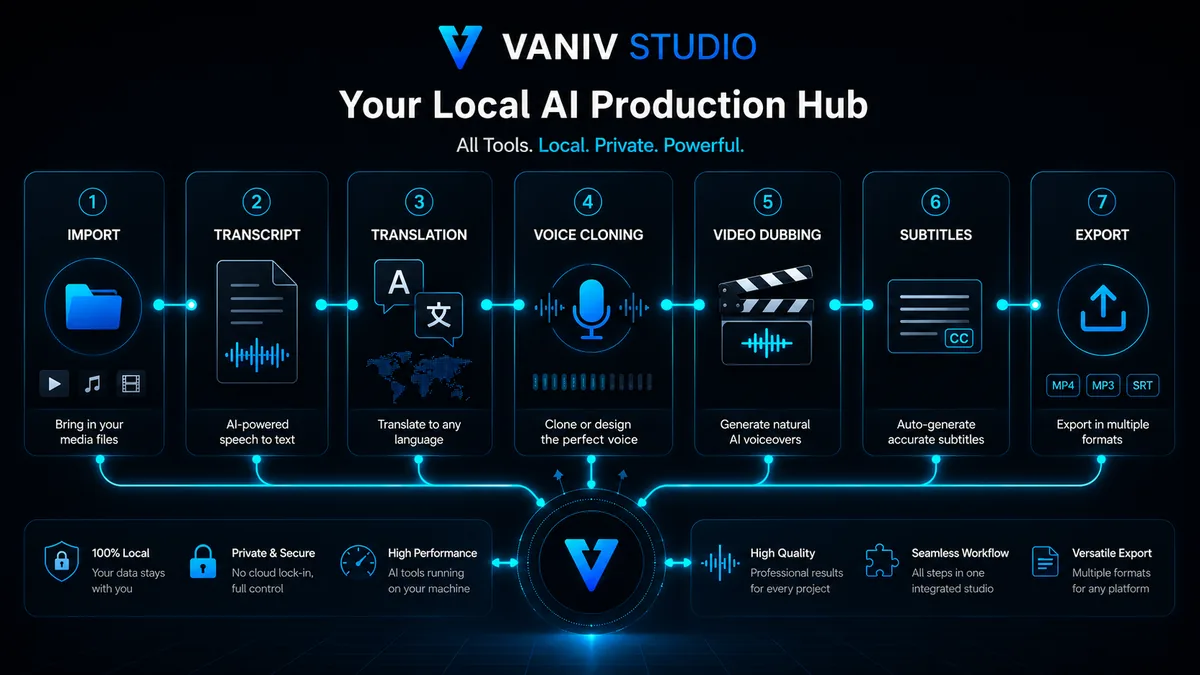
This is where VANIV Studio is different. The core idea is not “another AI voice generator”. The more important idea is a local creator workflow that connects multiple production steps. A video should not simply be uploaded somewhere and covered with a random voice. It should be imported, transcribed, translated, voiced, checked and exported in a workflow you can understand.
This matters especially when you publish regularly. One clip can always be assembled somehow. But if you run a YouTube channel, a tutorial series, product videos, client projects or multilingual content, you need repeatability. You need saved voices, clear projects, consistent settings, controlled exports and fewer platform jumps.
Local AI is not just a buzzword. It means important production steps can run on your own PC. That can reduce cloud dependency, make long-term costs more predictable and give you more control over source material, voices and unreleased content. Local AI still needs suitable hardware and clean input material. That is why hardware guidance is part of the VANIV workflow.
What VANIV is designed to do differently
You start with text, audio or video. The goal is a project flow where source material, transcript, translation, voice, subtitles and export belong together.
Voices should not be treated as disposable tricks. VANIV positions voice cloning for your own voice or explicitly approved voices in serious creator workflows.
Good video dubbing is more than a new audio file. Timing, readability, speaker roles and subtitles have to work together.
The final value is not a demo inside the tool. The final value is an output you can use for YouTube, social media, product pages or client projects.
Who benefits most from VANIV solutions?
A creator can use a strong video as the basis for additional language versions. This is especially useful for tutorials, software explainers, tech videos, reviews and evergreen content. The advantage is not only translation. It is repeatability: similar structure, consistent voice, clean subtitles and a reliable export process.
Startups, tool makers and small teams often have good product videos in only one language. A local AI workflow can make product demos, onboarding videos and short explainers easier to adapt for new markets. VANIV fits this use case because voice, subtitles and export are treated as one process.
Agencies often work with unreleased material. Every upload into another cloud service adds another trust question. A local AI studio can help teams prepare, test and export variants with more control, especially when clients care about privacy.
Interviews and conversation videos need more than one generic AI voice. Speaker changes, pauses, roles and timing affect whether the result feels understandable. Multi-speaker dubbing is therefore a dedicated VANIV workflow, not just a small extra feature.
What a VANIV workflow can look like in practice
The strength of VANIV is not one isolated feature. The value comes from connecting voice cloning, video translation, dubbing, subtitles, SFX and export into a workflow that can be repeated.
A creator has published a strong German tutorial. The structure works, the topic is evergreen and the international audience could be much larger. Instead of recording the whole video again, the workflow can be rebuilt with transcript, translation, saved or cloned voice, subtitles and export. This is where a simple AI voice generator is not enough. The new language version has to respect timing, stay understandable and remain usable for YouTube publishing. VANIV is designed to make this process repeatable: understand the workflow once, then apply it to more videos.
A small software team has a strong demo video, but only in one language. For the website, onboarding, support and sales, several language versions would be useful. With isolated tools, this quickly becomes messy: text in one place, voice in another, subtitles somewhere else and export in a separate app. VANIV positions itself as a local AI studio that brings these steps closer together. Repeatability matters here. When the product changes later, the team should not have to reinvent the whole production process from zero.
Agencies often work with material that is not public yet. Every additional cloud platform raises new questions: Who processes the files? Where are uploads stored? Which rights apply? How long do files remain available? A local workflow can reduce that friction for important production steps. VANIV is therefore not only a creative tool, but also a trust argument for client work: fewer unnecessary uploads, clearer project structure and more control over intermediate versions.
Interviews, podcasts and dialogue videos rarely work well with one generic voice track. When several speakers appear, roles, pauses, timing and clarity have to remain understandable. Otherwise the result quickly feels artificial or confusing. Multi-speaker dubbing is therefore not a tiny extra feature, but a dedicated workflow. VANIV helps structure that process: understand speaker changes, keep segments traceable, use voices more consistently and prepare clean exports.
Together, these workflows form one clear production system: voice cloning for reusable voices, video translation for more reach, video dubbing for complete language versions, multi-speaker dubbing for dialogue, hardware for local performance and cloud-versus-local guidance for the strategic decision. Choose the path that matches your current bottleneck, then connect the other steps only when the project needs them.
Which VANIV solution fits which creator?
The solutions on this page are organized around real decisions, not around a random feature list. A YouTuber needs something different than an agency. A software team has different priorities than someone who only wants to test one voice.
For creators, VANIV becomes interesting when existing content can do more. A tutorial, review or explainer can become the foundation for additional language versions. Instead of recording every video again from scratch, you can build a repeatable workflow with voice cloning, video translation and subtitles. That is the difference between a fun AI test and an actual production system.
Agencies need reliability and clean processes. Client material is often unreleased or sensitive. A local workflow reduces unnecessary uploads and makes it easier to test variants internally. VANIV can become a tool that does not only make production faster, but also makes the process feel more professional.
Software demos, product videos and onboarding clips often need to exist in more than one language. VANIV fits this use case because voice, subtitles, translation and export are treated as one workflow. A team can turn one strong demo video into several localized versions without restarting production from zero every time.
If you work with sensitive voices, internal recordings or unreleased content, you may not want to upload every step into separate web tools. Local AI does not replace every cloud function, but it gives you more control over the core production process. For many professional users, that control is the main reason to care.
Single generator, cloud platform or VANIV workflow?
Not every tool has to do everything. The real question is whether the approach fits serious creator production.
Fast, but limited
A single AI generator is useful when you only need a quick voice or a small test.
- good for quick experiments
- often little project structure
- weak for video, subtitles and export
Convenient, but dependent
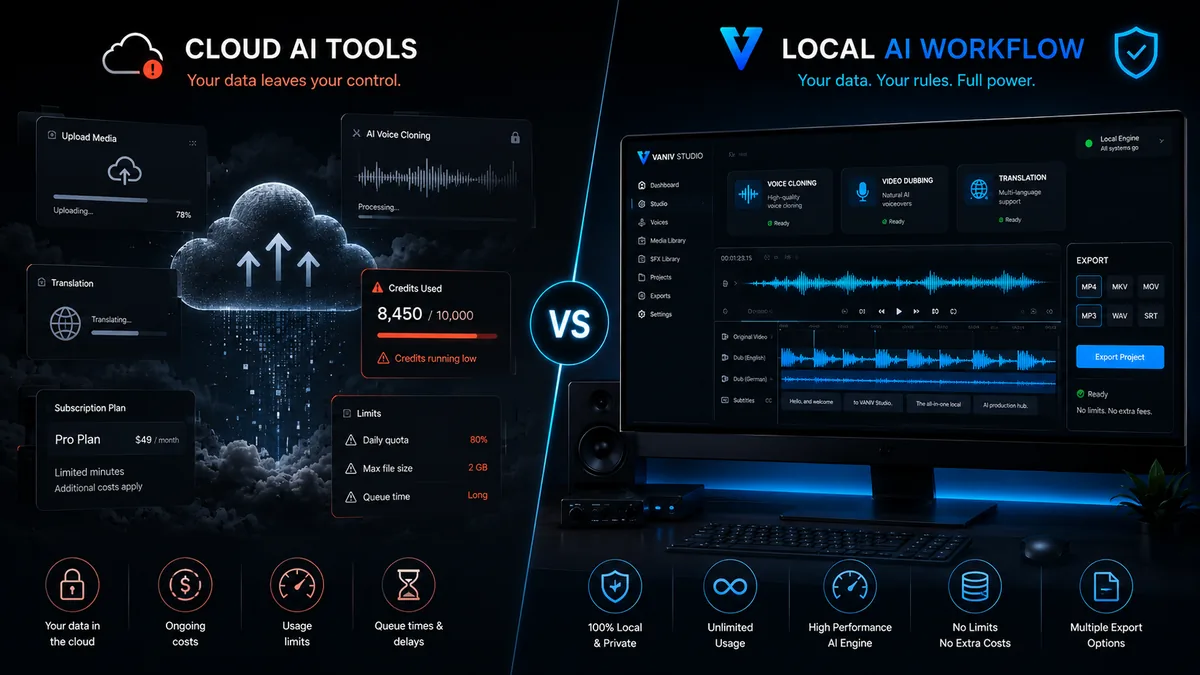
Cloud tools are easy to start with, but usually bring uploads, credits, limits and subscription logic.
- no local setup required
- possible recurring costs and limits
- privacy and client material need review
Workflow instead of tool collection
VANIV becomes interesting when voice, video, subtitles, dubbing and export should work together.
- local creator workflow
- more control over source material
- stronger for repeatable production
Start with the workflow that solves your current problem
You do not need every VANIV workflow at once. Begin with voice, video, a strategic comparison or a hardware check.
If you want to hear real output first, start with the AI voice samples. For your own or authorized voices, continue to local voice cloning. If you want to bring videos into another language, start with video translation. If you need a complete new language version, read video dubbing.
If you first want to understand why local AI matters, read cloud vs local AI or use the comparison hub for tool-specific decisions. If you want to know whether your PC is enough, continue to the hardware guide.
When local AI fits better than cloud tools
Cloud is convenient. Local is more controlled. The better choice depends on how often and how professionally you produce.
If you only need an occasional short clip or a single AI voice, a cloud tool is often the fastest start. No setup, quick result, low friction.
If you regularly create videos, voices, subtitles and language versions, control, privacy, cost planning and repeatable projects become more important. That is where VANIV is strongest.
Local AI needs realistic hardware expectations
A local AI workflow depends on your PC. You do not need the most extreme system for every test. But for longer videos, voice cloning, video dubbing and multiple language versions, a strong RTX GPU can make a major difference.
That is why hardware is part of the VANIV solution pages. If you want to produce locally, you should understand why VRAM, RAM, SSD speed and GPU performance matter. This is not aggressive advertising. It is honest expectation management. A local workflow can become more independent and predictable, but the foundation has to fit.
If you want to use VANIV seriously for YouTube, agency work or regular video translation, read the hardware guides. The most relevant pages cover GPUs, RAM and SSDs for local AI. The focus is not generic gaming advice. The focus is creator work: loading models, processing audio, storing projects and finishing exports reliably.
What local AI can and cannot fix
Bad recordings remain difficult, and no responsible local AI workflow should promise miracles. Heavy noise, echo, clipped voices, music under speech or chaotic speaker changes can challenge any AI system. Good results start with good source material.
Responsibility also matters in voice cloning. Serious use means your own voice or explicit permission. Trust matters more than exaggerated claims. Professional users need a workflow they can understand, review and defend.
Frequently asked questions about VANIV solutions
Use these answers to choose a practical starting point.
Which VANIV solution should I start with?
For voices: local voice cloning. For reach: video translation. For complete language versions: video dubbing.
Is VANIV only a voice cloning tool?
No. Voice cloning is one part. VANIV connects voice, video, subtitles, SFX, translation and export into one local workflow.
Why local instead of cloud?
Local becomes more interesting when control, privacy, cost planning and repeatable production matter more than maximum convenience.
Can VANIV translate YouTube videos?
Yes. It is especially useful for tutorials, evergreen content, software demos and channels that want to test multiple languages.
Do I need a powerful GPU?
Compatible GPU acceleration makes serious local AI workflows much more comfortable. VANIV supports suitable NVIDIA, AMD and Intel hardware through ONNX; actual performance depends on the model, drivers and execution provider.
Who should use this overview?
Creators and teams deciding whether to start with voice cloning, video translation, dubbing, hardware or a cloud-versus-local comparison.
VANIV is not a single AI trick. It is your local production workflow.
If you only want to test one voice once, any generator may be enough. If you regularly produce videos, voices, subtitles and language versions, you need a cleaner process. That is what VANIV Studio is being built for.
Join Early Access & save 15%