
Local ElevenLabs Alternative 2026: Cloud Voices or VANIV Studio?
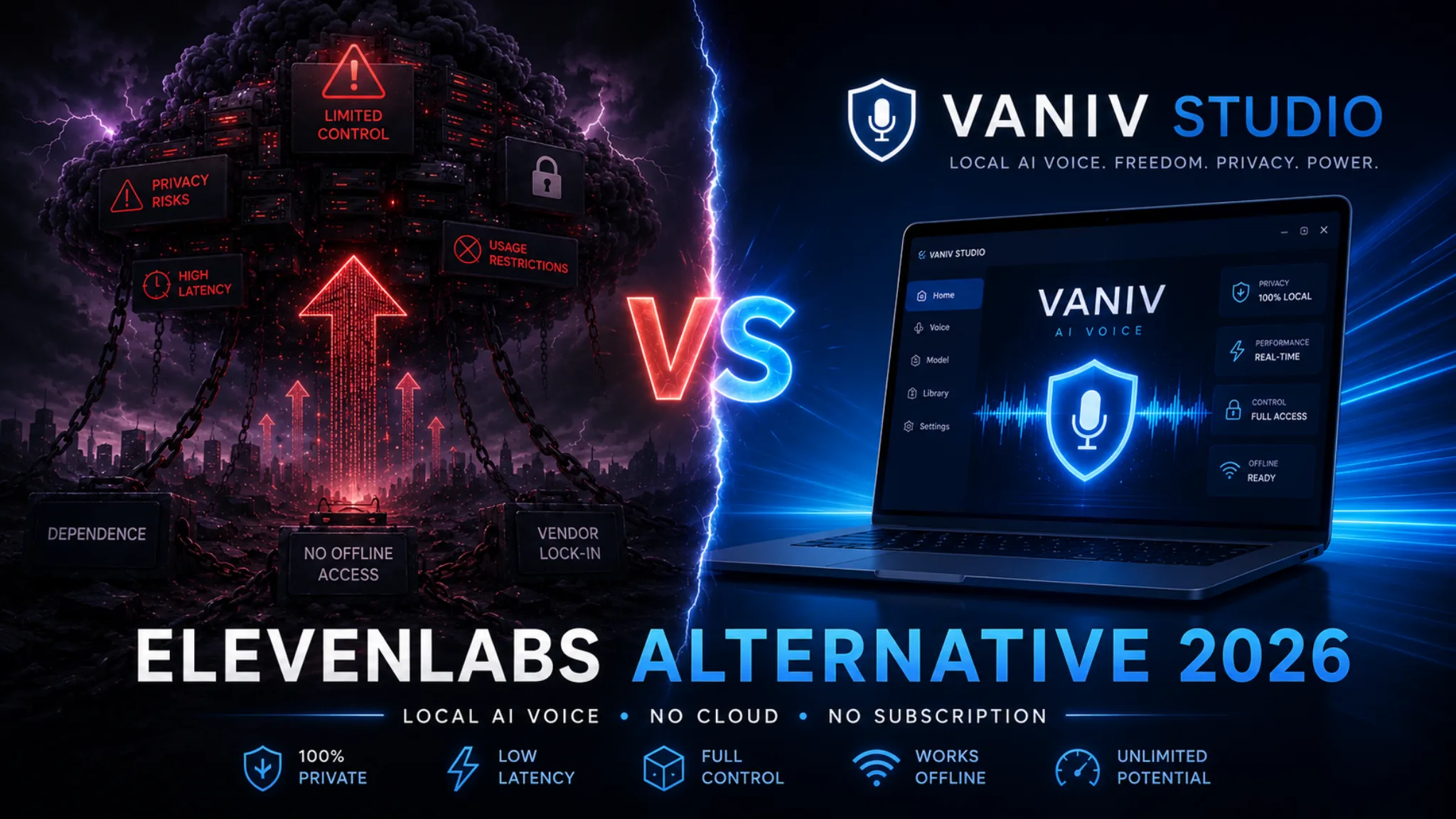
ElevenLabs is excellent when you need fast AI voices in the browser. VANIV Studio is the local alternative for creators who want more control over voice cloning, video dubbing, subtitles, project files and export.
This guide compares ElevenLabs and VANIV Studio honestly: cloud TTS versus local creator workflow, voice cloning, privacy, cost logic, multilingual dubbing and real video production.
Jump to the important parts
ElevenLabs is strong for fast cloud voices. VANIV is stronger as a local production workflow.
If you only need an occasional short voiceover, ElevenLabs can be a very convenient choice. You open the browser, enter text, pick a voice and get a result quickly.
If you regularly produce YouTube videos, courses, product demos, faceless content or multilingual videos, the question changes. You no longer need only a nice voice. You need a repeatable workflow for files, voices, subtitles, timing, editing and export.
That is where VANIV Studio becomes interesting. VANIV is not designed as a simple cloud TTS clone. It is a local AI studio for creators who want to manage voice cloning, voice design, video dubbing, subtitles, SFX and export in a more controlled environment.
- you want to start quickly in the browser
- you mainly need short voiceovers
- you do not want to use local hardware
- cloud convenience matters more than local control
- you rely on API or team workflows in the cloud
- you produce videos regularly
- you want to reuse your own or authorized voices
- you want to translate and dub videos locally
- subtitles, timing, SFX and export are part of your workflow
- privacy and long-term control matter to you
Why creators search for an ElevenLabs alternative in 2026
Most creators do not look for an alternative because ElevenLabs is bad. They look for an alternative because their workflow has grown.
ElevenLabs helped make AI voices mainstream for many creators. The quality is high, the browser workflow is simple and short voiceovers can be created quickly. That is exactly why so many people know the tool.
The first problem usually does not appear during a quick demo. It appears later, when you turn AI voice into a real production process. You publish weekly videos. You test shorts. You translate videos into more languages. You build a course. You work with clients. Suddenly, the question is not whether a single sentence sounds good. The question is whether the whole workflow stays manageable.
The difference shows up in everyday production
A single cloud voiceover can be convenient. A complete creator workflow adds video, translation, subtitles, project files and export. That broader requirement is where a local ElevenLabs alternative can make sense.
Regular usage changes the calculation
A cloud subscription can be fine for a few short clips. With many minutes, multiple languages and repeated exports, usage becomes a strategic cost factor.
Voices and videos are sensitive assets
Your voice, speaker voices, client projects and internal training material should not be treated like random test files.
Video production needs more than audio
YouTube dubbing requires timing, subtitles, pauses, export and sometimes multiple speakers. A pure audio workflow often is not enough.
What ElevenLabs really does well
ElevenLabs remains a strong option for fast, browser-based voice generation.
ElevenLabs is particularly useful when you want natural-sounding AI voices with very little setup. For creators, marketers, developers and teams, that can be extremely practical.
You do not need a local installation, model management or a powerful graphics card. You can work from the browser, generate audio quickly and export it for your project. For short marketing videos, landing page voiceovers, explainer clips or one-off audio projects, this is a real advantage.
Fast start
You can start without a local setup. That is ideal for users who do not want to install or maintain a desktop AI workflow.
Strong AI voices
For many classic voiceover tasks, ElevenLabs delivers natural results. Short scripts can sound very convincing.
Useful for integrations
If you build cloud apps, automations or developer workflows, API and cloud infrastructure can be a big advantage.
The point is not that ElevenLabs is weak. The real question is whether a cloud TTS workflow is still the best option when your work becomes a complete video and dubbing pipeline.
Where cloud voice tools can become frustrating for power users
The more you produce, the more control, repeatability and structure matter.
The limitations of cloud tools often do not show up on day one. They show up when you repeat the same process again and again: upload files, generate audio, export, move to another editor, check subtitles, fix timing and render again.
Uploads are not only about speed.
For hobby tests this may not matter. For client work, internal training, product demos, course material or real human voices, it becomes a control question.
Usage becomes something you constantly calculate.
Depending on plan, volume and extra usage, a cloud model can feel comfortable or limiting. It depends on how much you actually produce.
Audio alone often is not enough.
For YouTube you need video, audio, subtitles, timing, chapters, export and sometimes several language versions. If every step happens in another tool, friction grows.
Your workflow depends on the provider.
Plans, limits, features and terms can change. That is normal for cloud tools, but it becomes a factor when your workflow depends on them.
What VANIV Studio does differently as a local ElevenLabs alternative
VANIV is not built only to generate isolated voice clips. It is designed around a local creator workflow.
VANIV Studio is not a simple “text in, voice out” tool. It is a local AI studio for creators working with voices, video, dubbing, subtitles and export. This combination is the real difference.
Use your own voices locally
You can work with your own voice or authorized speaker voices as reusable assets inside your production workflow.
Plan voices by description
For faceless formats or brand voices, you can design a fitting voice instead of improvising from scratch every time.
Think in videos, not just audio
VANIV is built around video workflows: transcription, dubbing, timing, subtitles and export belong together.
The local advantage
When you produce regularly, voice quality alone is not enough. You need a workflow you can repeat without uploading every file, switching between tools and counting credits for every experiment.
Test VANIV with your own videoElevenLabs vs VANIV Studio: feature comparison
The right choice depends on your whole production process, not only on the first voice sample.
| Category | ElevenLabs | VANIV Studio | Practical recommendation |
|---|---|---|---|
| Deployment | Browser-based cloud tool | Local workflow on your PC | Cloud for speed, local for control |
| Text-to-Speech | Strong for fast AI voices | TTS as part of a broader creator workflow | Both can fit, depending on usage |
| Voice Cloning | Cloud-based workflow | Reusable own or authorized voices locally | VANIV for brand voices and repeat projects |
| Voice Design | Voice selection and adjustments | Design voices for formats and characters | VANIV for faceless and series formats |
| Video Dubbing | Cloud dubbing depending on workflow | Local dubbing with timing, subtitles and export | VANIV for video production |
| Multilingual Workflows | Good for cloud-based language versions | Strong for repeatable local multilingual workflows | VANIV for recurring YouTube translations |
| Privacy | Files and voices are processed in the cloud | Core workflow stays local | VANIV for sensitive projects |
| Cost Logic | Plan, credit and usage model | Local use plus license and hardware | Depends on production volume |
| Hardware | No powerful local GPU needed | Compatible GPU acceleration recommended for comfortable work | ElevenLabs if your PC is weak |
| Long-term Control | Provider, plan and cloud access dependent | More control over files, voices and projects | VANIV for long-term creator systems |
Voice cloning is more than a demo effect
For creators, a voice quickly becomes a reusable brand asset.
When people compare voice cloning tools, they often focus only on the first impression: Does the voice sound natural? Does it capture emotion? Is pronunciation good? These things matter, but production work adds more requirements.
For a YouTube channel, course platform or faceless brand, consistency matters. You do not want your voice to sound different every time. You want to reuse it reliably across videos, languages and updates.
Personal brand
If you are the brand, your voice is part of your identity. It should remain consistent across your content.
Speakers & client work
With clear permission, speaker voices can be used consistently for courses, series and recurring formats.
Faceless channels
A faceless channel often does not need a real person’s voice. It needs a fitting, recognizable channel voice.
VANIV becomes interesting because voices are not only generated. They become part of a local production system with projects, videos and repeatable exports.
The biggest difference appears in video dubbing
Many creators do not want a pure TTS voice. They want a solution for whole videos.
Translating a YouTube video is not the same as reading a text out loud. You need transcription, translation, timing, pauses, speaker structure, subtitles and a final export. With long videos or multiple languages, this becomes a real workflow.
Import the video
The starting point is not only text. You work with real video files that include speech, music, cuts and timing.
Understand speakers and segments
Interviews, tutorials and demos need clean handling of speakers, sections and terminology.
Generate dubbing
The new voice must not only sound good. It must fit the tempo, target language and scene.
Check subtitles and export
For YouTube and courses, the final result matters: clean files, usable subtitles and a reliable export.
Why this matters
ElevenLabs can be useful for many audio tasks. VANIV becomes especially strong when one video needs to become several language versions. That is where local dubbing workflows become powerful.
Cloud is convenient. Local gives you more control.
Cloud tools are not automatically bad or unsafe. But for voices, client files and internal videos, local control is a real advantage.
A cloned voice is a sensitive asset. This applies to your own voice, speaker voices, client projects and training material. If you work with these assets regularly, you want to know where the files are stored, who processes them and how dependent your workflow is on a provider.
VANIV is built around local production. The core workflow runs on your own machine. For creators, agencies and course providers, this can be a decisive point.
- fewer unnecessary uploads of sensitive files
- more control over own and authorized voices
- a better fit for NDA, client and internal projects
- less dependence on changing cloud plans
Costs: credits, subscriptions and local workflow
The mistake is to look only at the monthly price. Real production cost includes more.
For a few short voiceovers, a cloud tool can be a smart choice. You pay for convenience, infrastructure, browser access and fast results. But if you regularly create videos, courses or language versions, you should calculate differently.
Convenient, but volume-dependent
Depending on plan, minutes, credits, exports and extra usage, a cloud workflow can be affordable or limiting. It depends on your real production volume.
More setup, more control
A local workflow needs hardware and software. It becomes more attractive when you work with many projects, reusable voices and multiple language versions.
| Usage | Cloud tool | Local workflow | Assessment |
|---|---|---|---|
| 1–3 short voiceovers per month | Very convenient | More setup than needed | Cloud can be enough |
| Weekly YouTube videos | Uploads, credits and exports matter more | Repeatable local workflow | VANIV becomes interesting |
| Multilingual videos | Watch volume and plan limits | Voices, subtitles and export can be combined locally | Local workflow often makes sense |
| Client or course projects | Cloud convenience, but privacy must be checked | Files and voices remain more controlled | VANIV is strong for sensitive projects |
For a deeper breakdown, read the cloud vs local AI cost comparison. The key point: do not calculate only the tool price. Include upload time, repeated exports, project volume, privacy, voice reuse and long-term dependency.
Workflow comparison: a 12-minute YouTube video
The real difference does not appear in a demo sentence. It appears in your production routine.
Generate audio and process it elsewhere
You prepare the text, generate a voice, export audio, download files, check timing and assemble everything in an editor. For a short voiceover this is fine. For longer videos it becomes fragmented.
Edit the video locally as a project
You import the video and work with voice, dubbing, subtitles and export in a connected workflow. This reduces tool switching and makes repetition easier.
For one short clip, the fastest tool to open often wins. For a recurring YouTube workflow, the tool with less friction across many projects often wins.
Who should use ElevenLabs — and who should use VANIV?
Both approaches can be reasonable. The question is which workflow fits your reality.
- you only need occasional short voiceovers
- you do not want to set up local software
- you do not have a sufficiently strong PC or compatible GPU acceleration
- you use browser-based team or API workflows
- you mainly generate audio and edit video elsewhere
- you regularly produce YouTube videos, courses or demos
- you want to reuse own or authorized voices
- you want to translate and dub videos locally
- subtitles, timing and export are part of your workflow
- you want more control over data, voices and projects
Realistic creator scenarios
These practical situations show where each workflow has the clearer advantage.
Tech tutorial in several languages
A 15-minute tutorial should appear in English, German and Spanish. Voice quality matters, but timing, subtitles and export matter just as much. VANIV fits this workflow well.
Updating lessons
A course creator must update lessons regularly. A reusable voice and local project control can save a lot of frustration over time.
Recognizable channel voice
A faceless channel needs a consistent voice that fits the format. A local voice system can become more valuable than disconnected cloud audio files.
If you are planning faceless content, also read the guide on making money with faceless YouTube. If you want international reach, start with scaling a YouTube channel in five languages.
Common mistakes when choosing an ElevenLabs alternative
Many people choose a tool based only on the first voice sample. That is too shallow.
Judging only voice quality
Voice quality matters, but production also depends on timing, workflow, export and voice reuse.
Ignoring privacy
With real voices, client files and internal videos, you should know where data is processed.
Calculating only monthly price
Minutes, credits, exports, uploads and time spent fixing projects are part of the real cost.
Forgetting subtitles
YouTube and courses need clean subtitles. A pure audio tool does not automatically solve that.
Combining too many tools
TTS in one place, dubbing in another, subtitles elsewhere and export in a separate editor can work, but it costs time.
Underestimating voice rights
Use voice cloning only with your own voice or clear permission. Anything else is legally and ethically risky.
How to test VANIV before changing your current workflow
The best decision comes from testing with real material, not with one demo sentence.
Use a real project, not a perfect test script
Many creators compare AI voice tools in the wrong way. They paste a short sentence into a tool, listen to the first output and decide based on that impression. This is fine for a quick quality check, but it is not enough for a production decision.
A voice tool does not only need to sound good in one sentence. It must work with your real video: longer sections, terminology, pauses, background audio, subtitles, export settings and repeated usage. This is where a nice demo becomes either a real workflow or a dead end.
Take an existing video you would actually publish. First, run it through your current cloud workflow. Measure how long it takes to prepare text, generate voice, export audio, fix timing, create subtitles and render the final version.
Then rebuild the same project locally with VANIV. Compare sound, control, structure, repeatability and the time required. Results from several real projects are more useful than one impressive sample.
Does the voice stay stable over long passages?
Short sentences are easy. A full section reveals whether the voice remains consistent and natural.
How many tools do you really need?
If voice, subtitles, editing and export are split across too many tools, every video costs extra time.
Where are your files and voices?
For client work, courses and brand voices, local control can matter more than a fast first export.
How to compare ElevenLabs and VANIV fairly
Do not compare tools with a demo phrase. Compare them with your real workflow.
Week 1: Choose three real projects
Pick a short voiceover, a longer YouTube video and one project with translation or subtitles. Real projects reveal real strengths and weaknesses.
Week 2: Test the cloud workflow
Use ElevenLabs or another cloud tool. Look beyond sound. Track uploads, export steps, cost logic and manual editing.
Week 3: Rebuild the same project locally
Use VANIV for the same material. Check voice quality, dubbing, subtitles, file control and repeatability.
Week 4: Decide based on reality
Compare quality, time, control, cost, privacy and how comfortable the workflow would be for your next 50 videos.
Frequently asked questions about local ElevenLabs alternatives

The best ElevenLabs alternative depends on your workflow.
ElevenLabs remains a strong tool for fast cloud voices, short voiceovers and browser-based workflows. If that is exactly what you need, there is no reason to make things more complicated.
VANIV Studio becomes more compelling when you produce regularly and need more than one audio file. If you want to reuse own or authorized voices, dub videos locally, check subtitles, control projects and work more independently over time, VANIV is the stronger direction.
The real decision is not “ElevenLabs or VANIV?”. The real decision is: do you want to generate separate cloud voiceovers, or do you want to build a local creator workflow?
Test with real material
Use a real video, a real voice and a real export. That is when you see which tool actually fits your production routine.
Join Early Access